
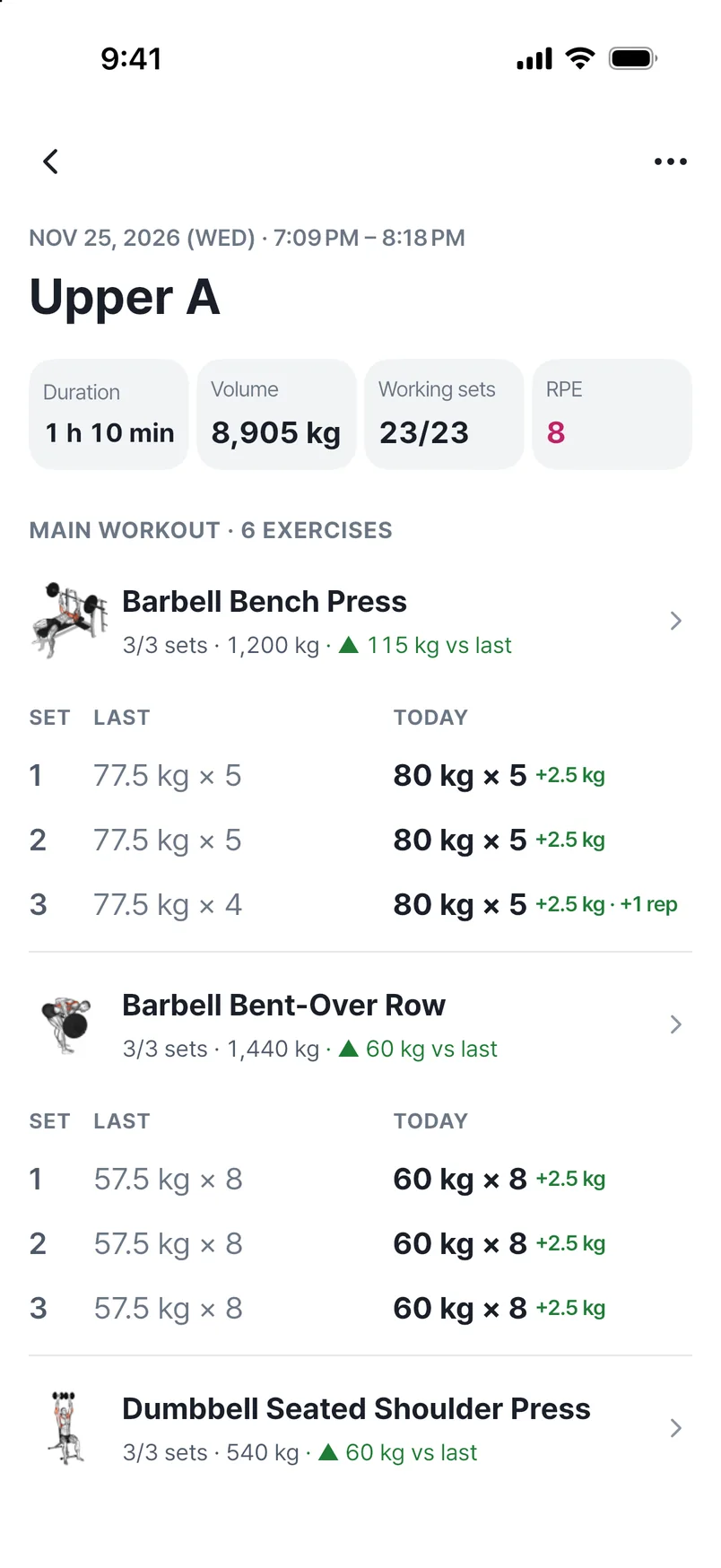
What is the workout log?
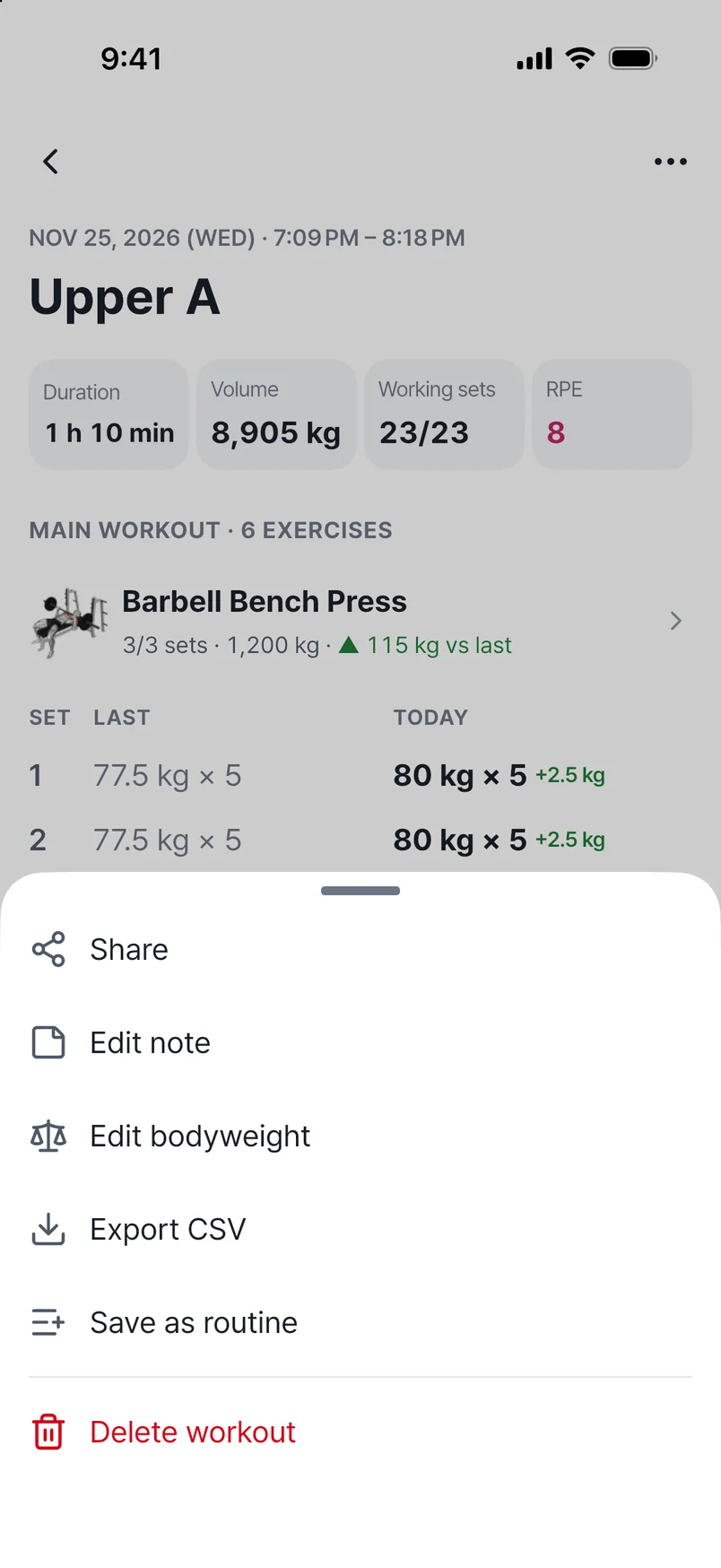
It is the record of one finished workout. Duration, volume, sets and RPE are at the top, with the sets of each exercise below.
Open a past workout
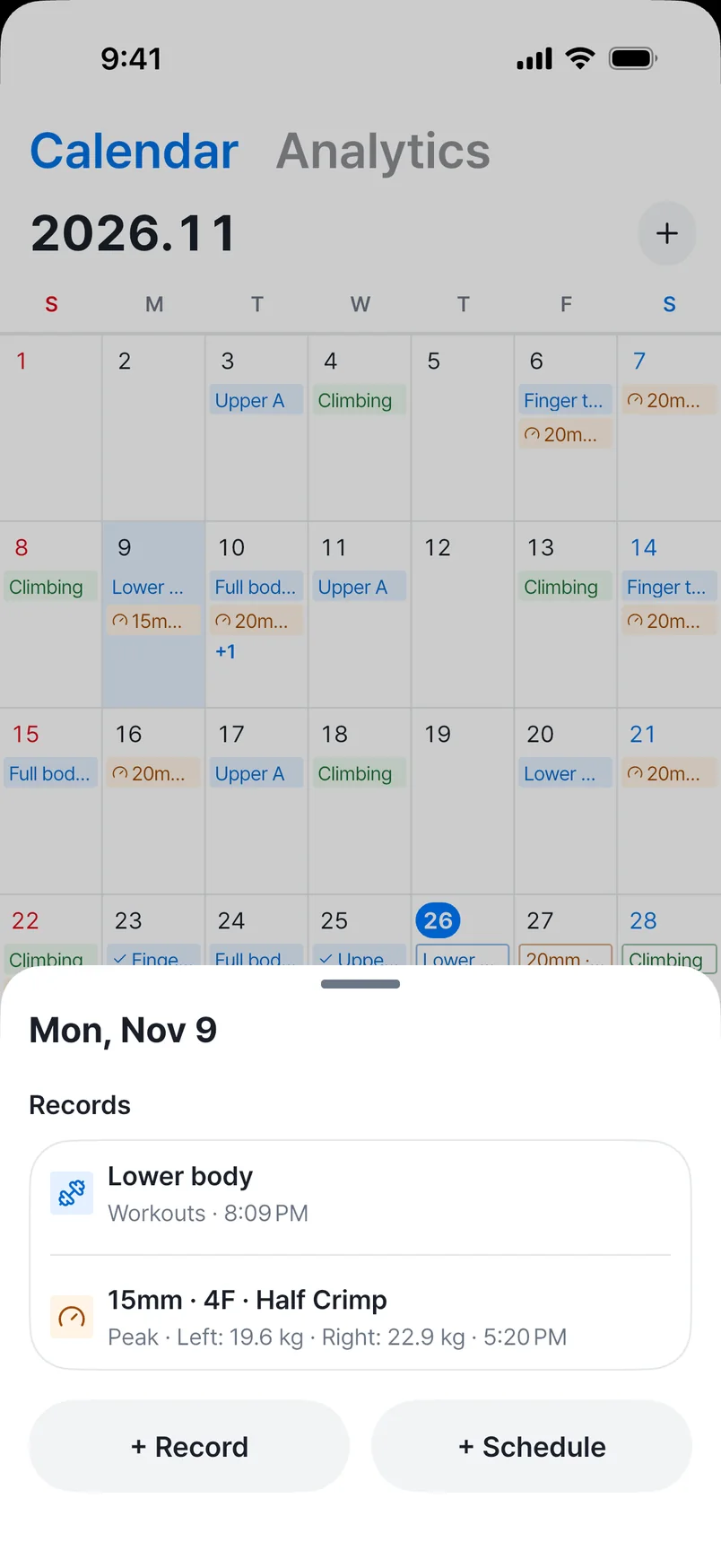
On the History tab, tap a day in the Calendar and choose the workout. Climbing sessions and measurements from that day are listed too.
Compare with last time
Each set shows Last and Today side by side. If weight or reps went up, the gain is shown in green. If volume went up, it appears with ▲ under the exercise name.
A routine workout is compared with the previous time you did that routine. An empty workout is compared with the last time you did each exercise. Tap an exercise to open its details.
If you used a Dyno, the Frez Dyno tab shows the force graphs.
Edit effort and notes
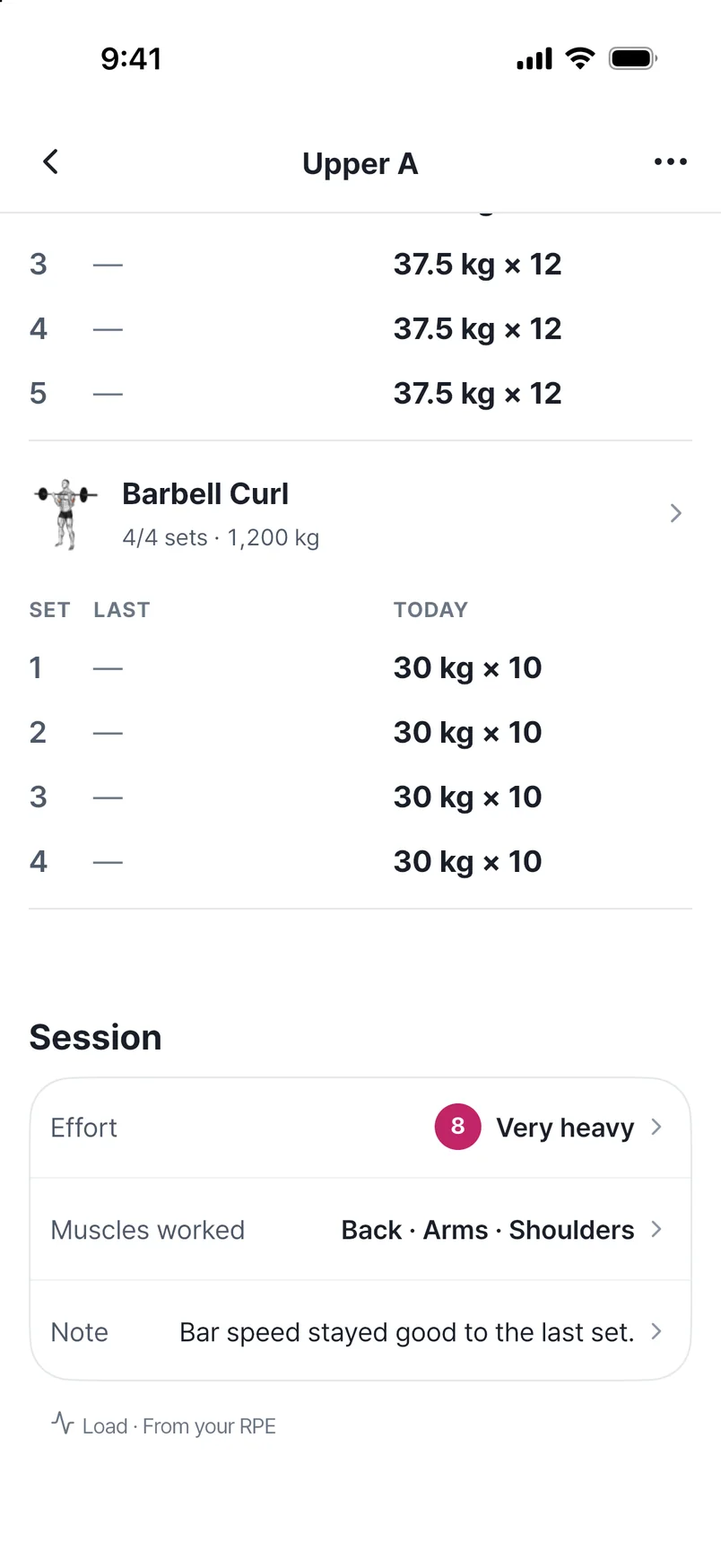
Under Session near the bottom, tap Effort or Note to edit it. For workouts without heart rate, this effort is used for the load in your Frez Score.
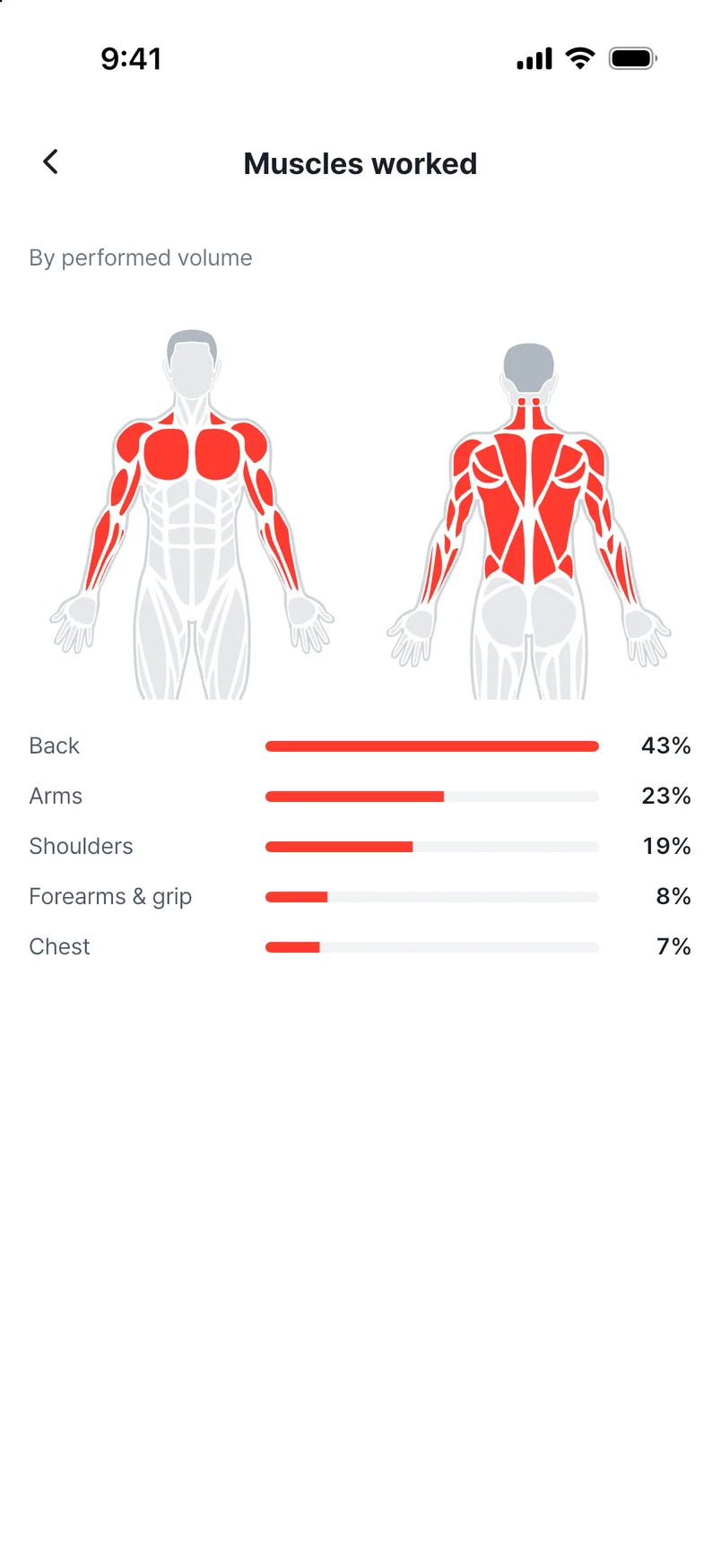
Tap Muscles worked to see the share of each muscle, based on the volume you performed.
More actions
The ⋯ menu has Share, Edit bodyweight, Export CSV, Save as routine and Delete workout. Changing the bodyweight recalculates the volume of bodyweight and assisted exercises.
See the trend of a routine
Open a routine on the Workout tab to see how its volume or set count has changed. Pick a period from three months to all time. Dyno exercises show total load, max force and average load.
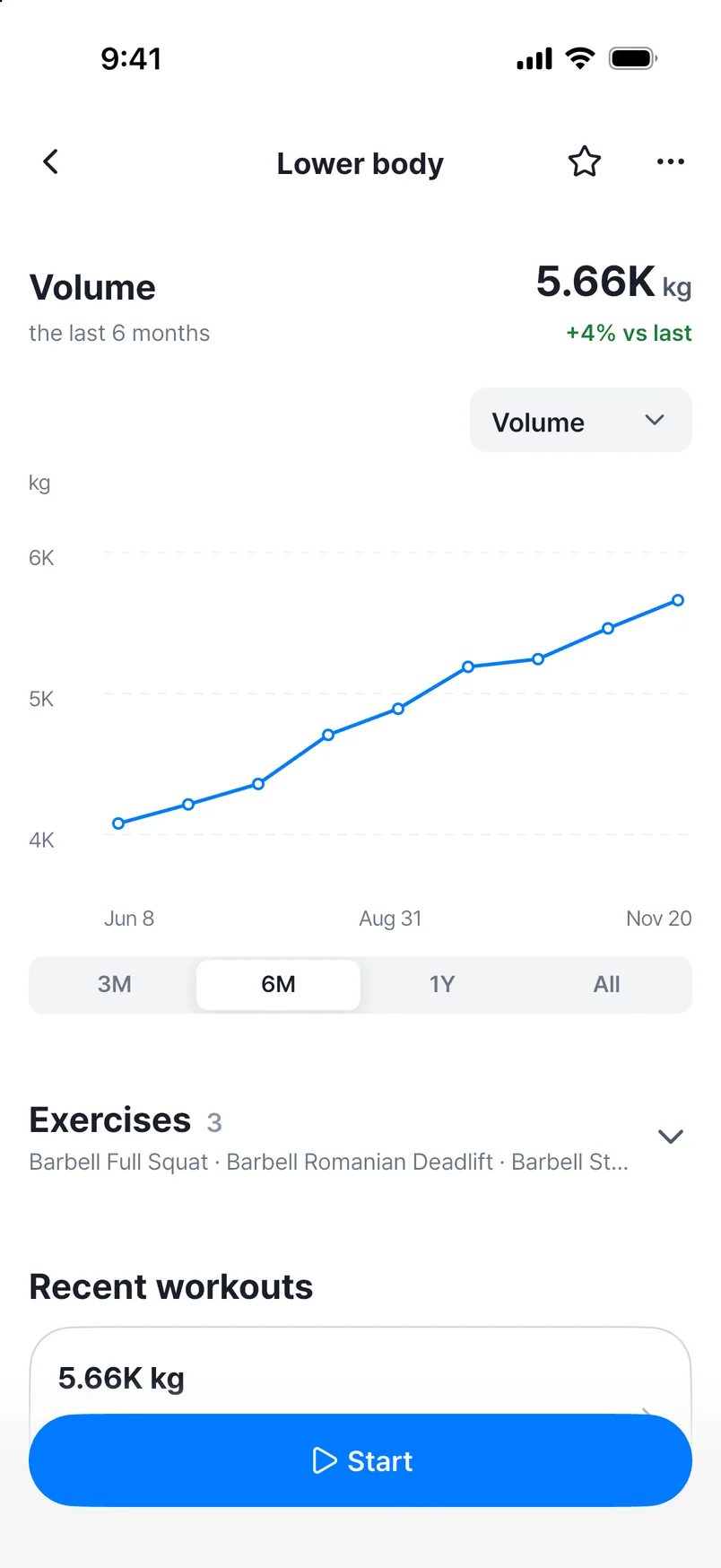
Show all under Recent workouts lists every time you did the routine. A workout opened from Recent workouts has Do this workout again, which starts the routine.