
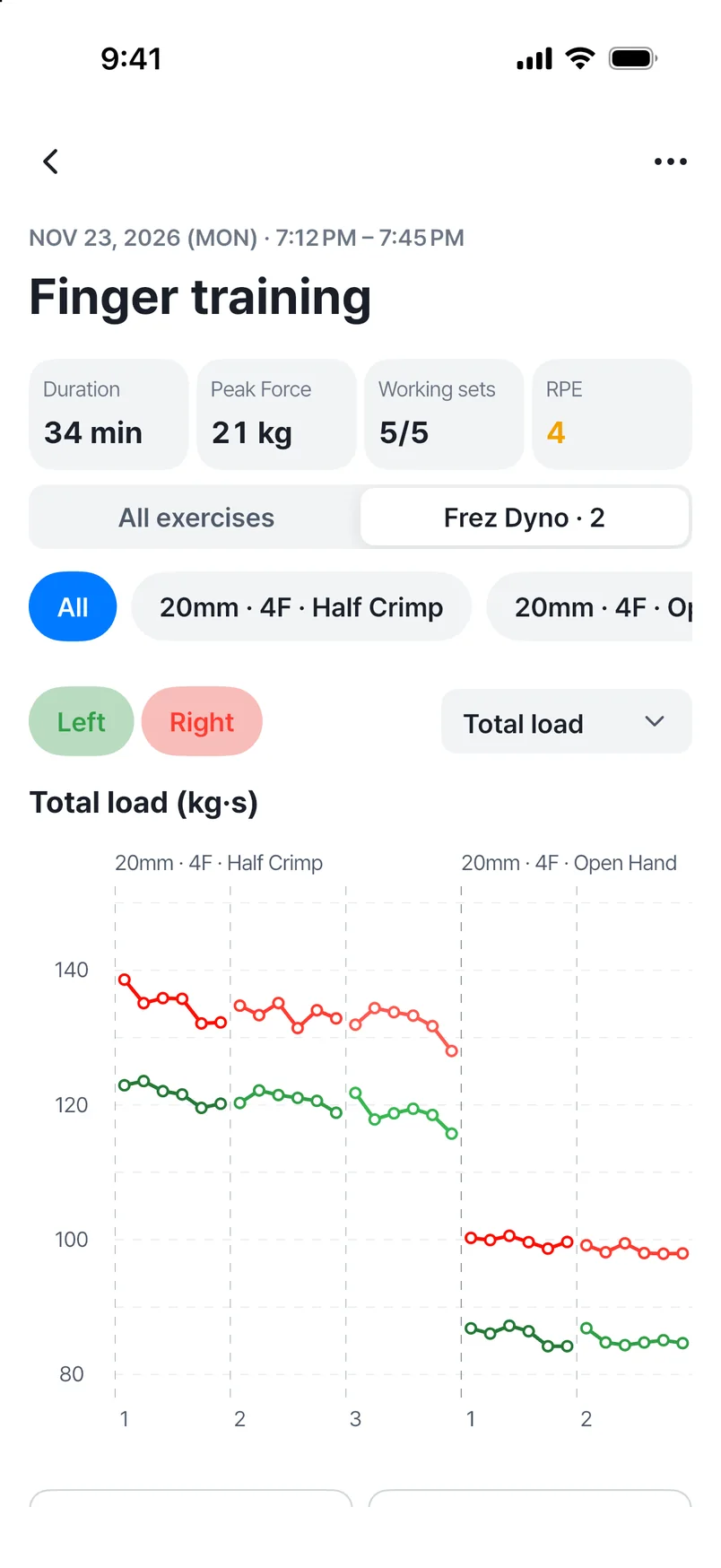
What are force graphs?
Training with a Dyno records the force of every rep. In the workout record you can look at sets, reps, left and right on their own.
Open the graph
Open a workout on the History tab. If it has Dyno exercises, a Frez Dyno tab appears with their number. Force Graph on an exercise card opens it too.
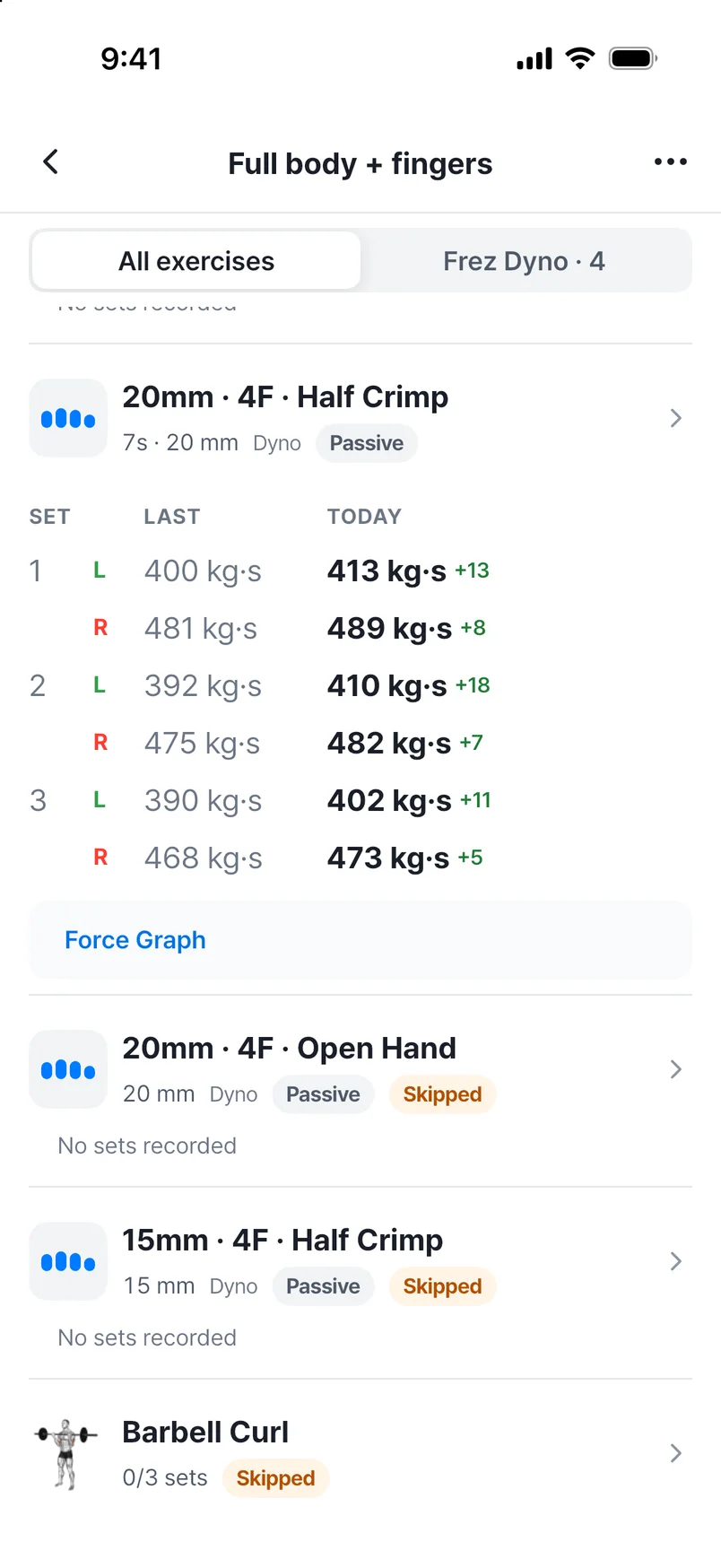
The card lists each set's total load for left (L) and right (R), today next to your last log, with the change beside it.
Compare sets
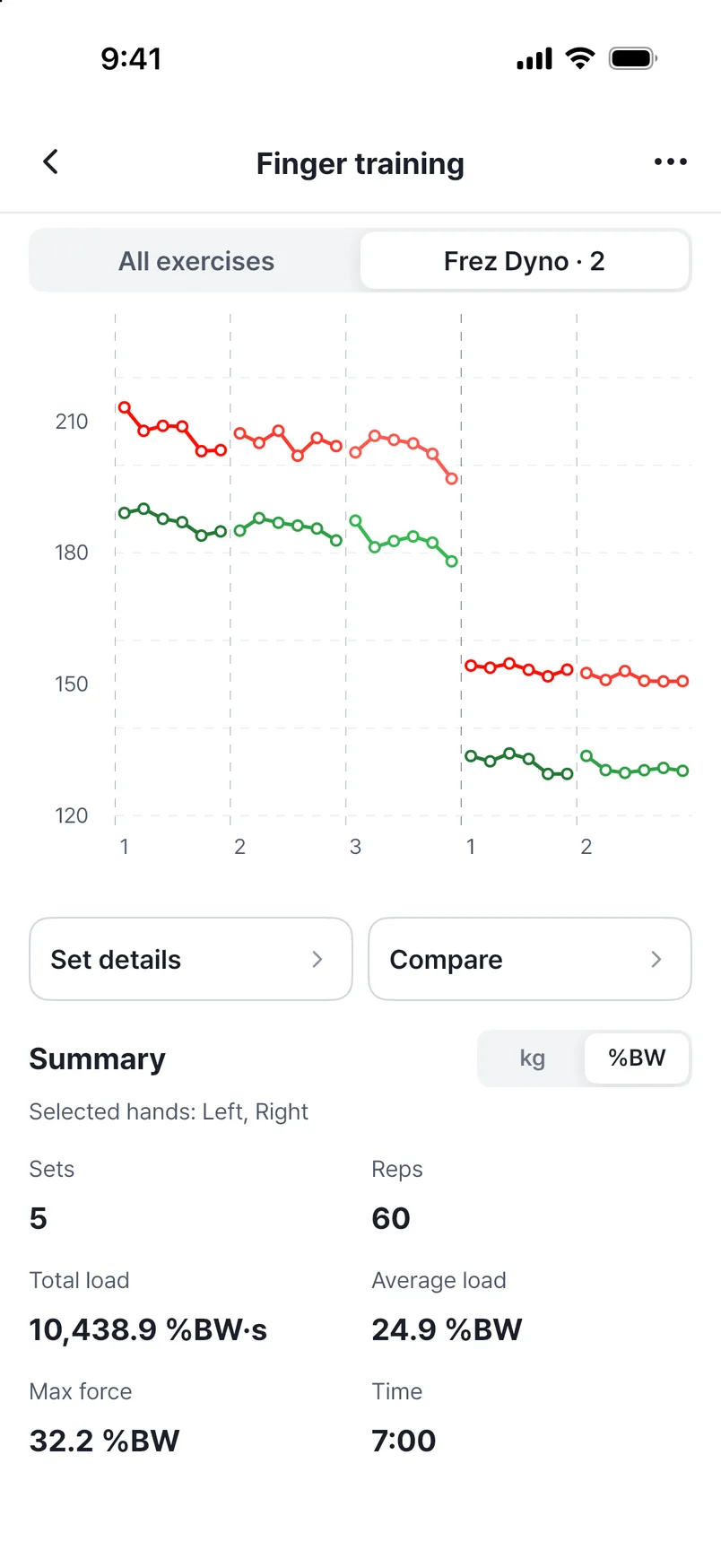
Each line is a set and each dot is a rep. Choose the hands and the value above the graph. Tap a dot to see that rep.
- Total load: Force multiplied by time, added up. Holding 20 kg for 7 seconds is 140 kg·s.
- Average load: The average of the reps' average force.
- Max force: The highest moment.
The Summary below counts only the hands you selected. If your bodyweight is known, switch to %BW to see the values against it.
See the force curve
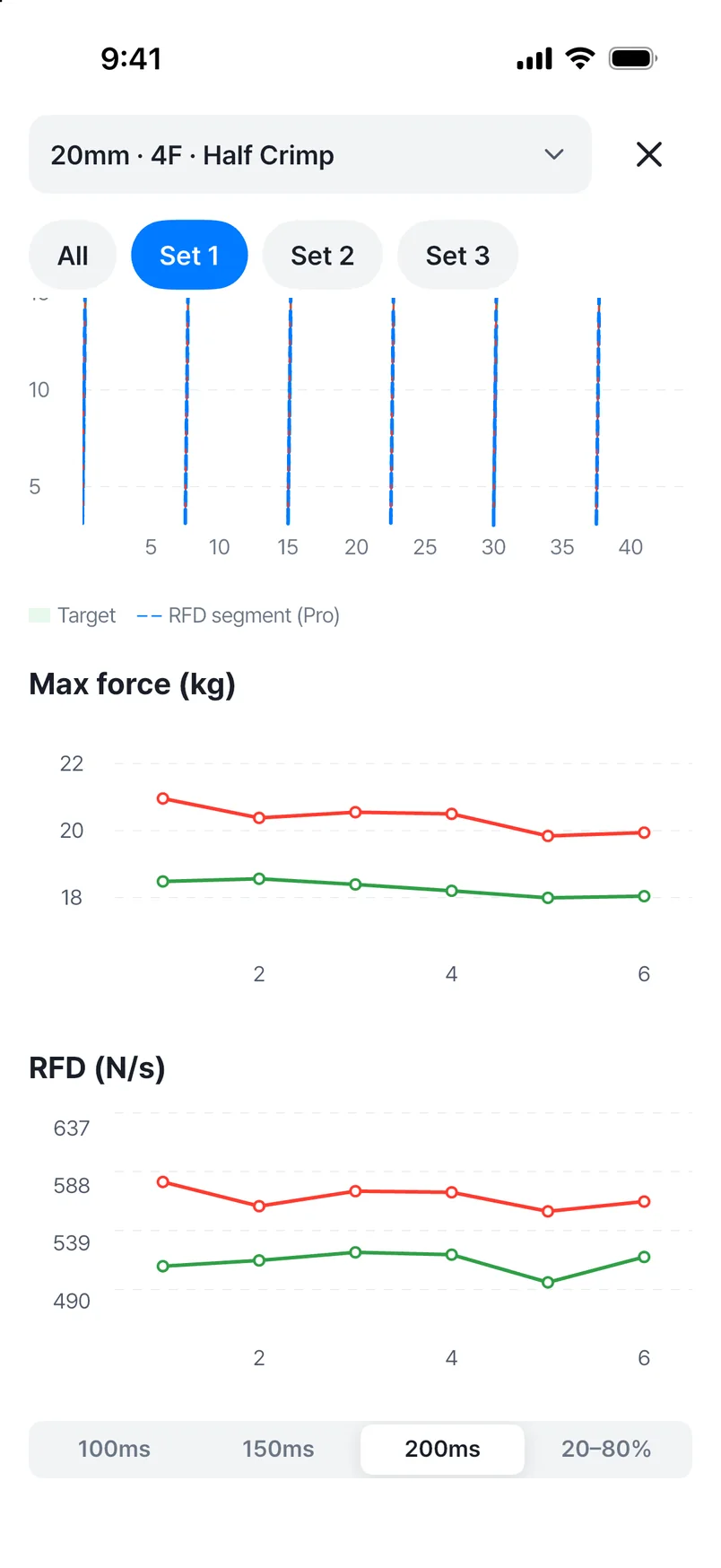
Tap Set details for the force curves of the reps in a row. Choose an exercise at the top, then a set. Sets with a target also show the target range.
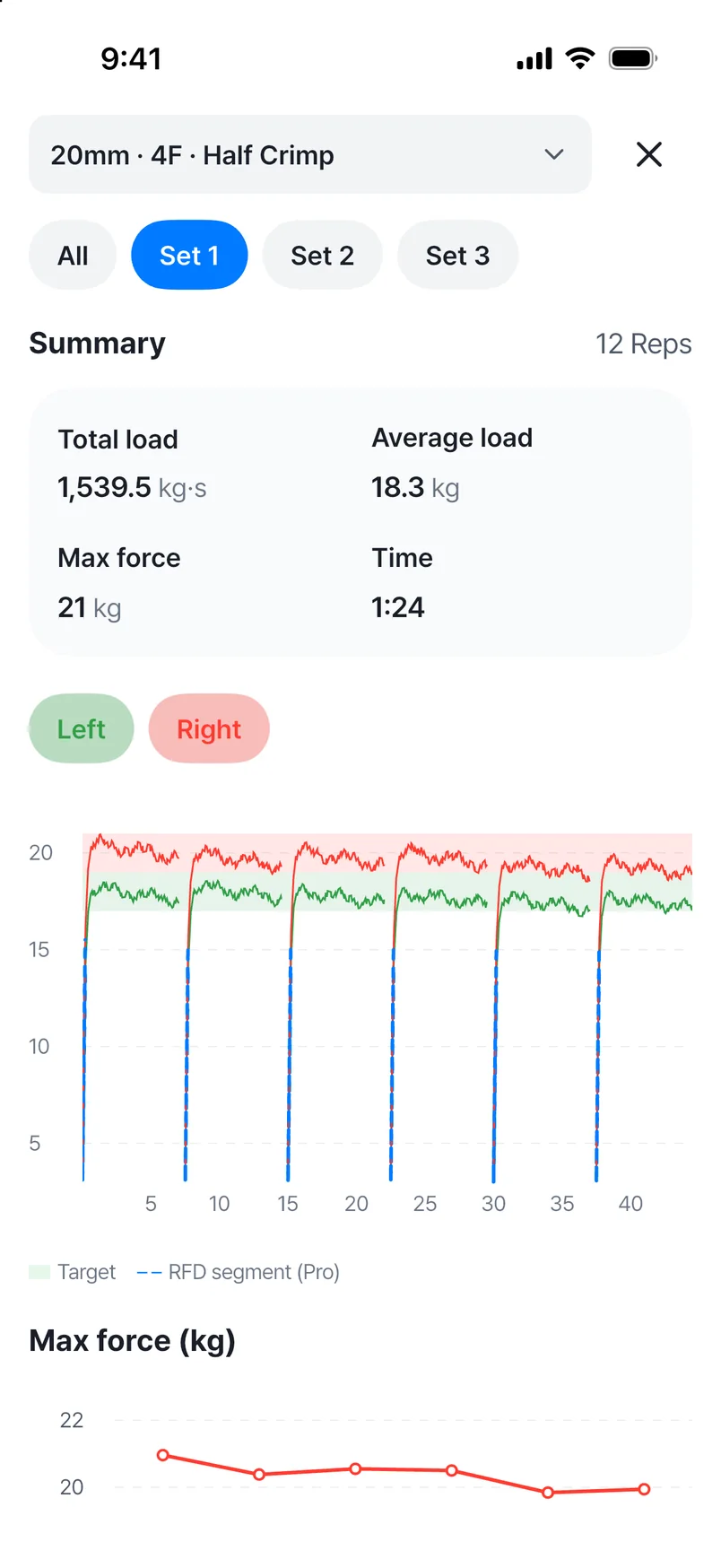
With Pro, scroll down for max force and RFD per rep. RFD can be 100 ms, 150 ms, 200 ms or 20–80%.
Compare two days
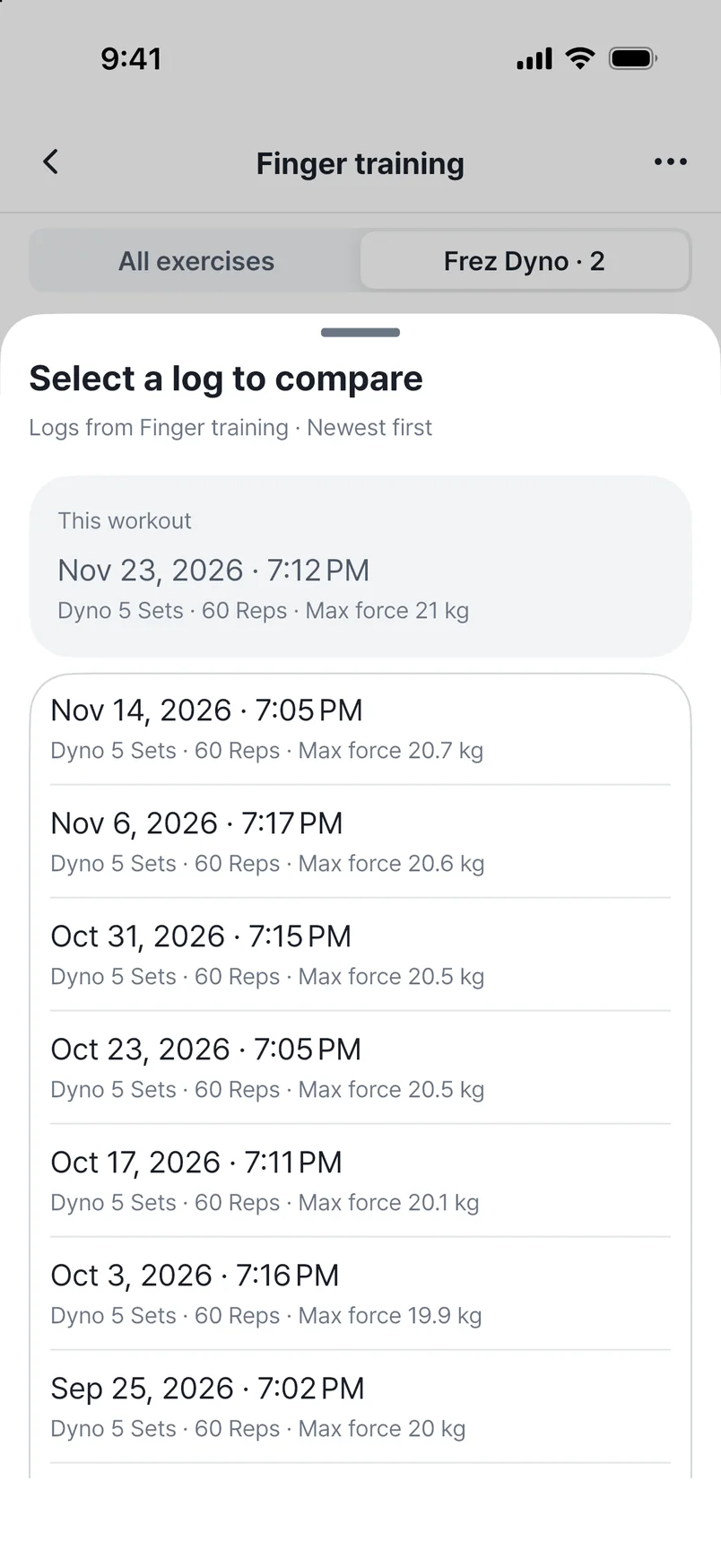
Tap Compare and choose a log of the same routine. The dashed line is Earlier and the solid line is Later. Drag the slider to make one of them stronger.
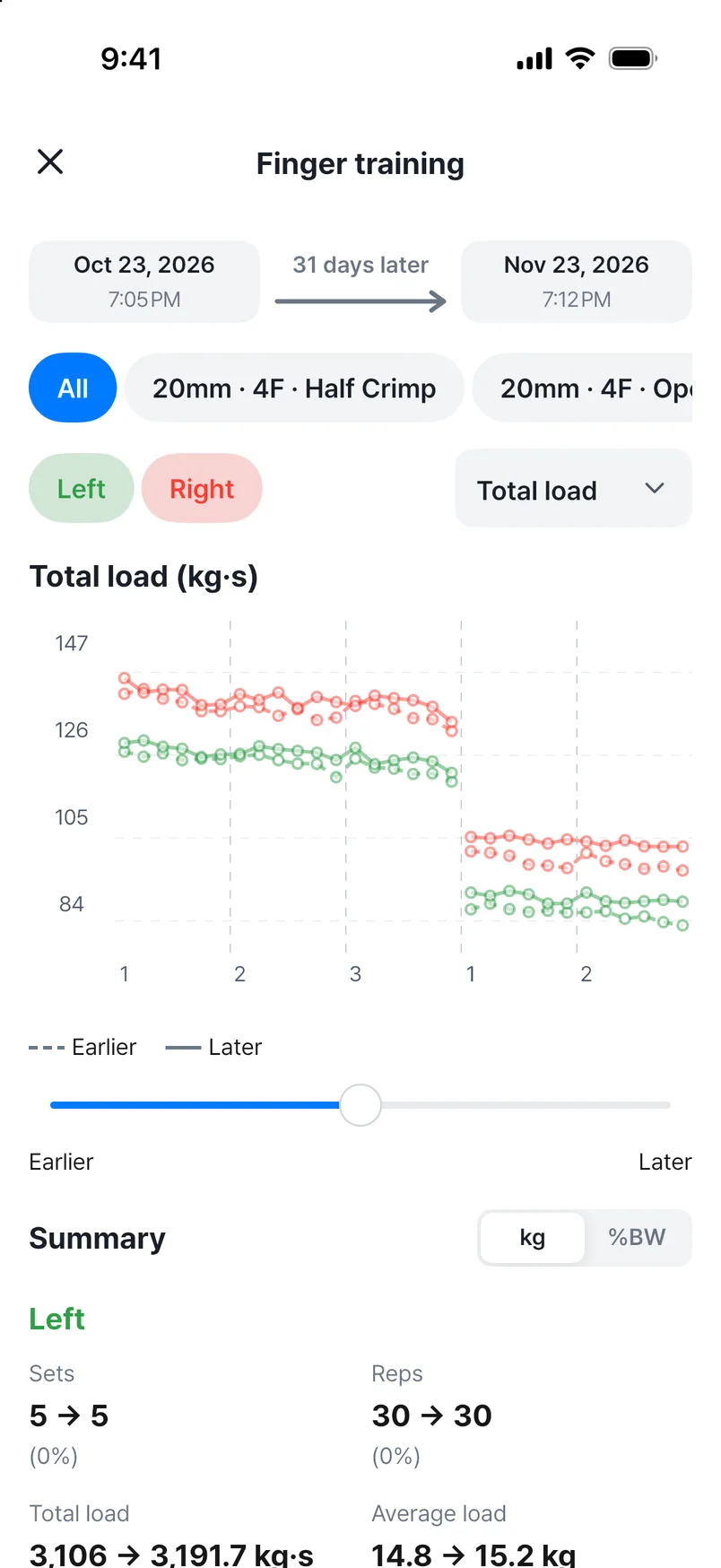
The summary shows both values and the % change for each hand. Sets and reps are paired in order.