What is a schedule?
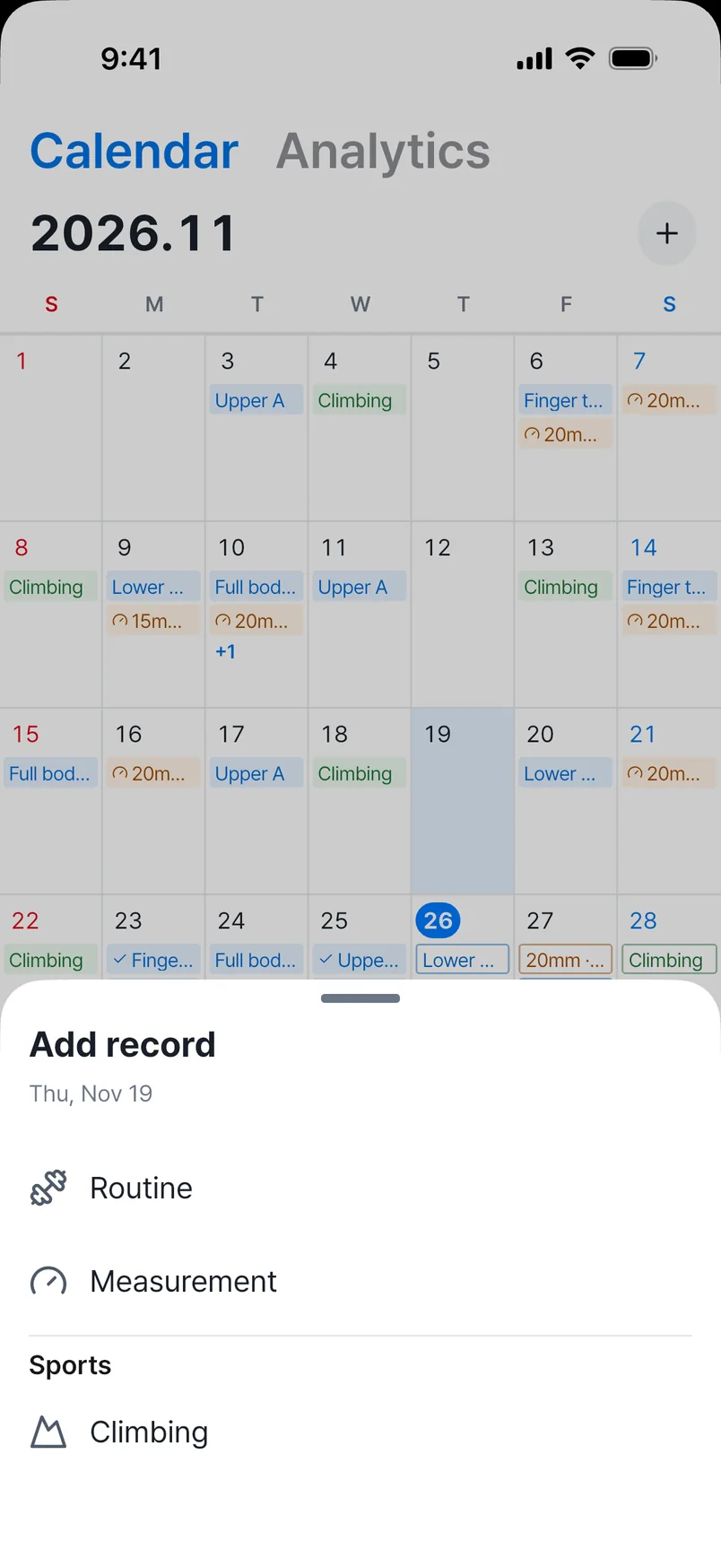
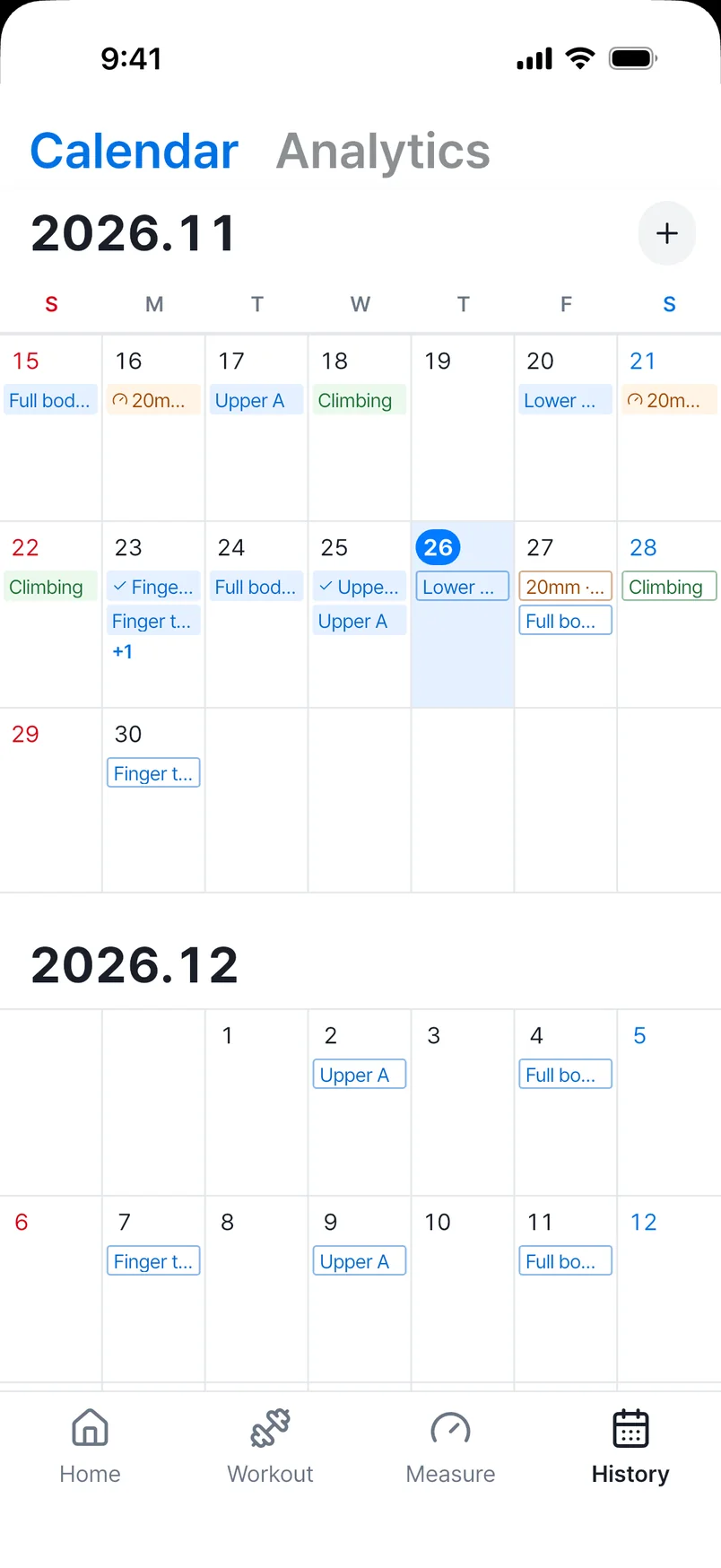
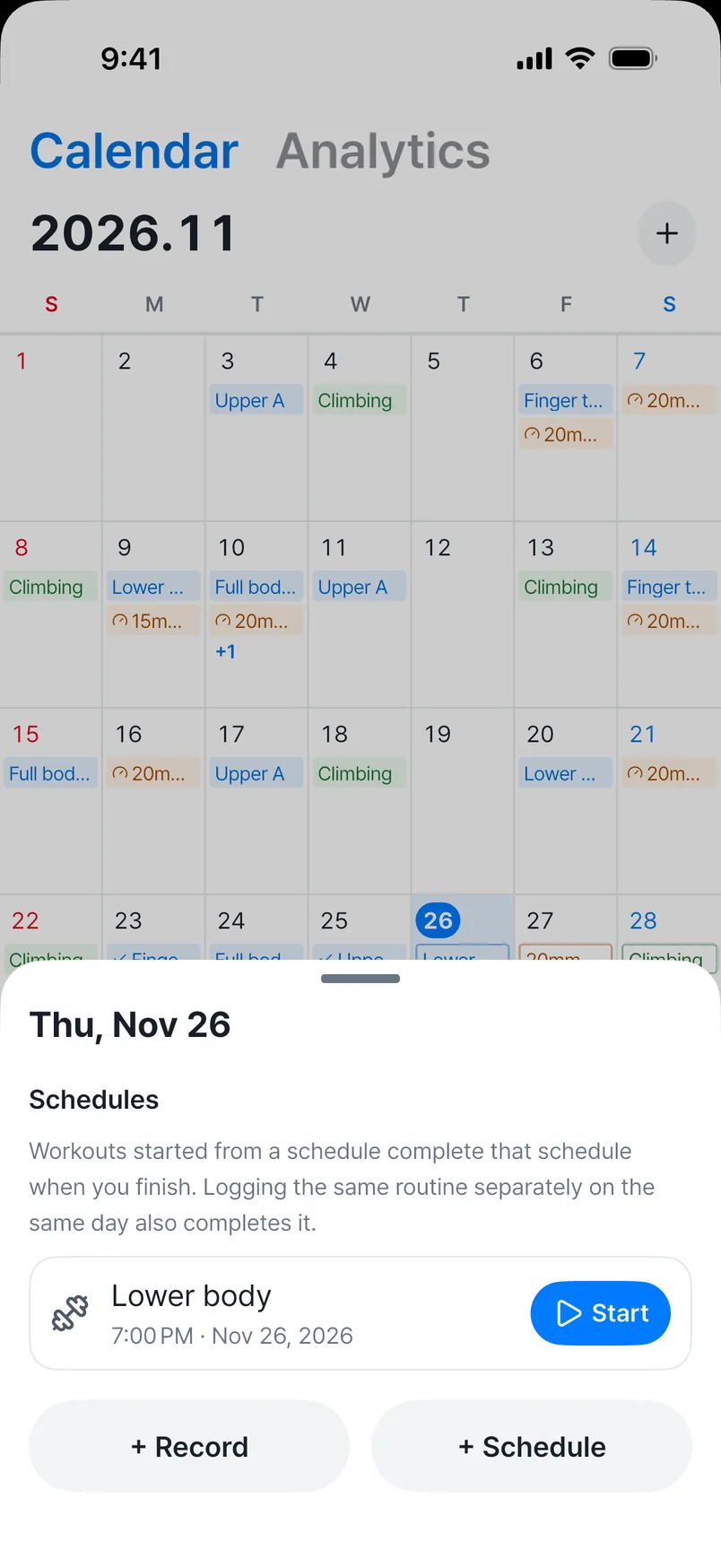
A schedule is a plan for what you will do and when. In the Calendar on the History tab, planned items have an outline. Finished ones are filled in with a check.
Add a schedule
Tap + at the top right of the calendar and choose Routine, Sport, Measurement or Custom. To start on a certain day, tap the day first, then + Schedule.
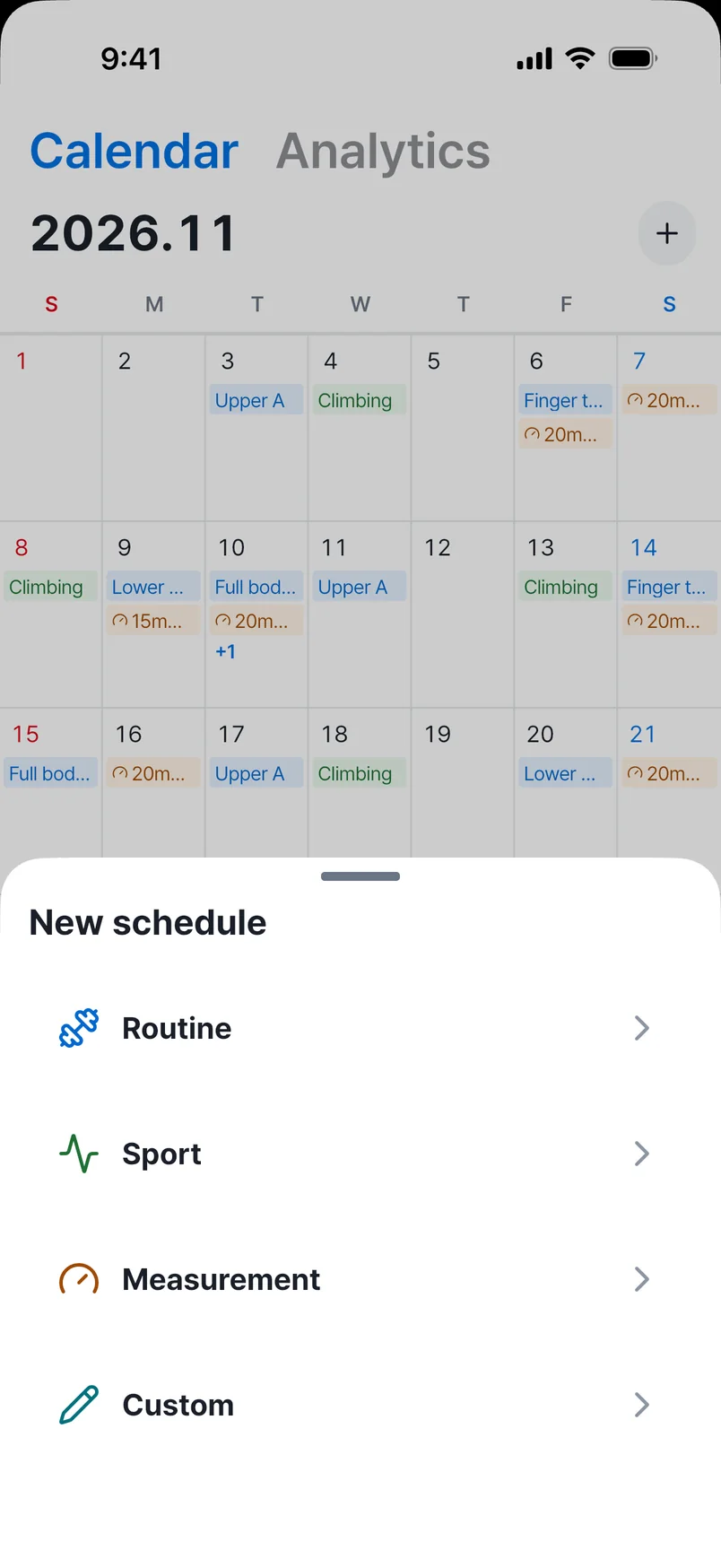
After choosing what to do, set the date, time, repeat and reminder. Place and note are optional.
It can repeat every day, week, two weeks, month or year. For patterns such as Monday, Wednesday and Friday, or every 3 days, choose Custom. Set the last day under End repeat.
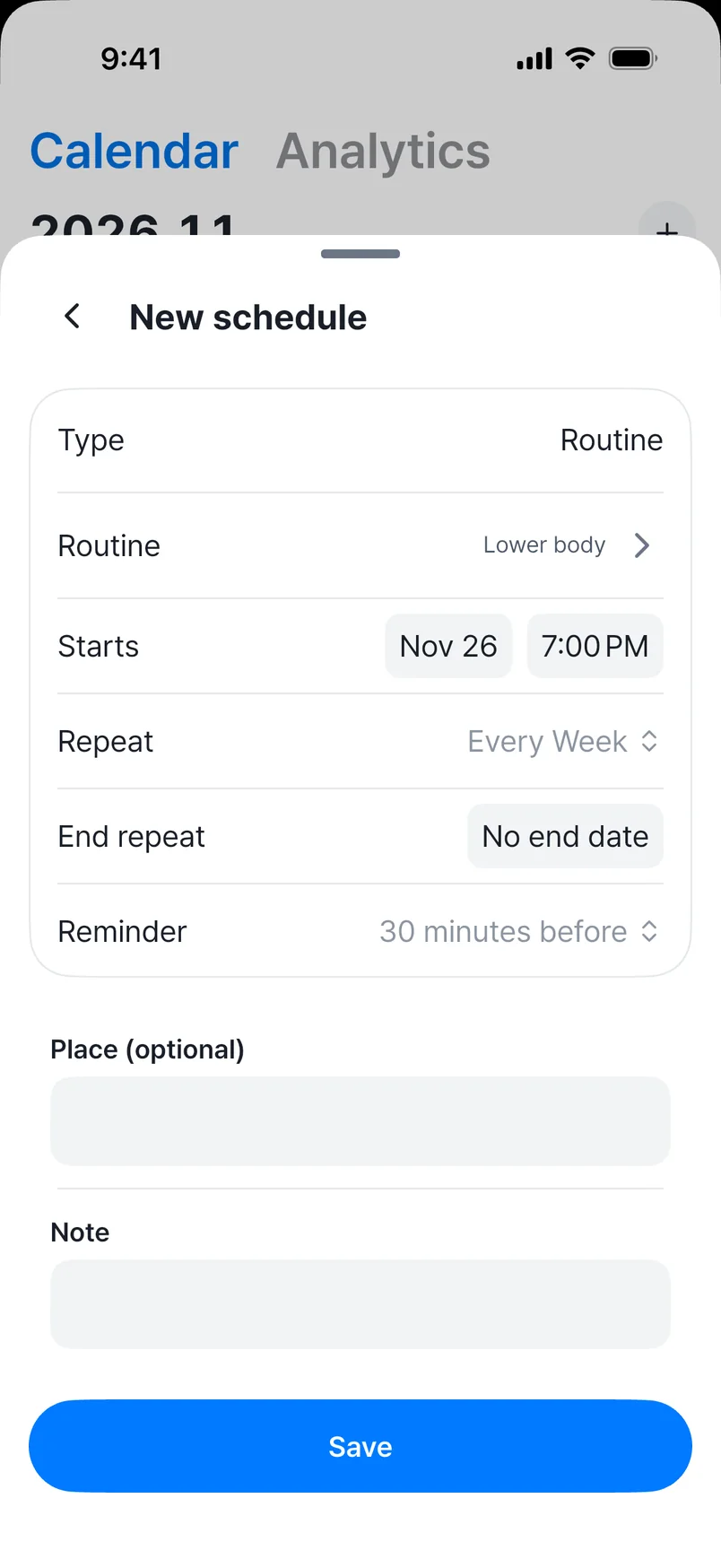
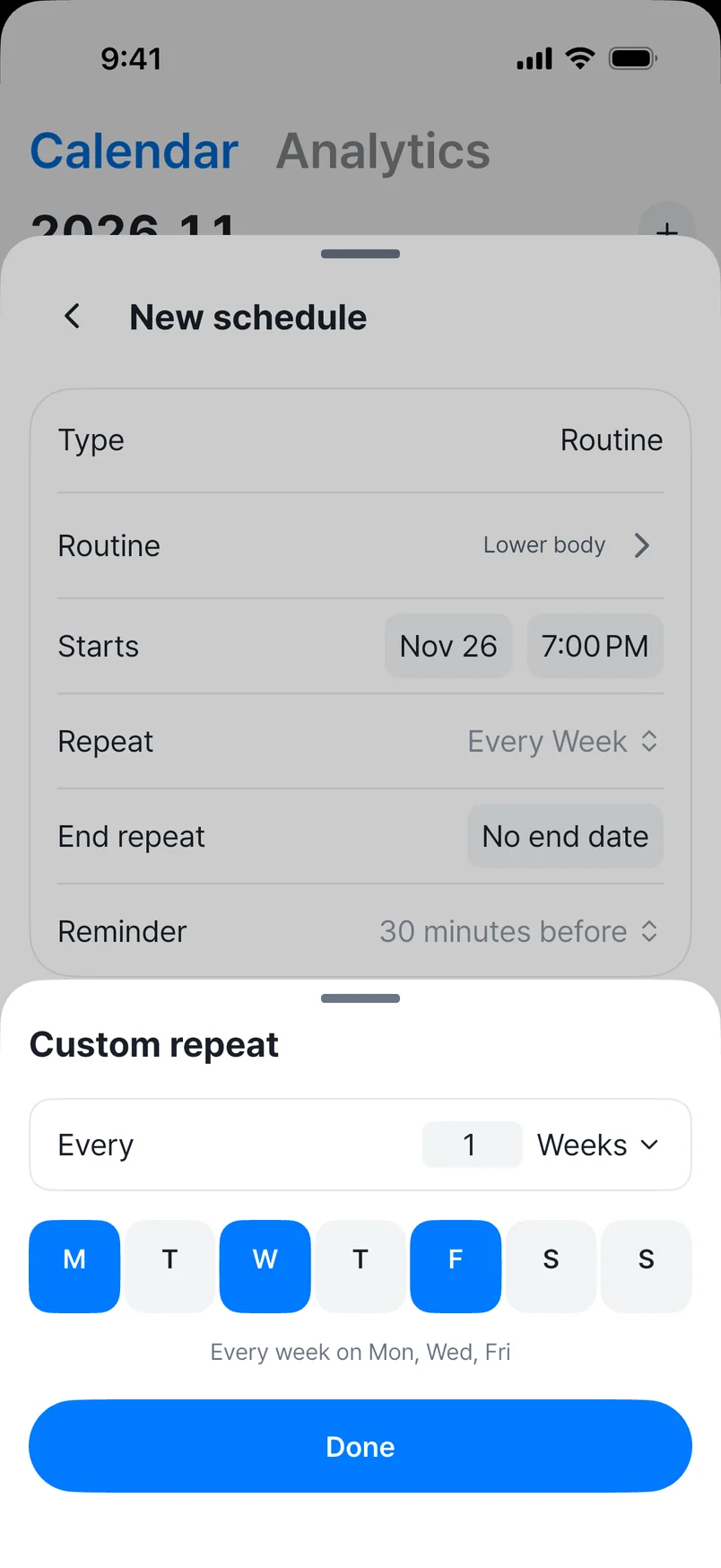
Reminder goes from the time of the event to one week before. If you turn it on for a schedule without a time, the time is set to 12:00.
Start from a schedule
Today's schedules appear on Home under This week. Start opens the workout screen for a routine, the test for a measurement and the session log for a sport.
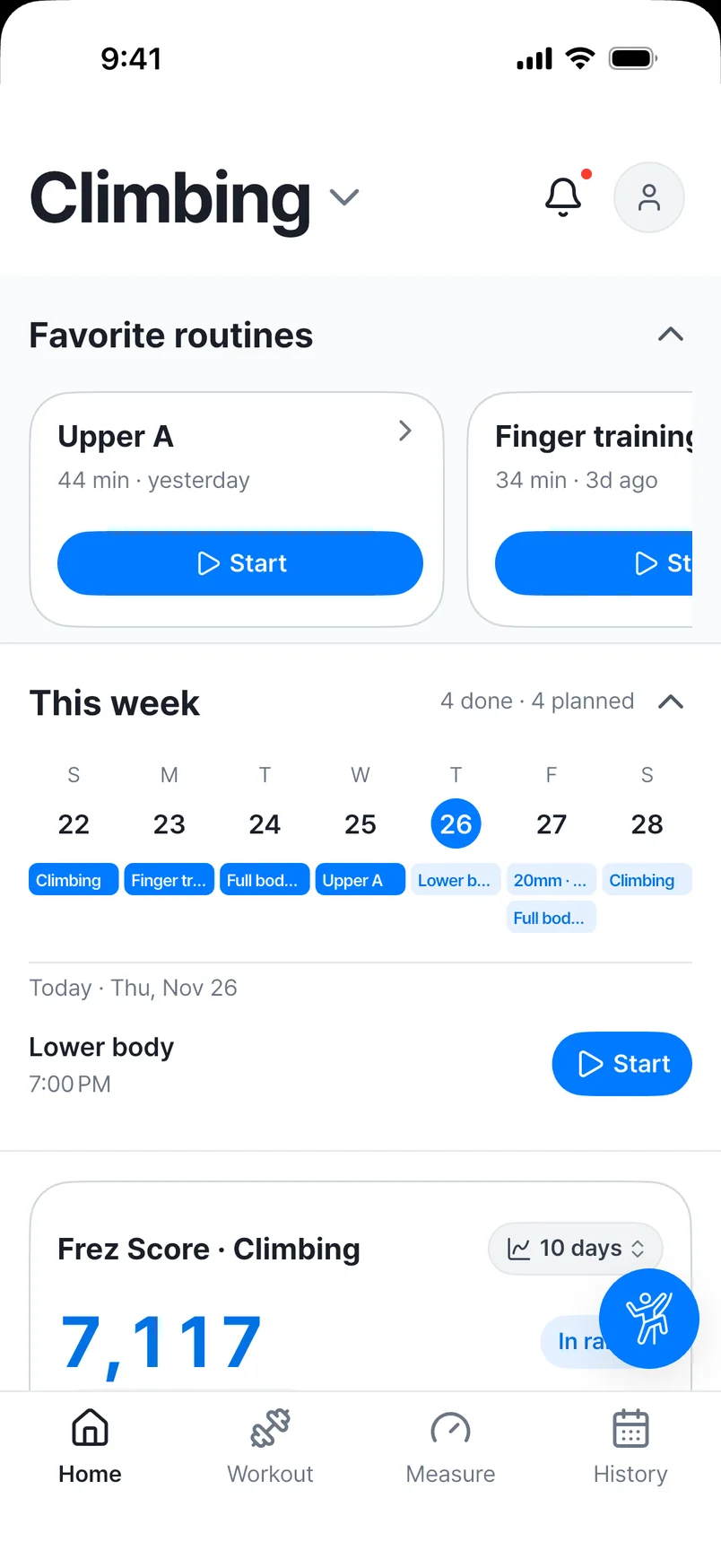
When you finish, the schedule changes to Done. It is also marked done if you log the same routine, sport or measurement that day without starting from the schedule. Custom schedules have no Start or Done.
Edit or delete
Tap the day in the calendar, then the schedule, to edit it. Editing a repeating schedule changes all of it. Swipe left to delete. For a repeating schedule, choose This event only or This and following events.
Add a record for a past day
Tap a past day, then + Record, and pick a sport to log a session on that day. Climbing opens the session log. Routines and measurements cannot be logged for a past day. They start now.