What is a climbing session?
Frez logs bouldering and lead attempt by attempt. Tap once when an attempt starts and once when it ends, and your time on the route and your rest are saved too.
Start a session
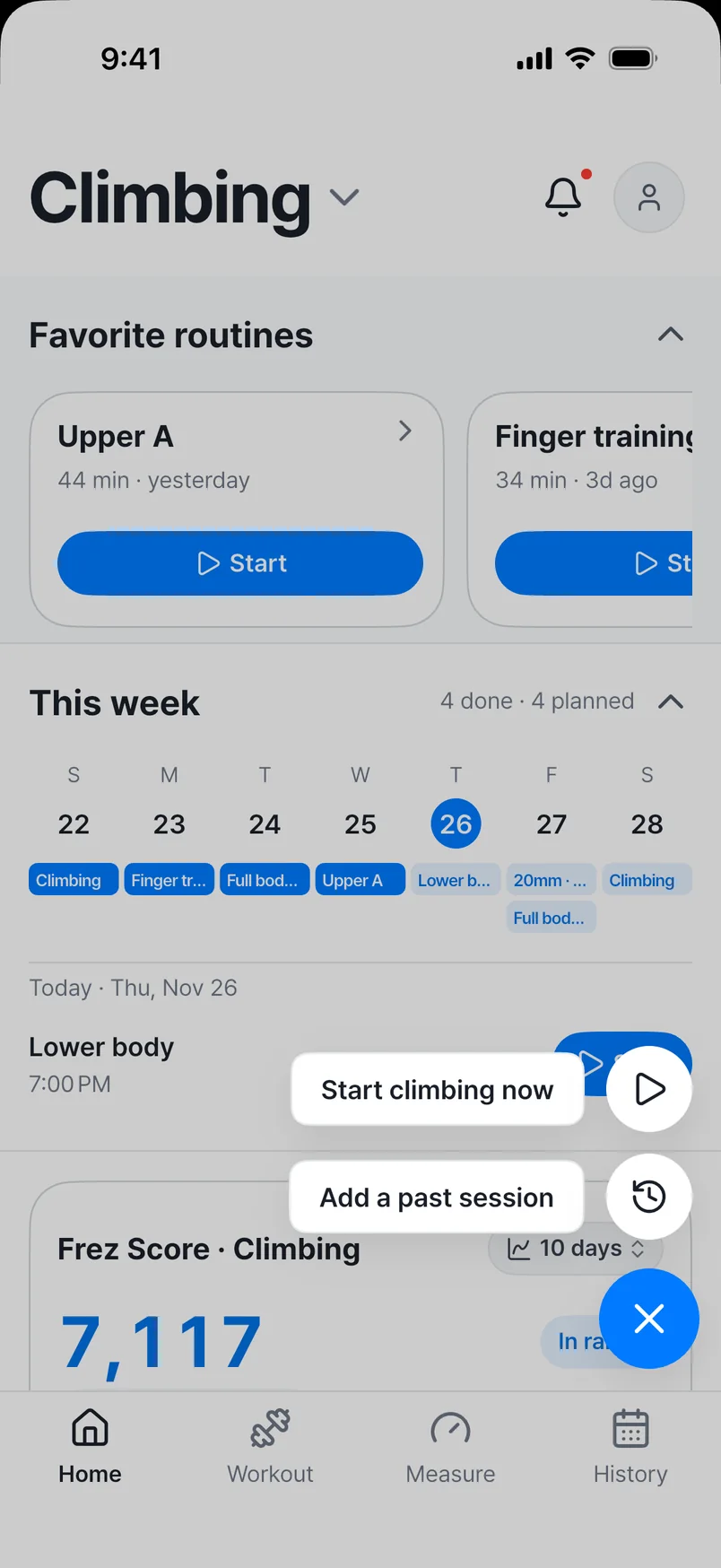
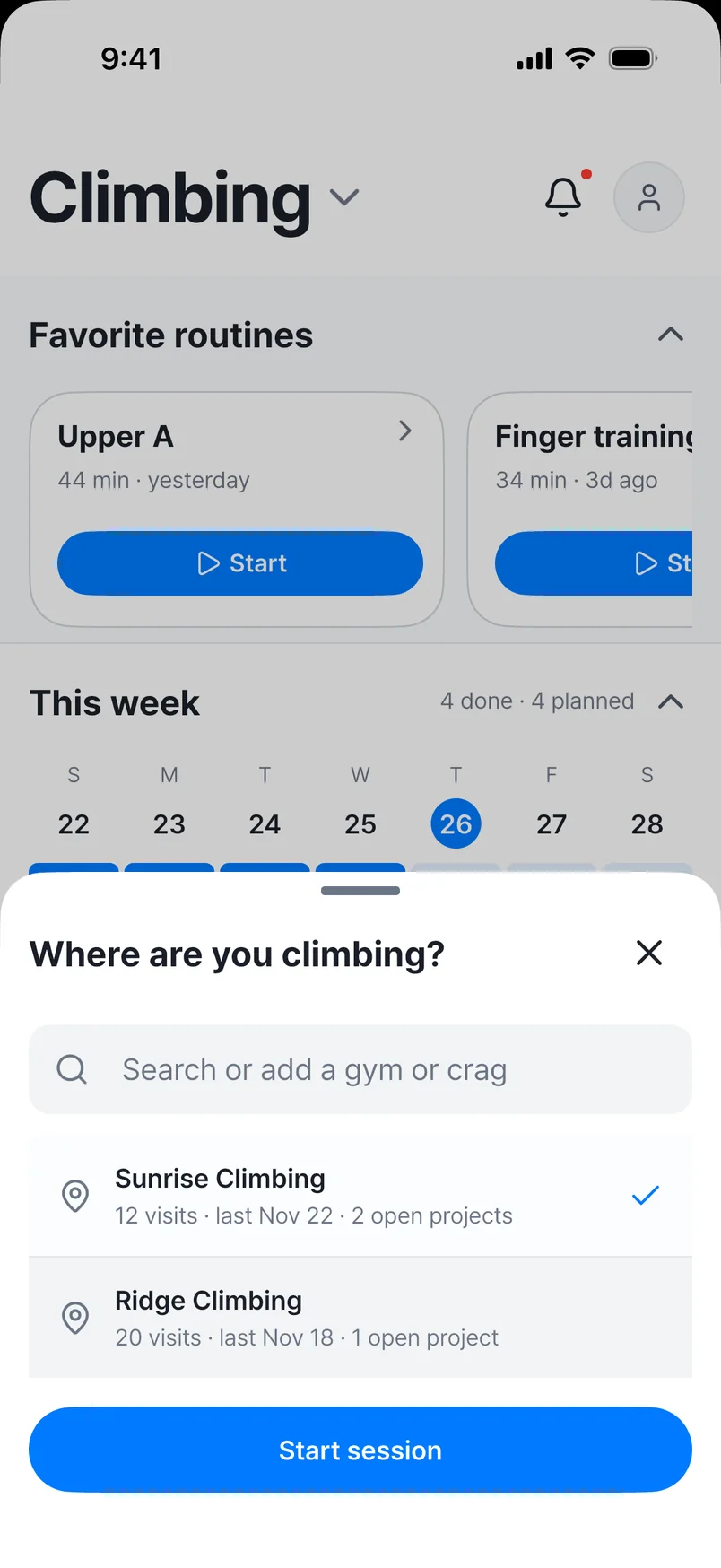
On Home, tap the sport name at the top and choose Climbing. Tap the climber button at the bottom right, then Start climbing now.
Choose a gym or crag, or type a new name, and tap Start session. Places you visited recently come first next time.
Add a route
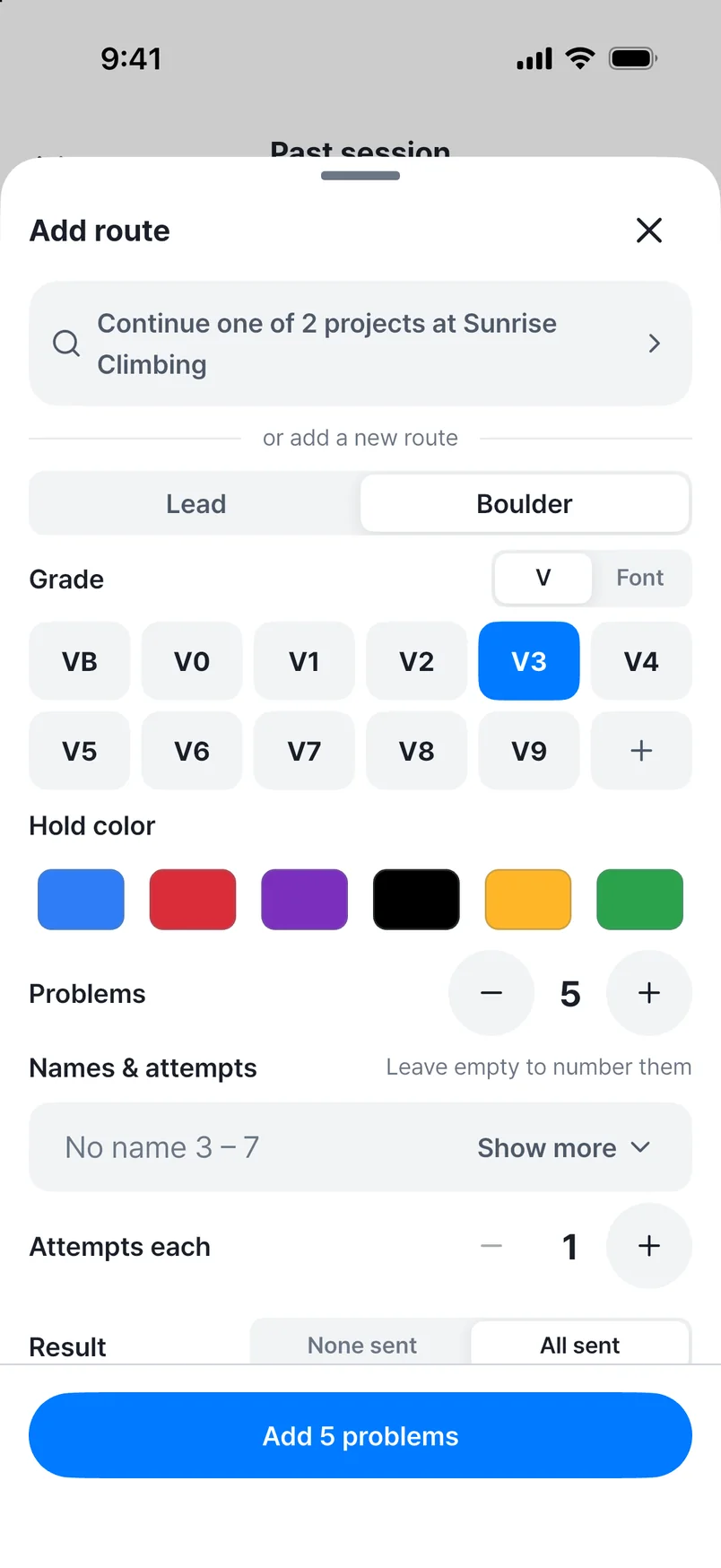
Tap Add route, choose Boulder or Lead, and pick a grade. Boulders use V or Font, lead uses YDS or French. Hold color and name are optional.
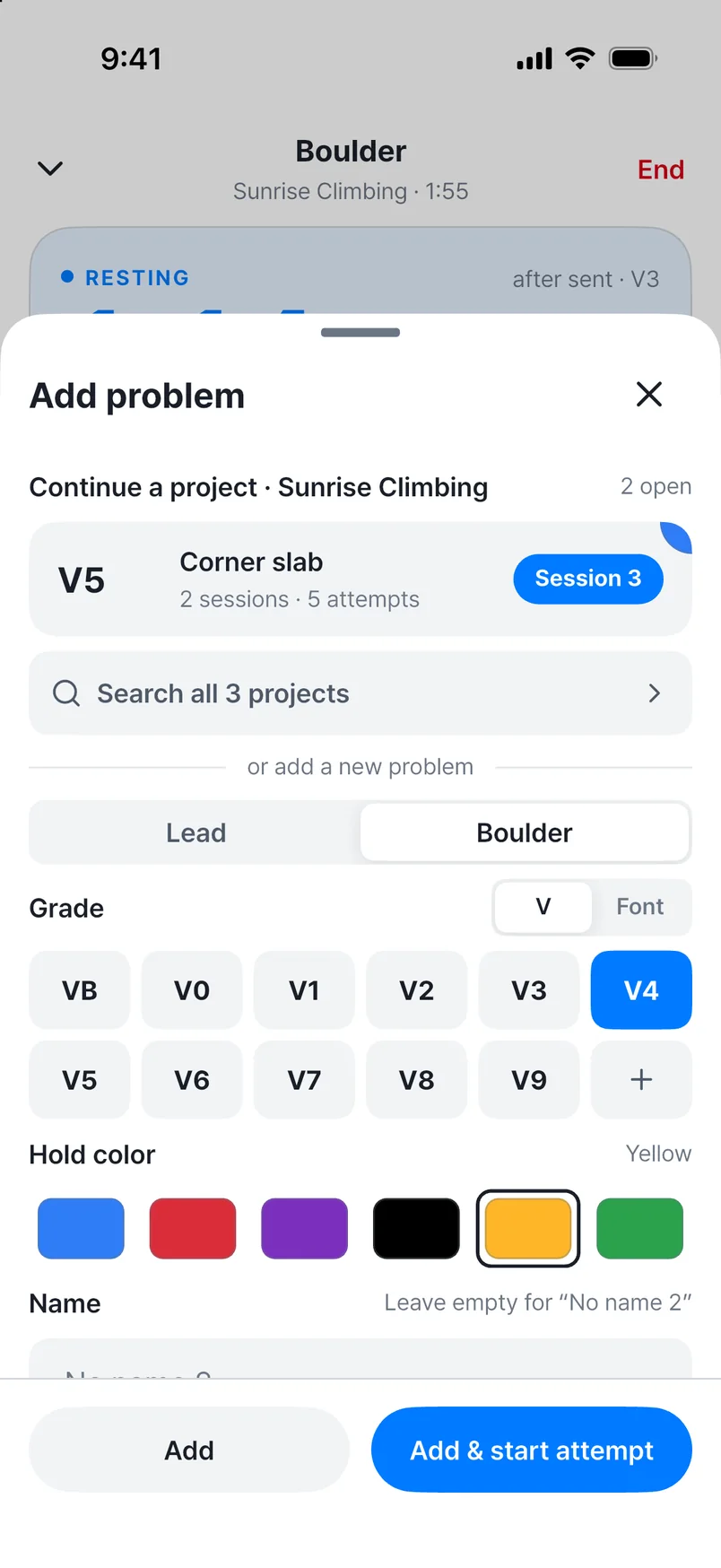
Add & start attempt starts the attempt timer right away. Add only puts the route on the list.
Log an attempt
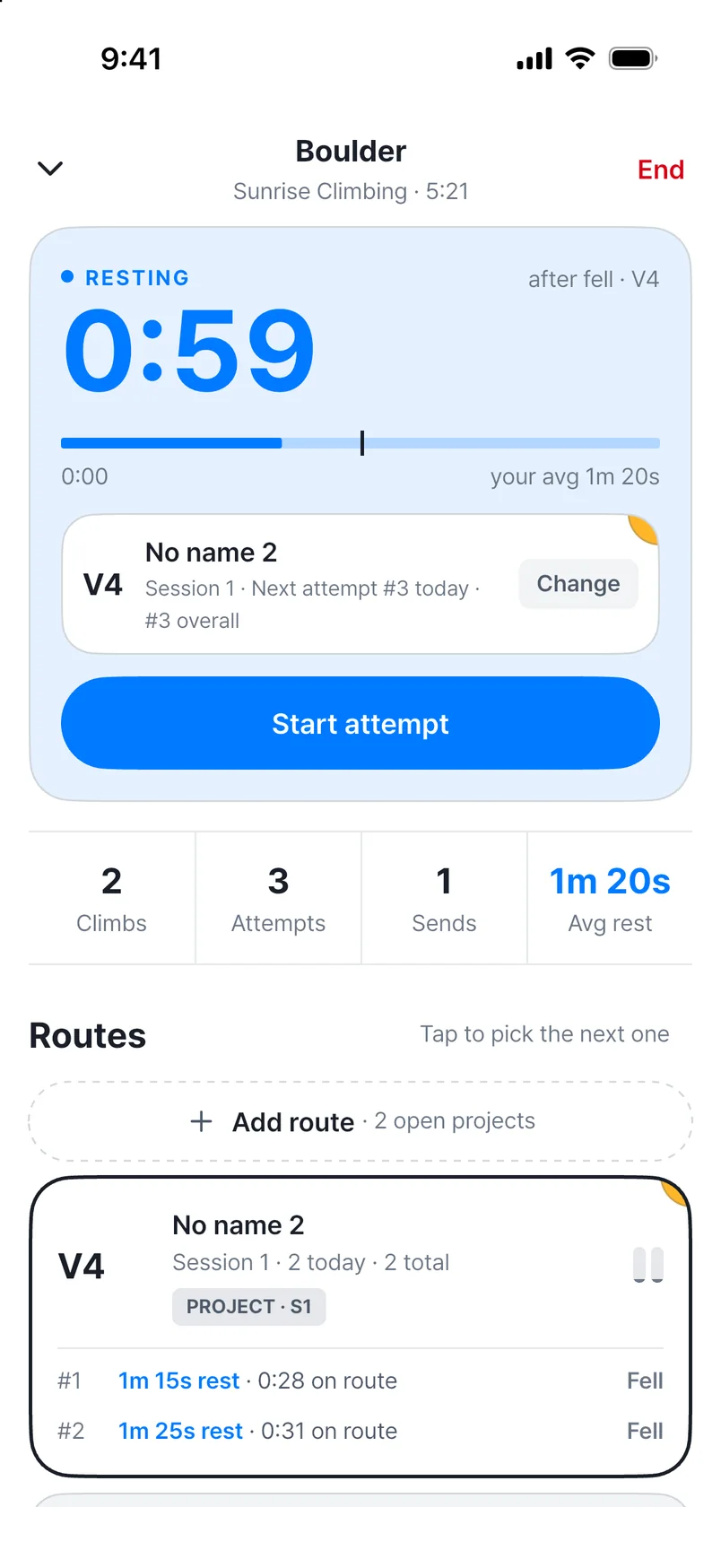
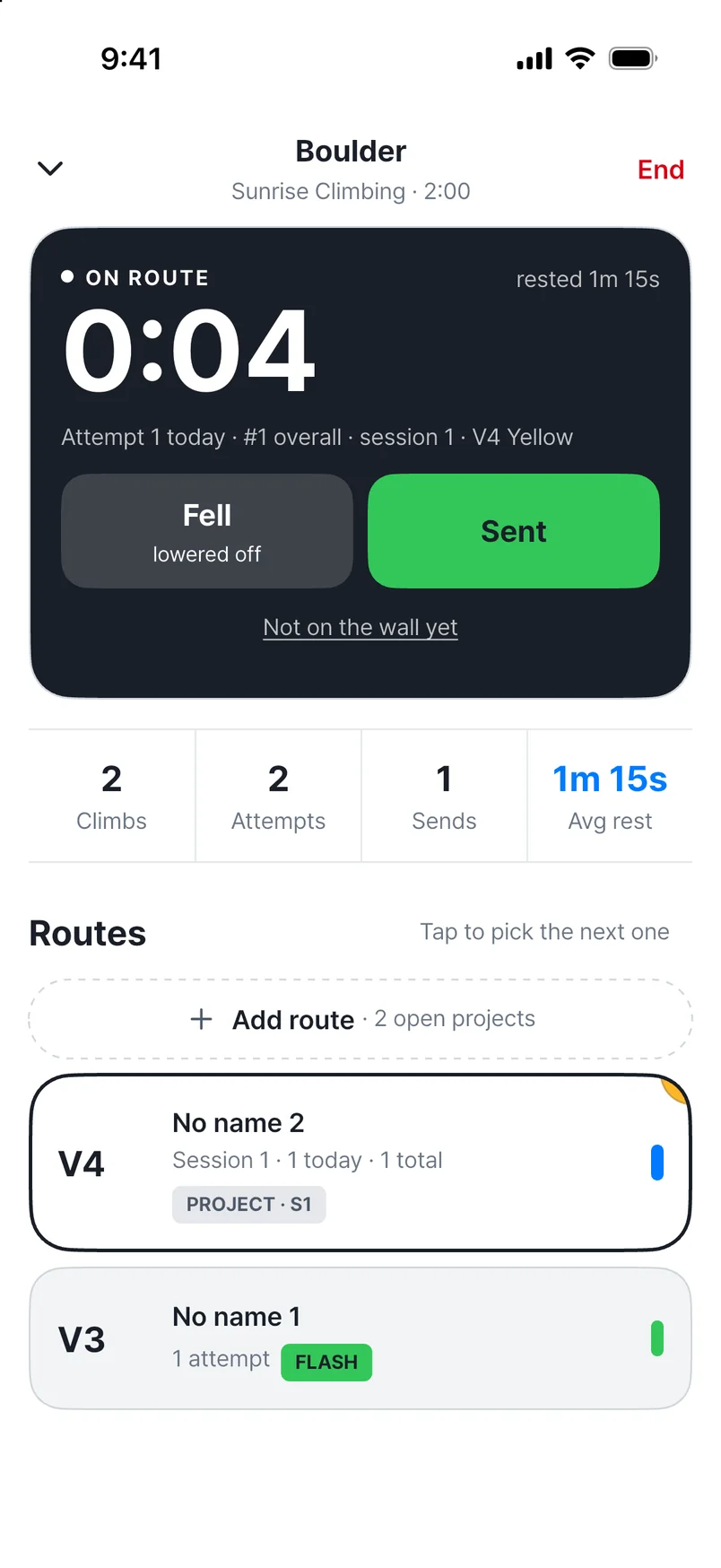
Tap Start attempt as you get on the wall, then Fell or Sent when you are done. If you tapped too early, cancel with Not on the wall yet.
On lead, tap + Take when you rest on the rope. An attempt with a take is logged as Topped instead of sent.
After a fall on lead, choose how high you got: ¼, ½, ¾ or Near top. You can also tap Skip.
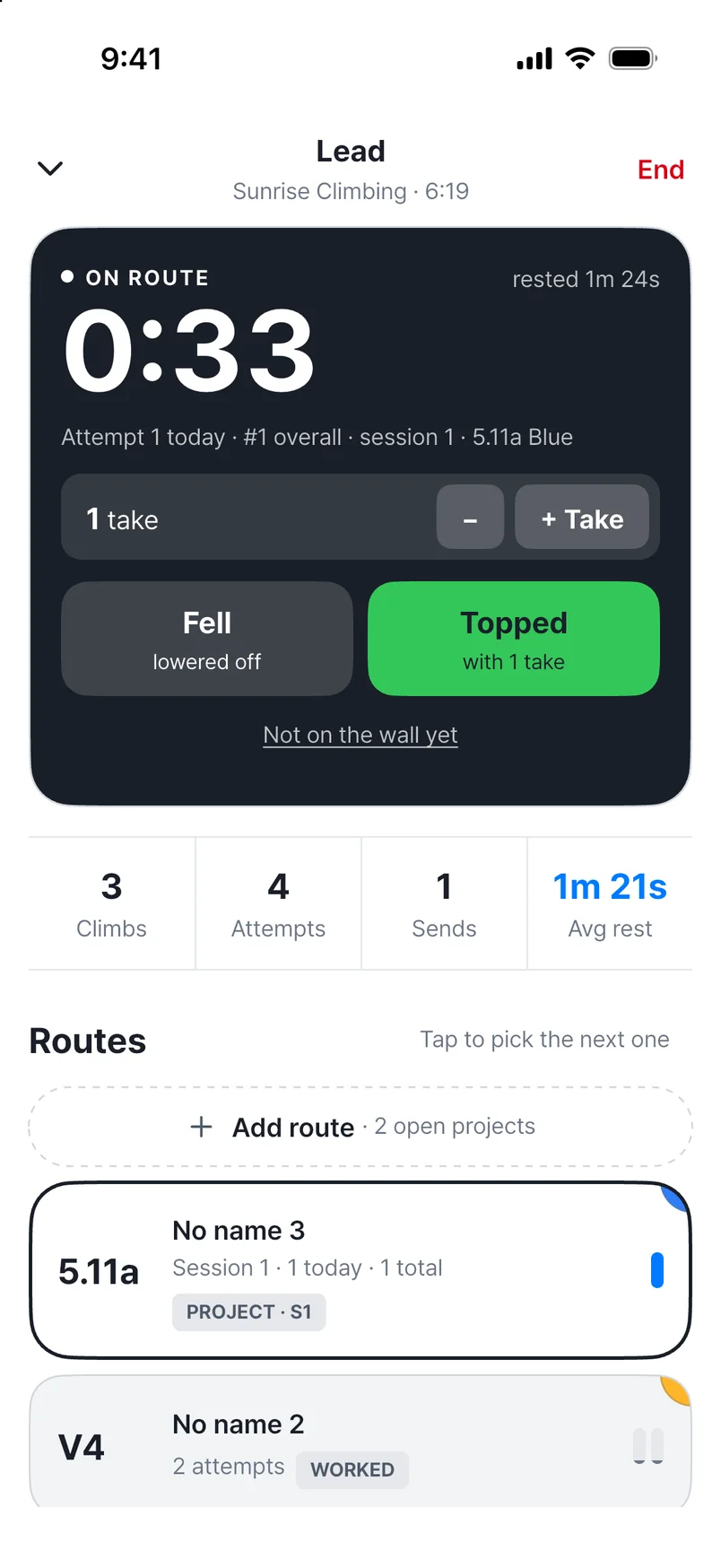
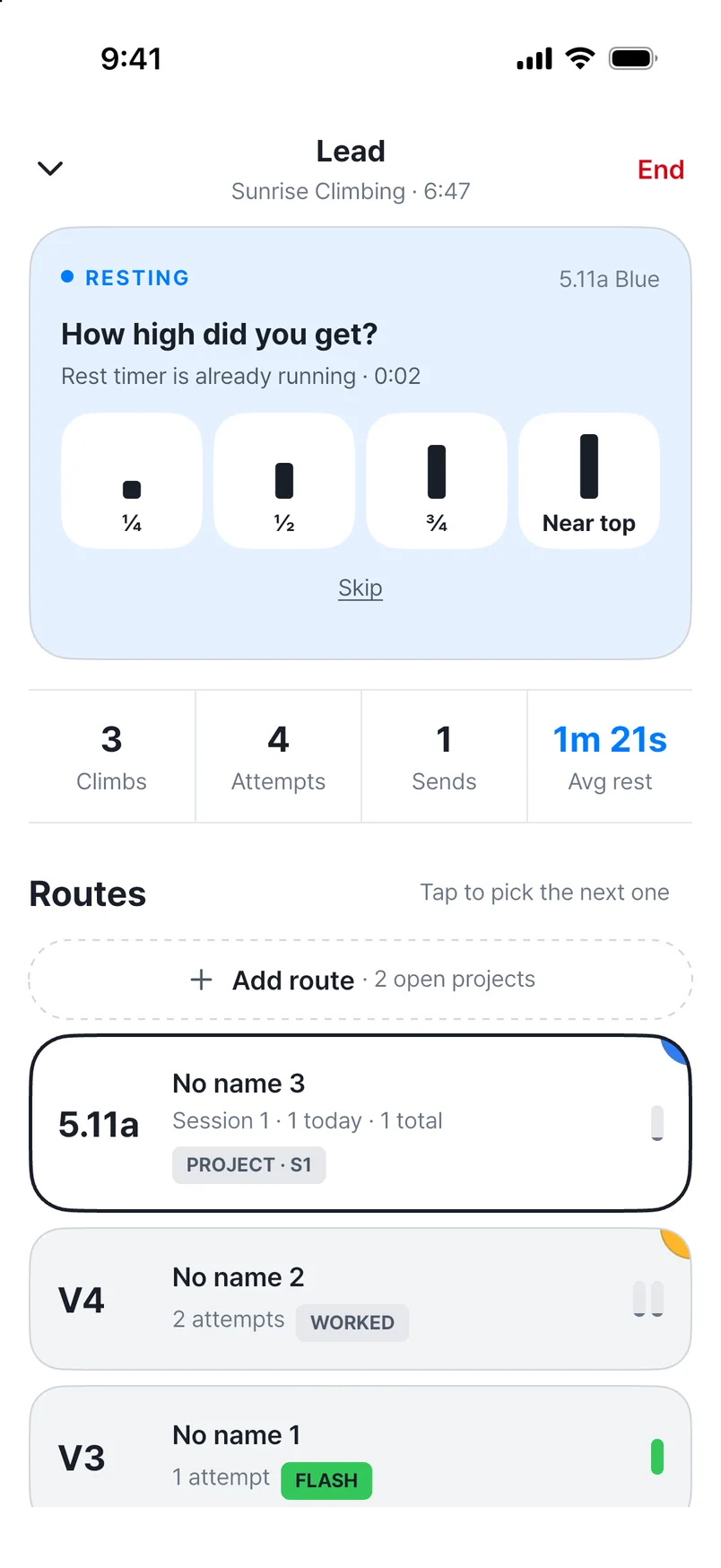
Rest time starts when the attempt ends. From your second rest on, you can compare it with your average this session.
Fix a mistake
Swipe a route card left and tap Edit or Delete. In the editor you can change the name, grade and color, and add or remove attempts from this session.
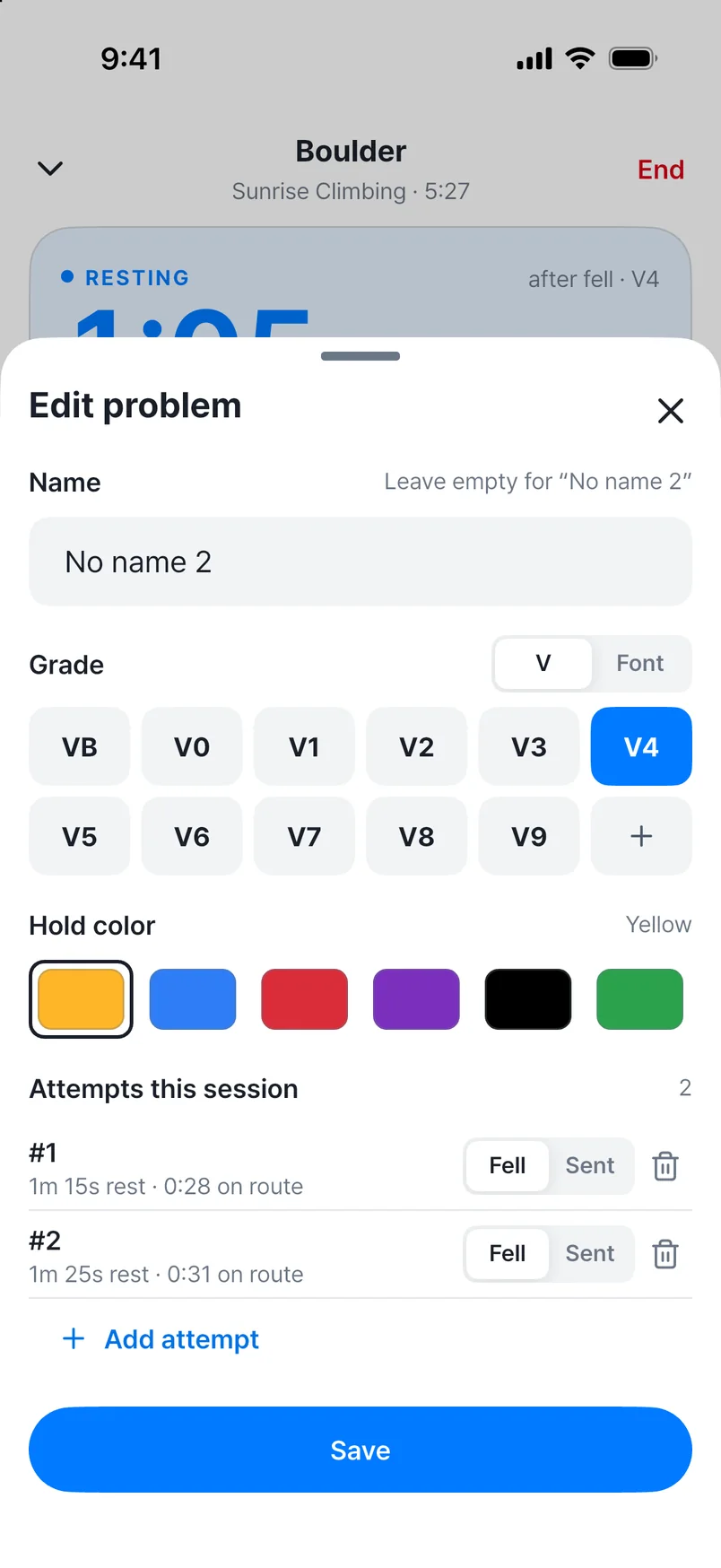
Continue a project
Any route you have not sent becomes a project. Projects at the same place show up first when you add a route. Use the search to find projects at other places.
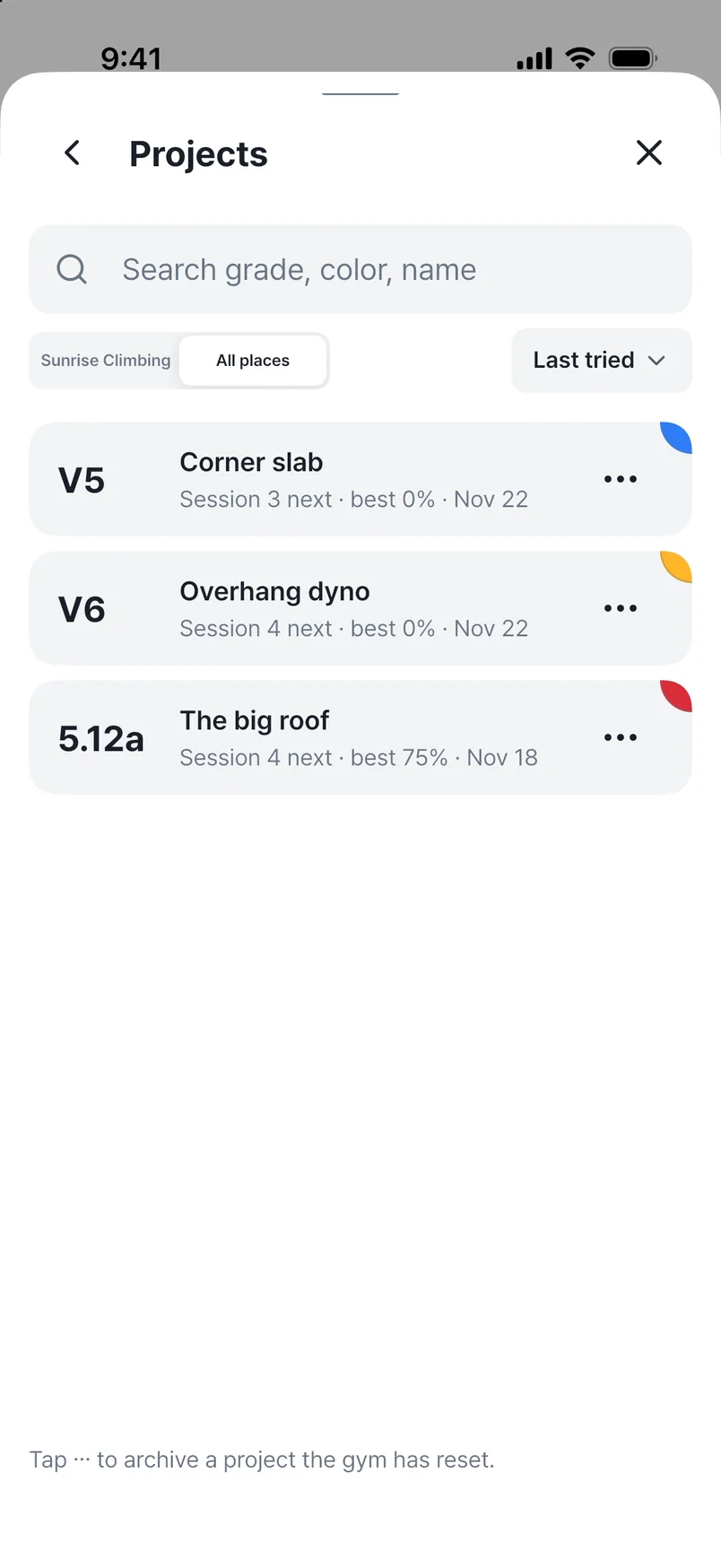
A project keeps its session number and total attempts. Notes and past attempts are in the Logbook.
End the session
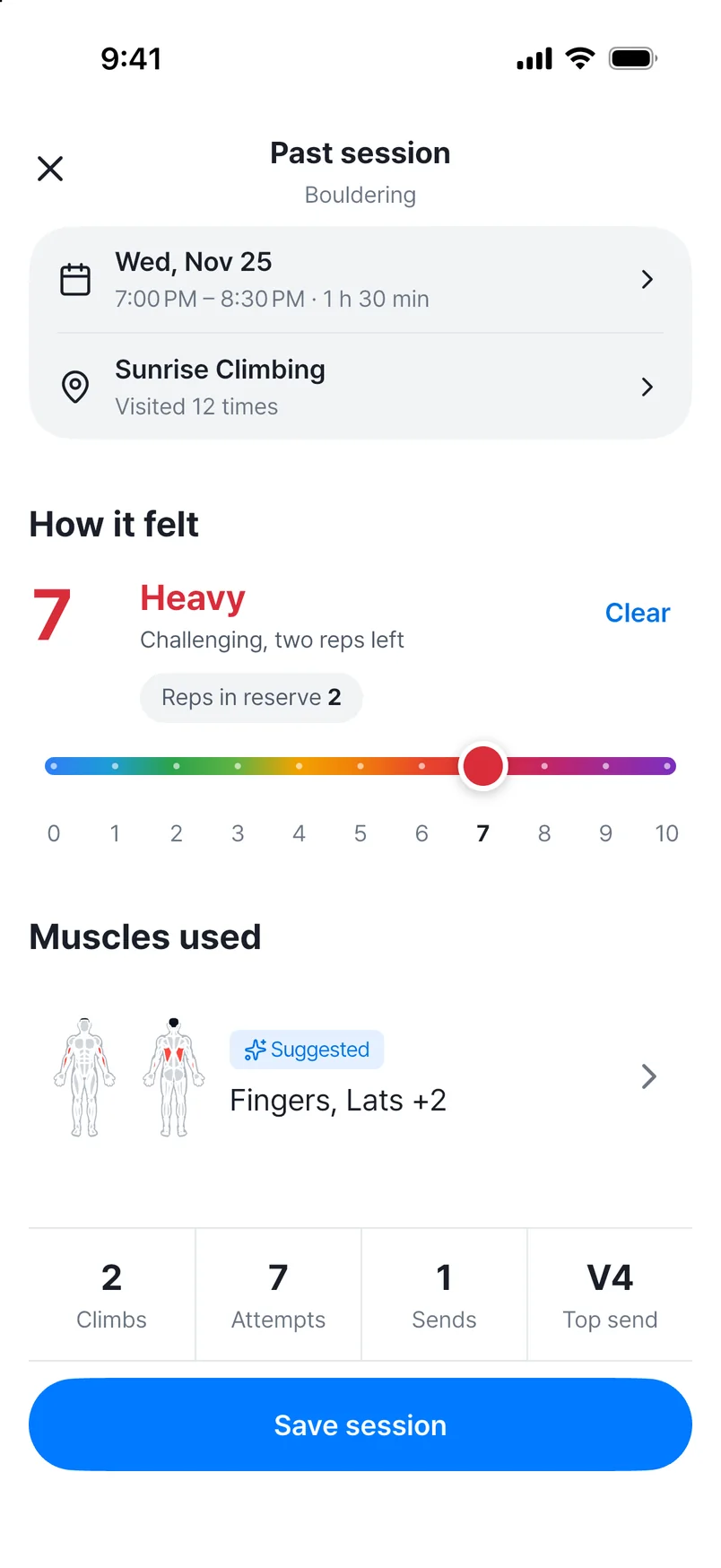
Tap End to see your sends, attempts, rest and results by grade. Tap Save session and rate your effort (RPE). The rating feeds your finger battery and Frez Score.
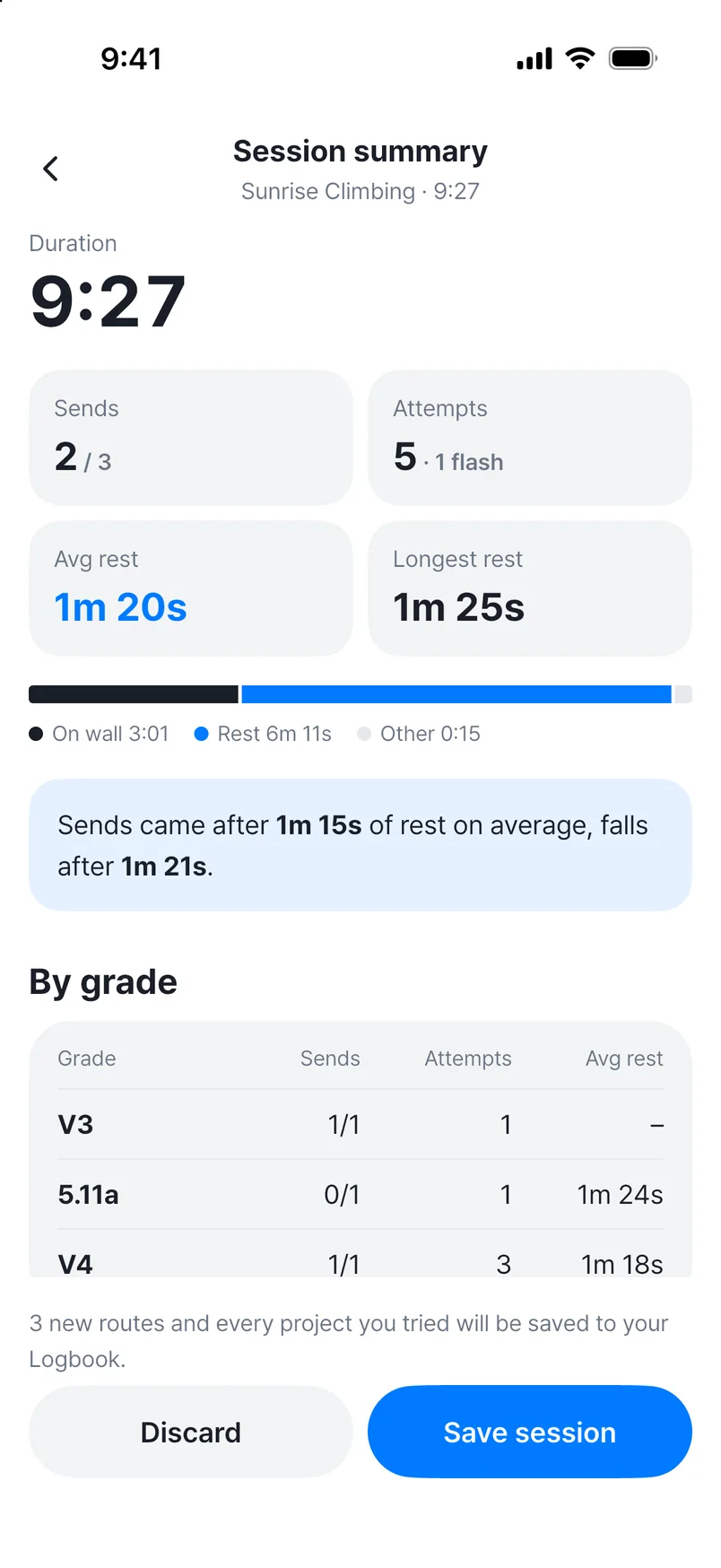
Add a past session
From the climber button, choose Add a past session and enter the time, place and how it felt. Routes are optional.
If you climbed several routes of the same grade, raise Problems or Routes. You can add up to 30 at once and change the name, attempts and result of each one.