What is the Logbook?
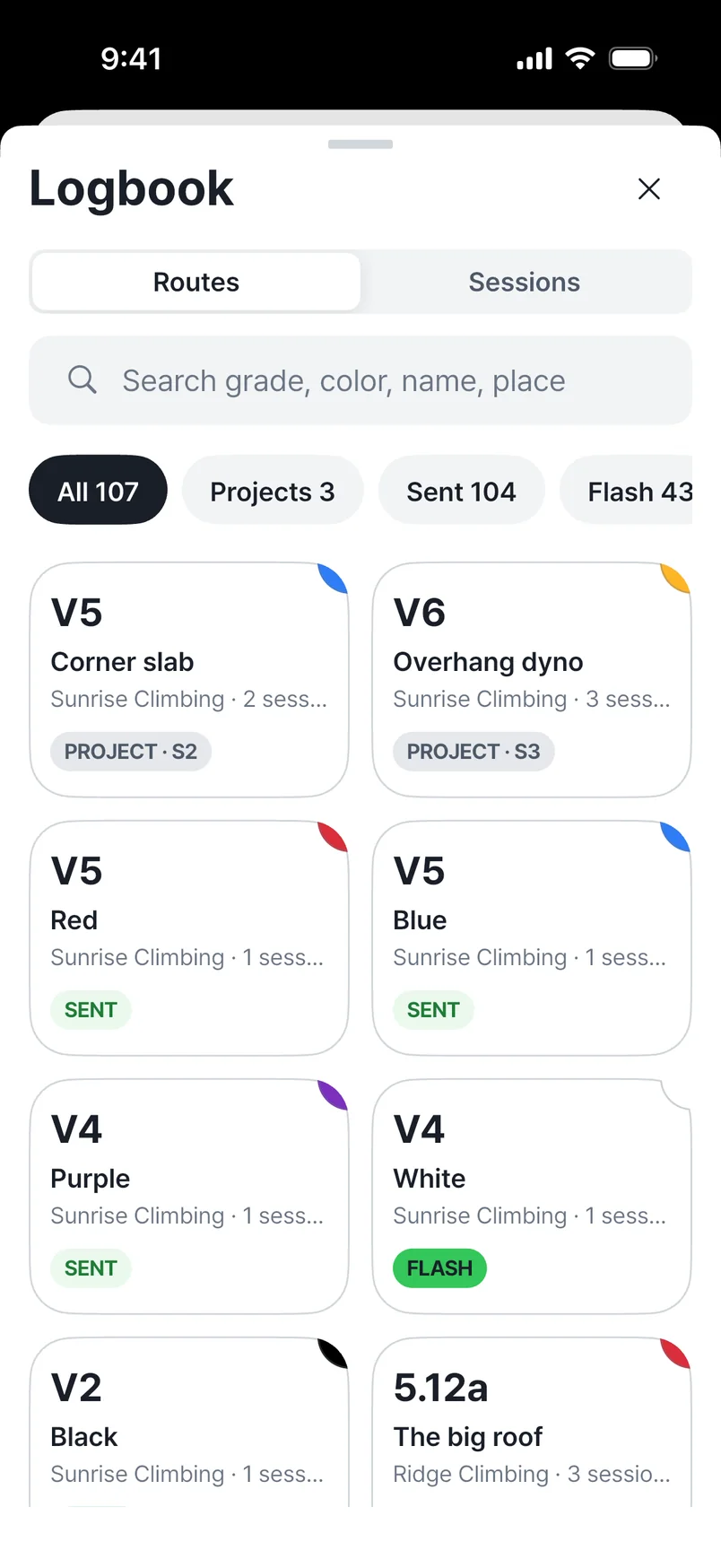
Every route you add in a climbing session ends up here. If you try the same route on several days, it all stays on one card.
Find a route
On Home, choose Climbing at the top, scroll down and tap the Logbook card. Use the filters to narrow the list.
- Projects: routes you have not sent yet
- Sent: routes you have sent at least once
- Flash: routes you sent on the first attempt
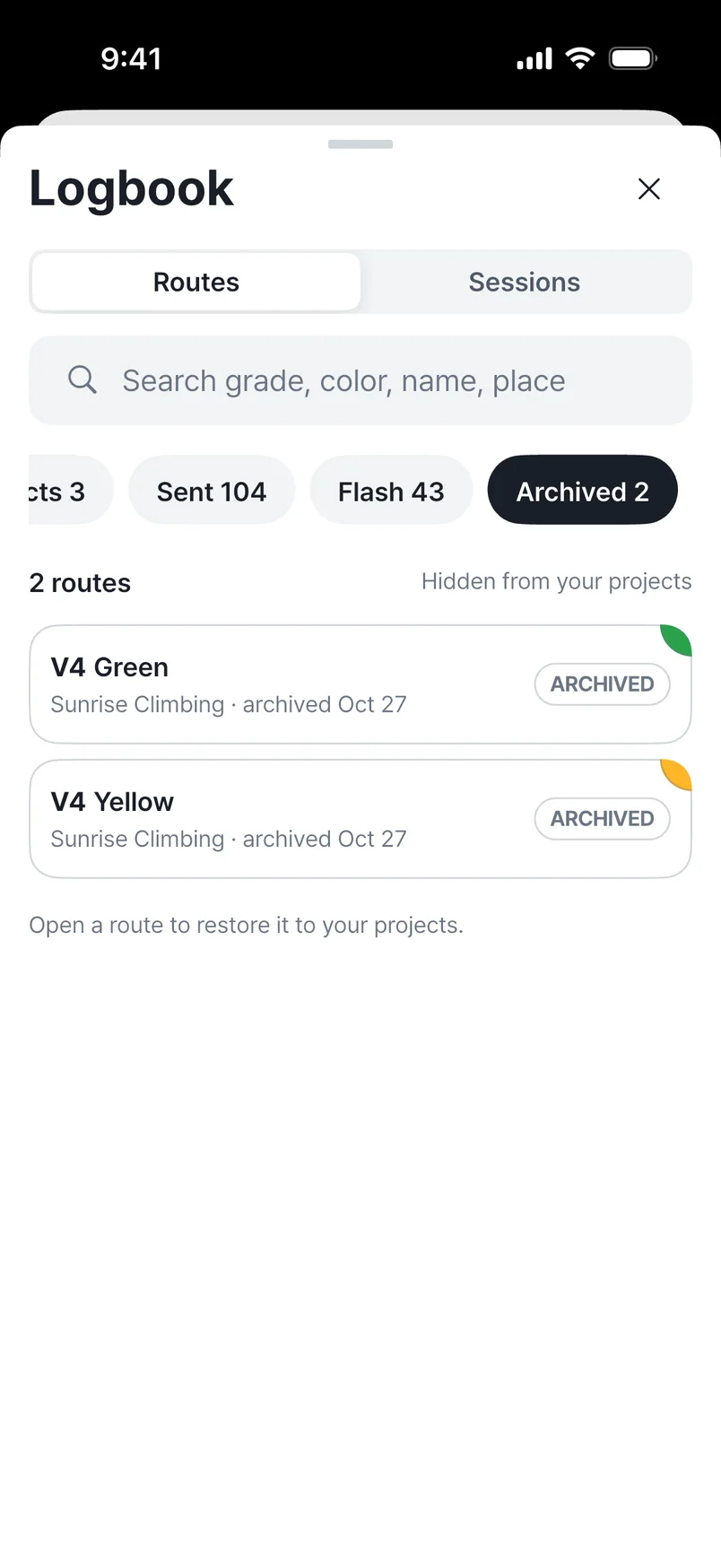
- Archived: routes and places hidden from your projects
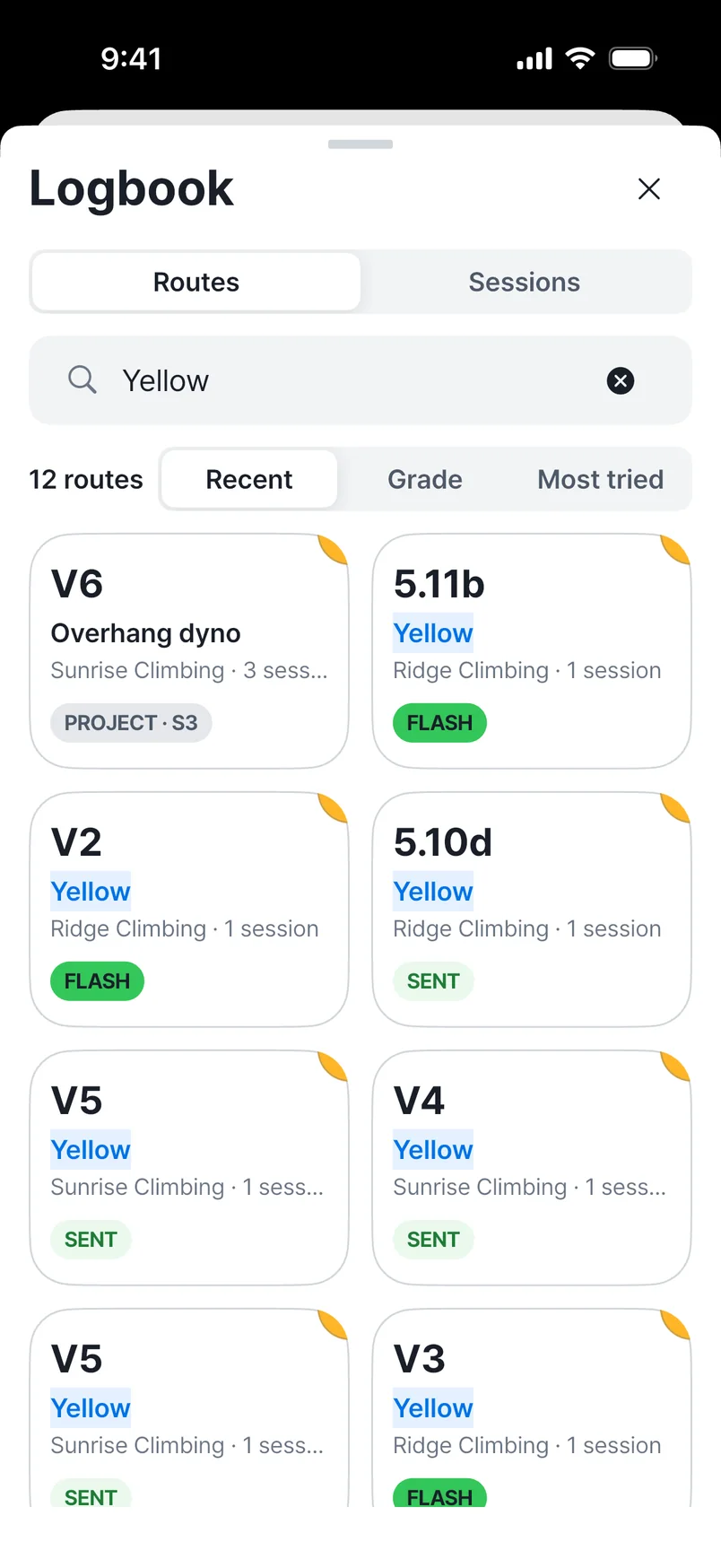
Search by grade, color, name or place. You can sort the results by Recent, Grade or Most tried.
Read a route
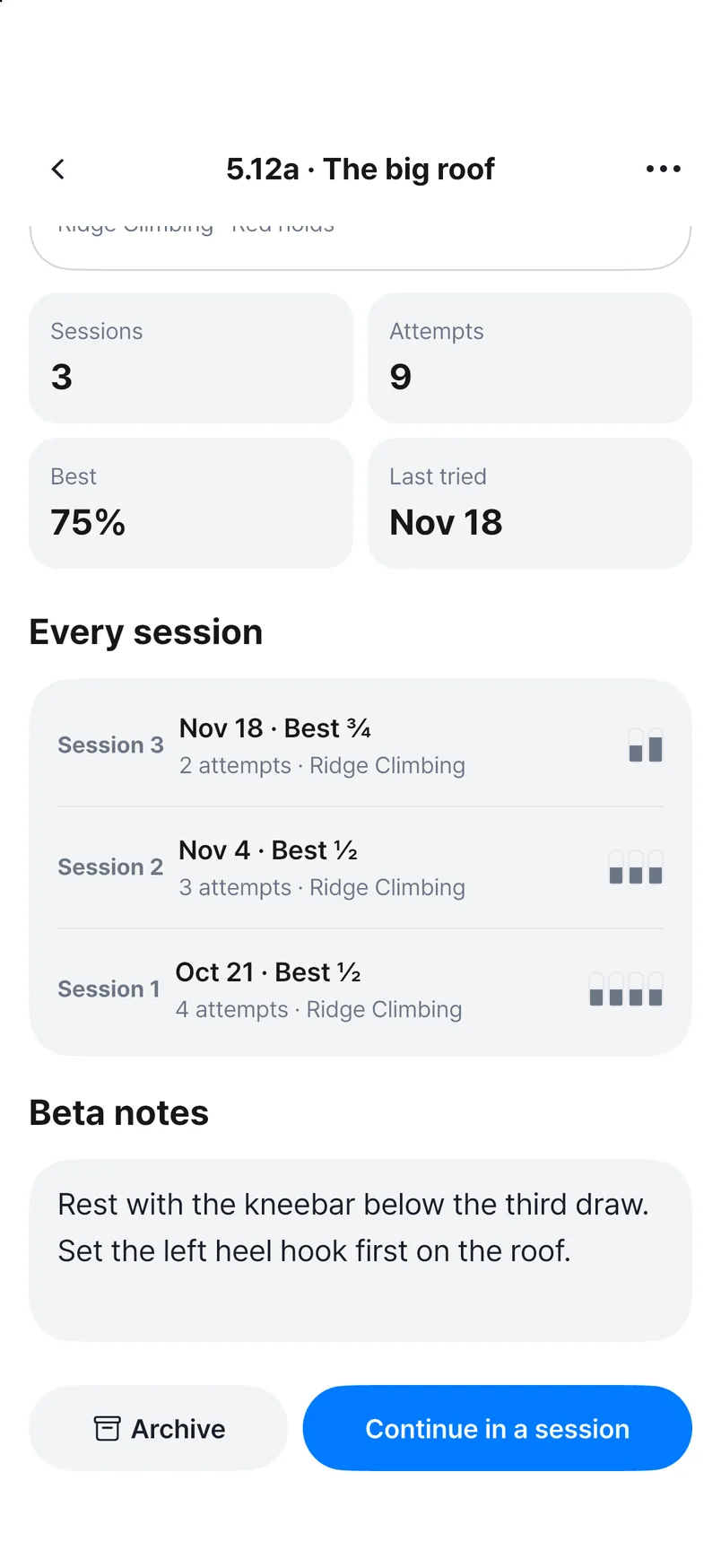
Tap a route to see its sessions, attempts, best result and the last day you tried it. Every session shows how many times you tried and how far you got each time.
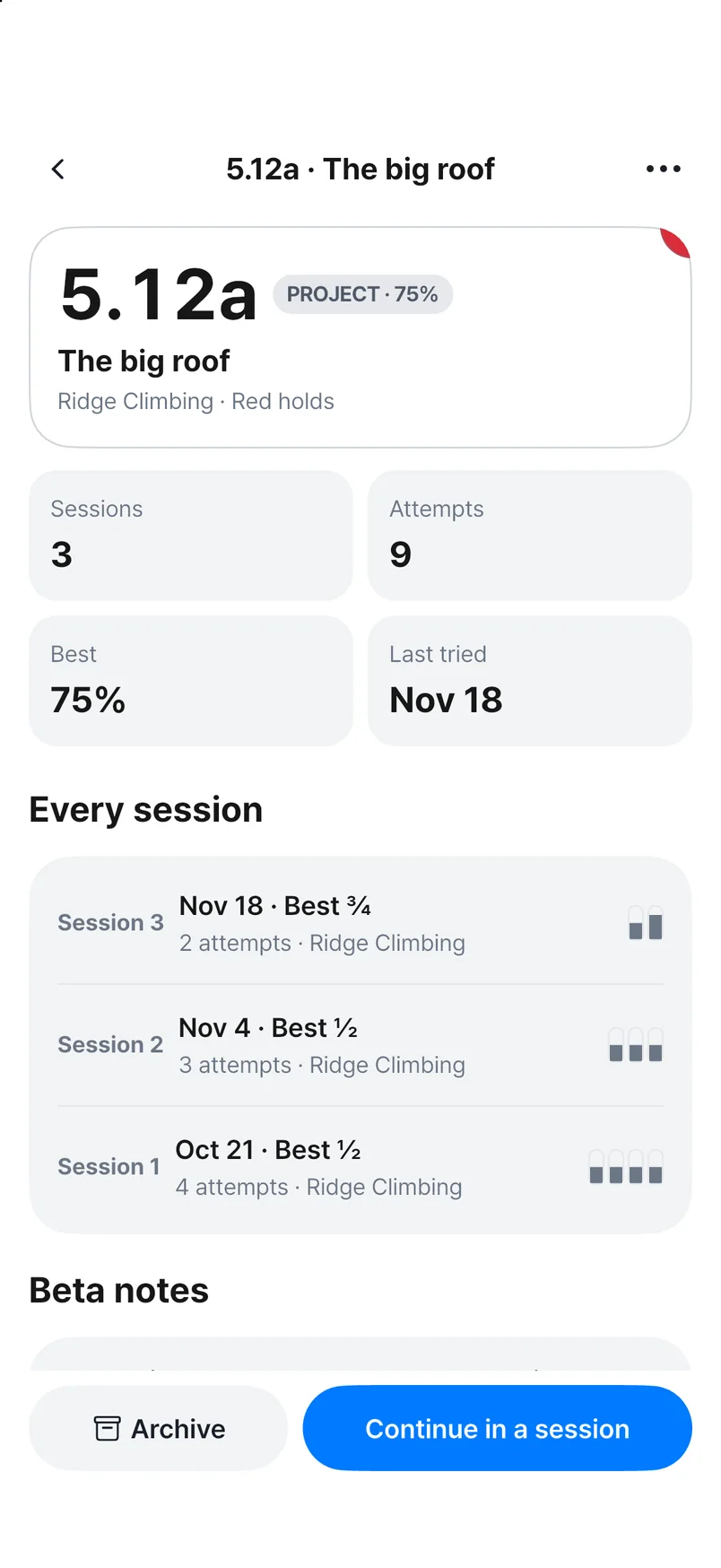
On lead, the best result is the height you reached in percent. Reaching the top with takes shows as Topped and does not count as a send.
Write moves or holds in Beta notes. They are saved when you leave the field.
Try it again
Continue in a session starts a new session with this route first. On a route you have sent, tap Log a repeat. If a session is already running, the route is added to it.
Archive a project
When the gym resets a project, tap Archive. It no longer shows up when you add a route, and its history stays. To bring it back, open it under Archived and tap Restore to projects.
See your sessions
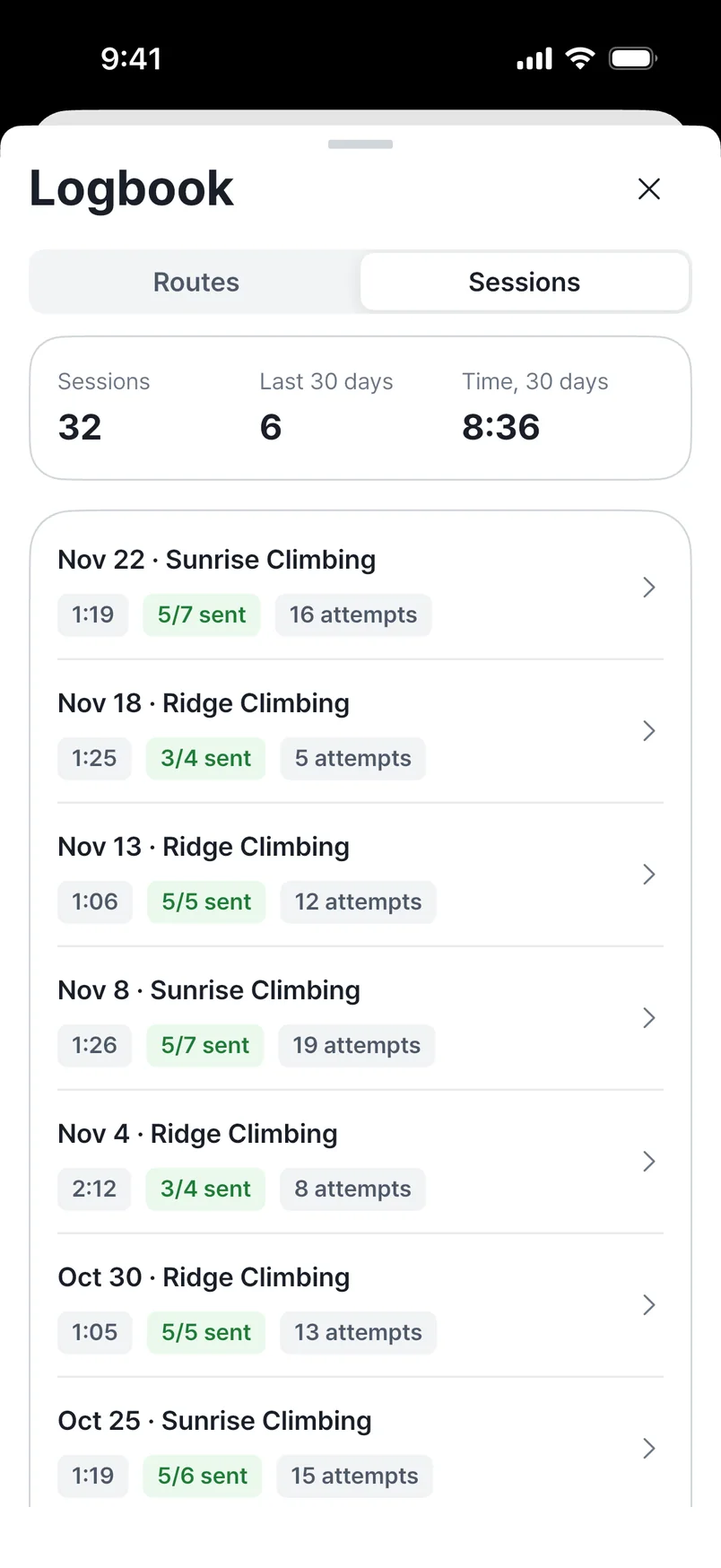
The Sessions tab shows your total sessions, plus the sessions and time of the last 30 days. Tap a session to edit it.