What is climbing progress?
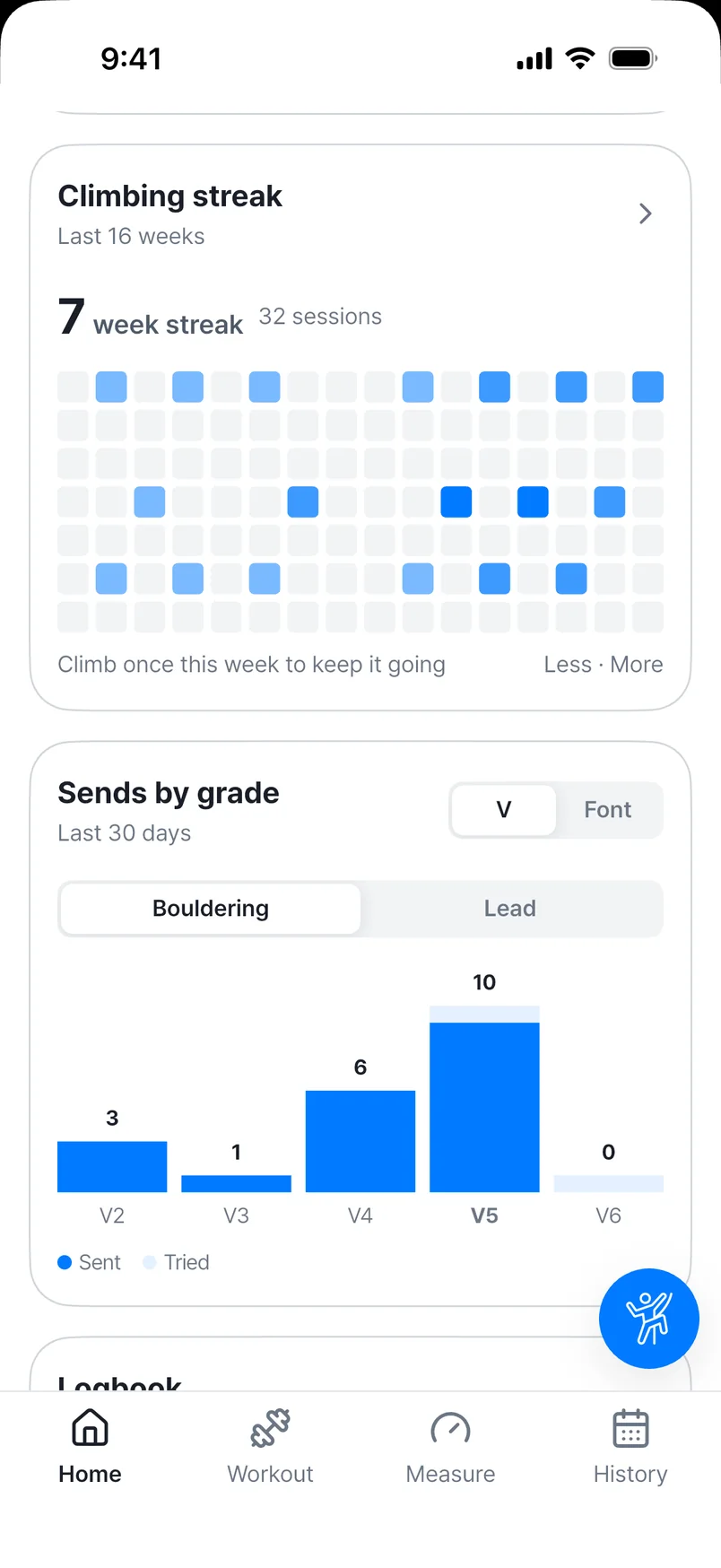
Frez builds these charts from the routes and sessions you log in Climbing sessions. Home has a Climbing streak card and a Sends by grade card.
See sends by grade
Choose Climbing at the top of Home. The Sends by grade card covers the last 30 days. Tap it to see other periods.
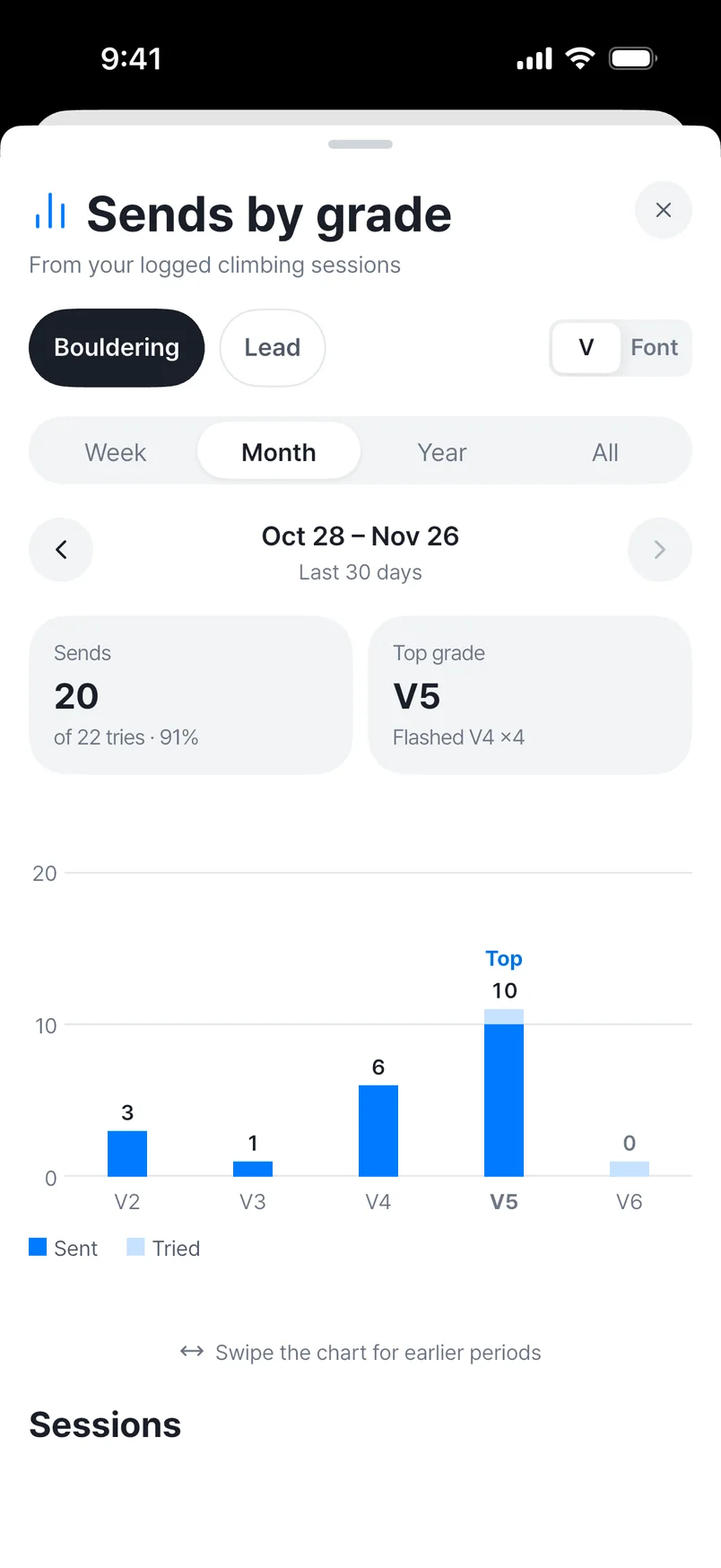
- Sends: the routes you sent, and their share of the routes you tried.
- Top grade: the hardest grade you sent in the period. Below it is the hardest grade you flashed and how many.
- Bars: the solid part is sent, the full bar is tried. The number on top is sends.
Tries here are routes rather than attempts. A route you try on several days or send several times counts once per period.
Change the period and grades
Week is 7 days, Month 30 and Year 365. Use the arrows or swipe the chart to go back.
Bouldering and Lead are counted separately, and so are V and Font or YDS and French. Switching systems does not convert grades you already logged.
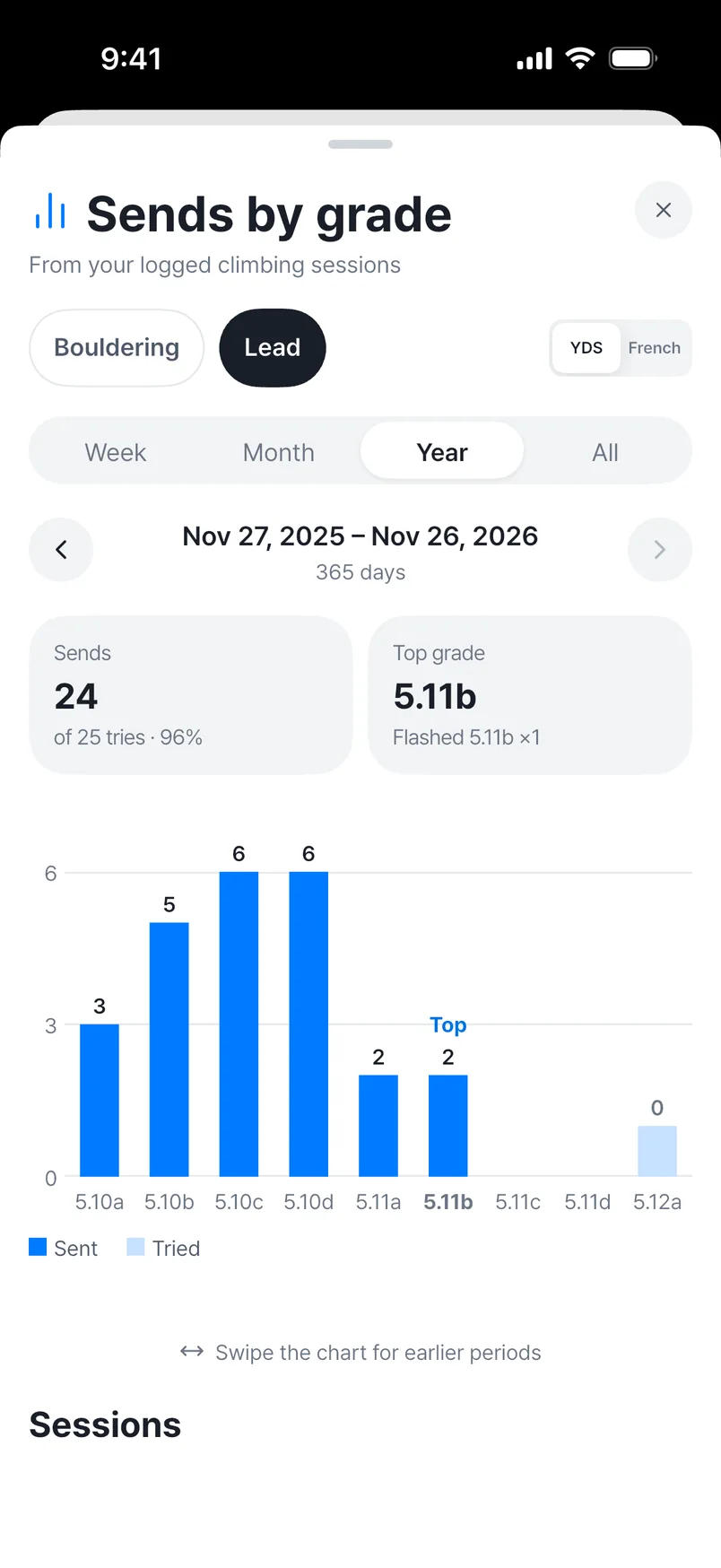
The sessions of the period are listed below the chart. A solid badge marks a day you sent the period's top grade. Tap a session to edit it.
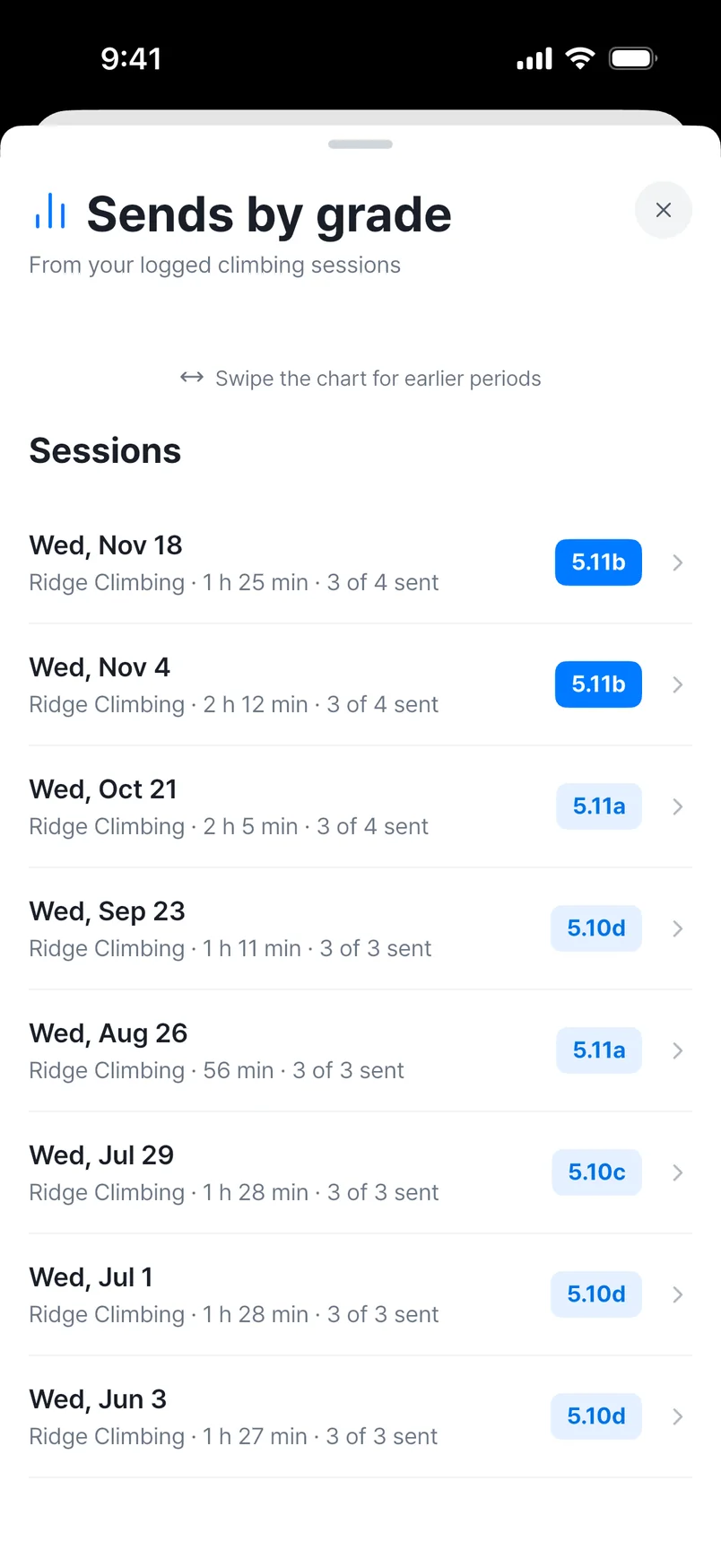
See your streak
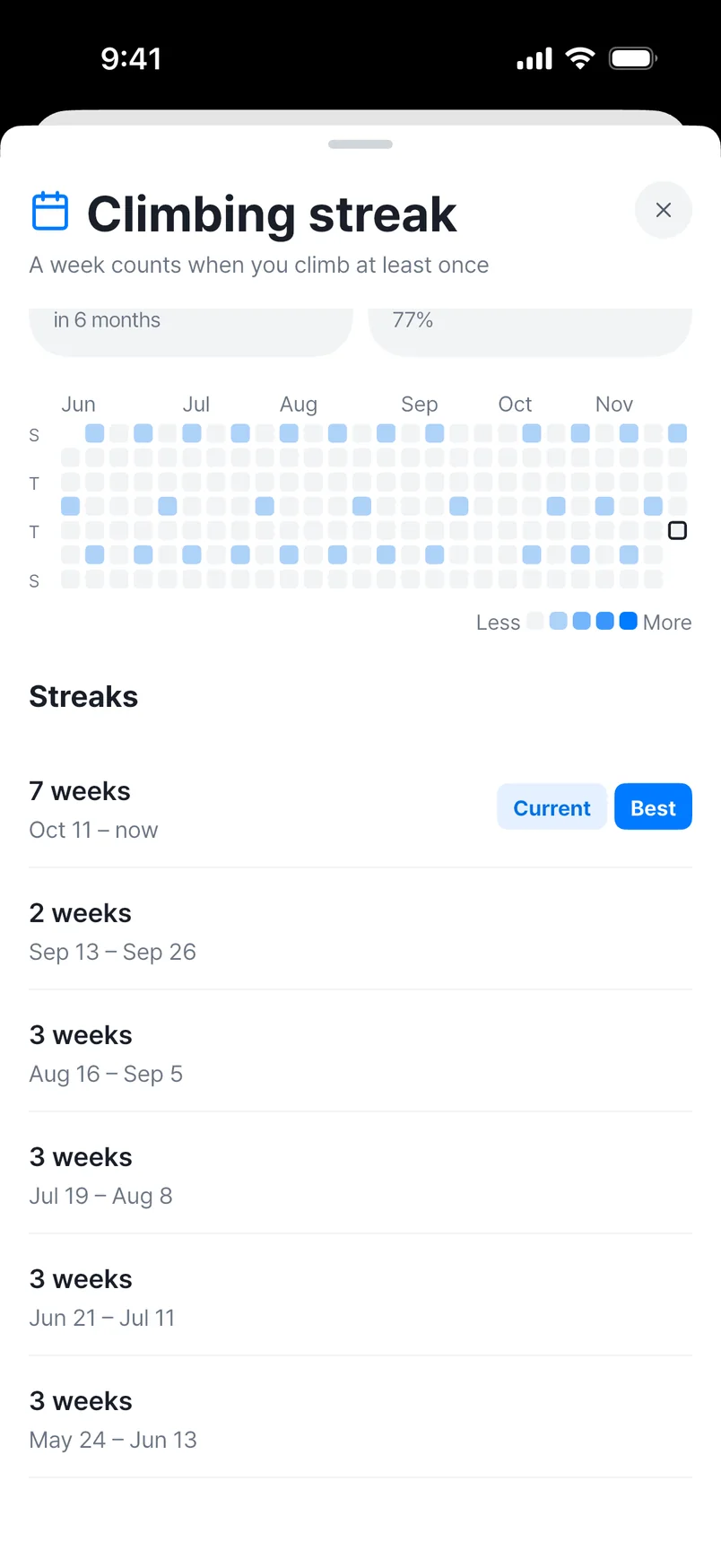
A week counts when you climb at least once. In the streak, weeks start on Sunday or Monday, depending on your phone's region settings. If you have not climbed yet this week, the streak up to last week stays, and climbing before the week ends extends it.
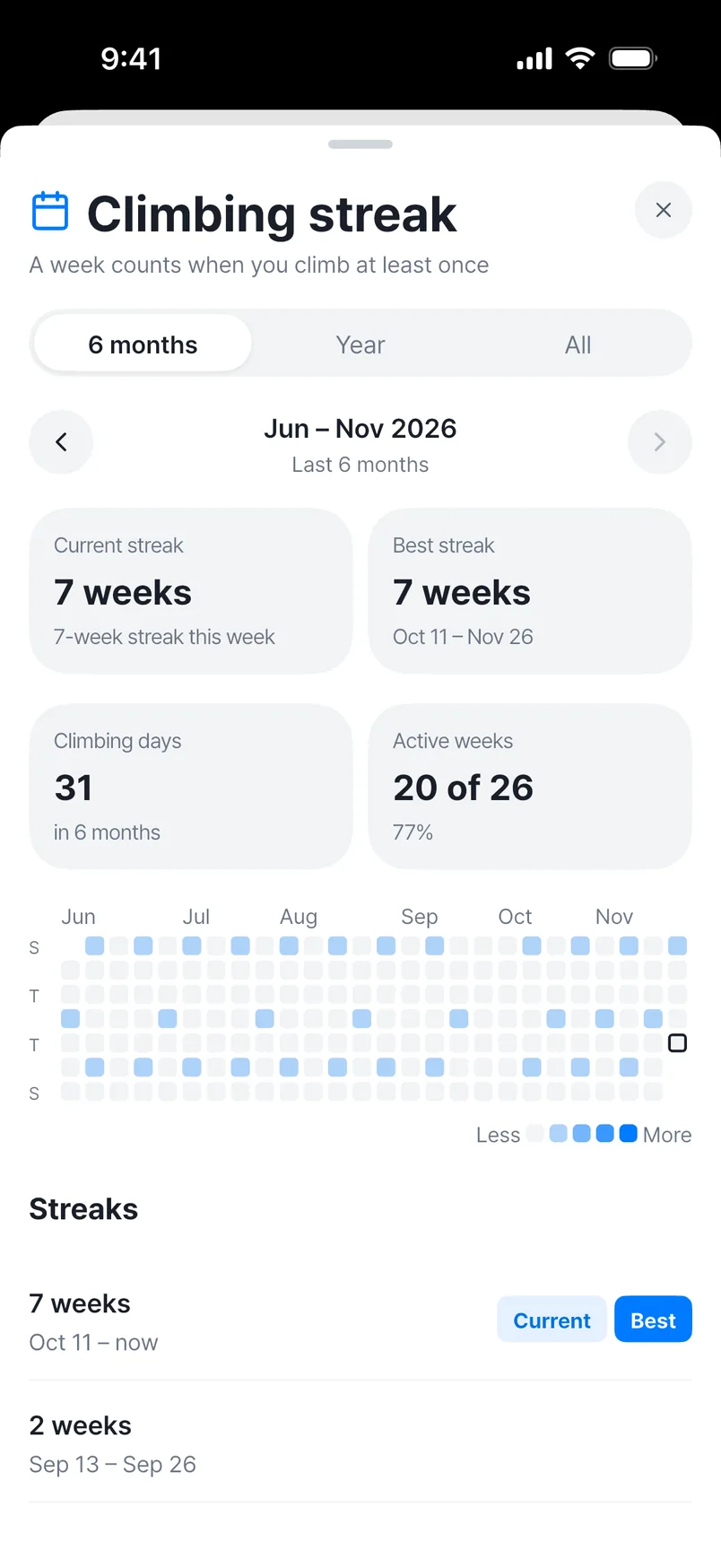
On the Home card a darker square means more climbing time that day. In the detail it means more sessions. Choose 6 months, Year or All.
Streaks at the bottom lists every run, newest first, with a Current or Best badge.