
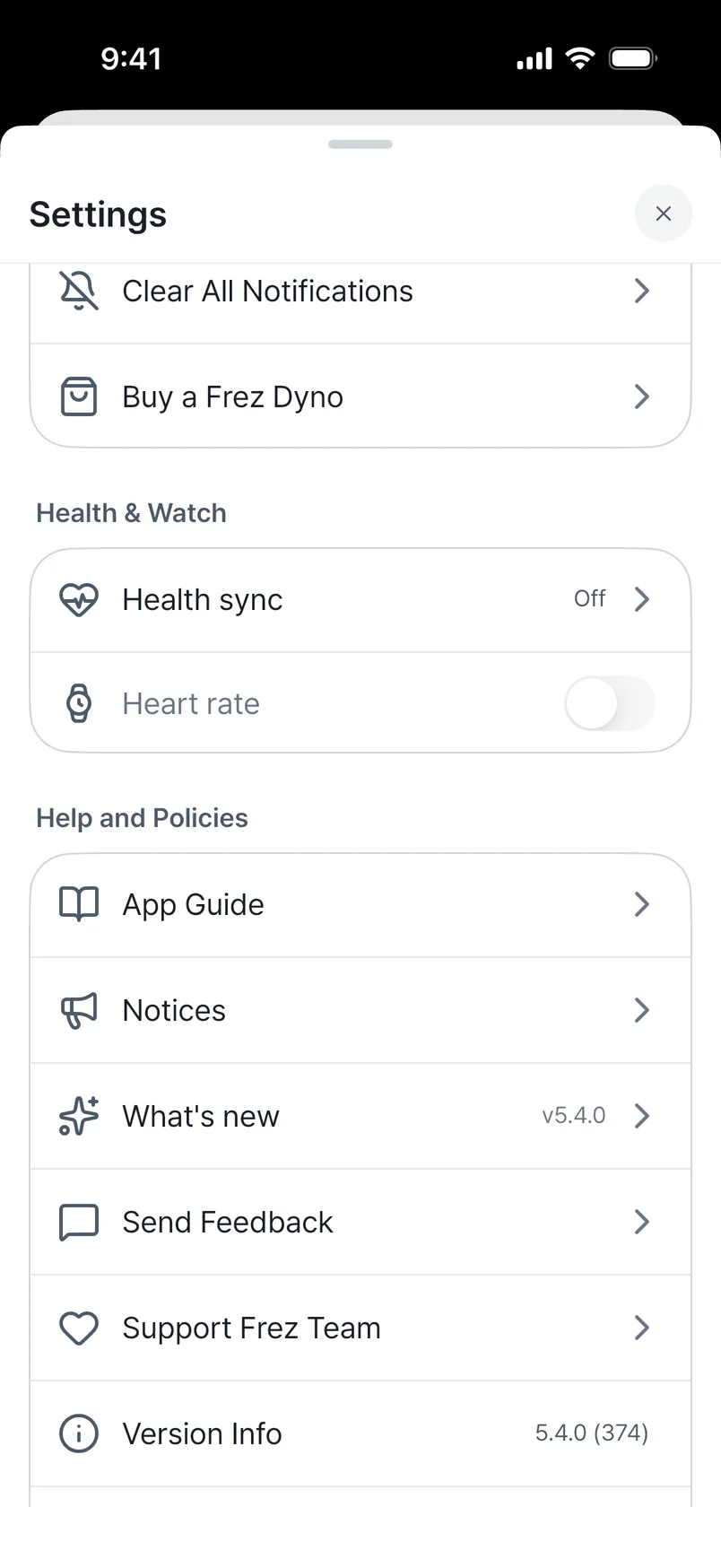
What is Health sync?
Frez shares records with the health app on your phone in both directions.
- Saves: workouts you finish in Frez.
- Brings in: workouts from other apps and watches, heart rate, sleep, HRV and resting heart rate.
Connect
Tap your profile picture at the top right of Home to open Settings. Under Health & Watch, tap Health sync.
Turn everything on in the permission screen and allow it. Frez does not connect if write access to workouts, active energy or heart rate is off.
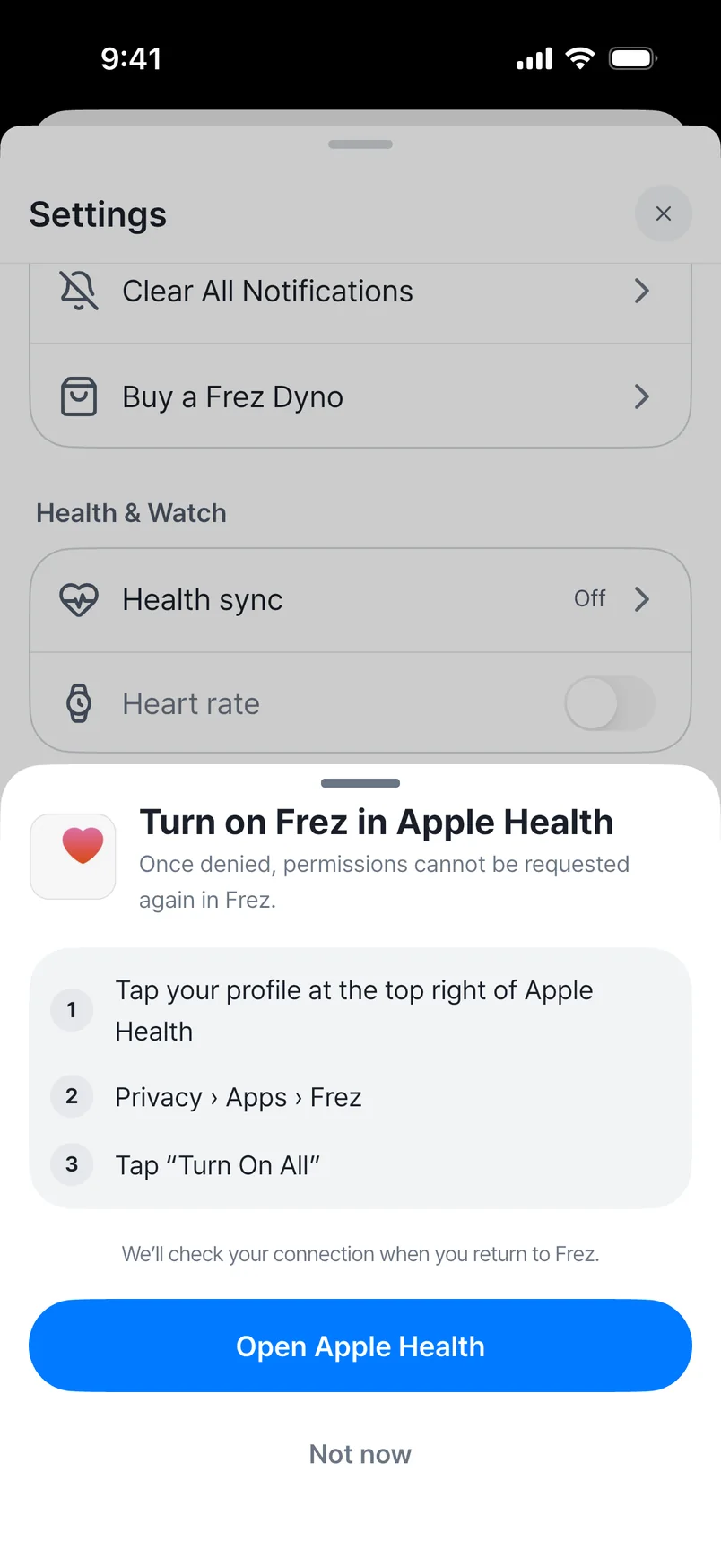
If you denied access before, a guide appears. On iPhone, open your profile in Apple Health and turn everything on under Privacy › Apps › Frez. On Android, tap Open Health Connect and allow all. Then come back to Frez.
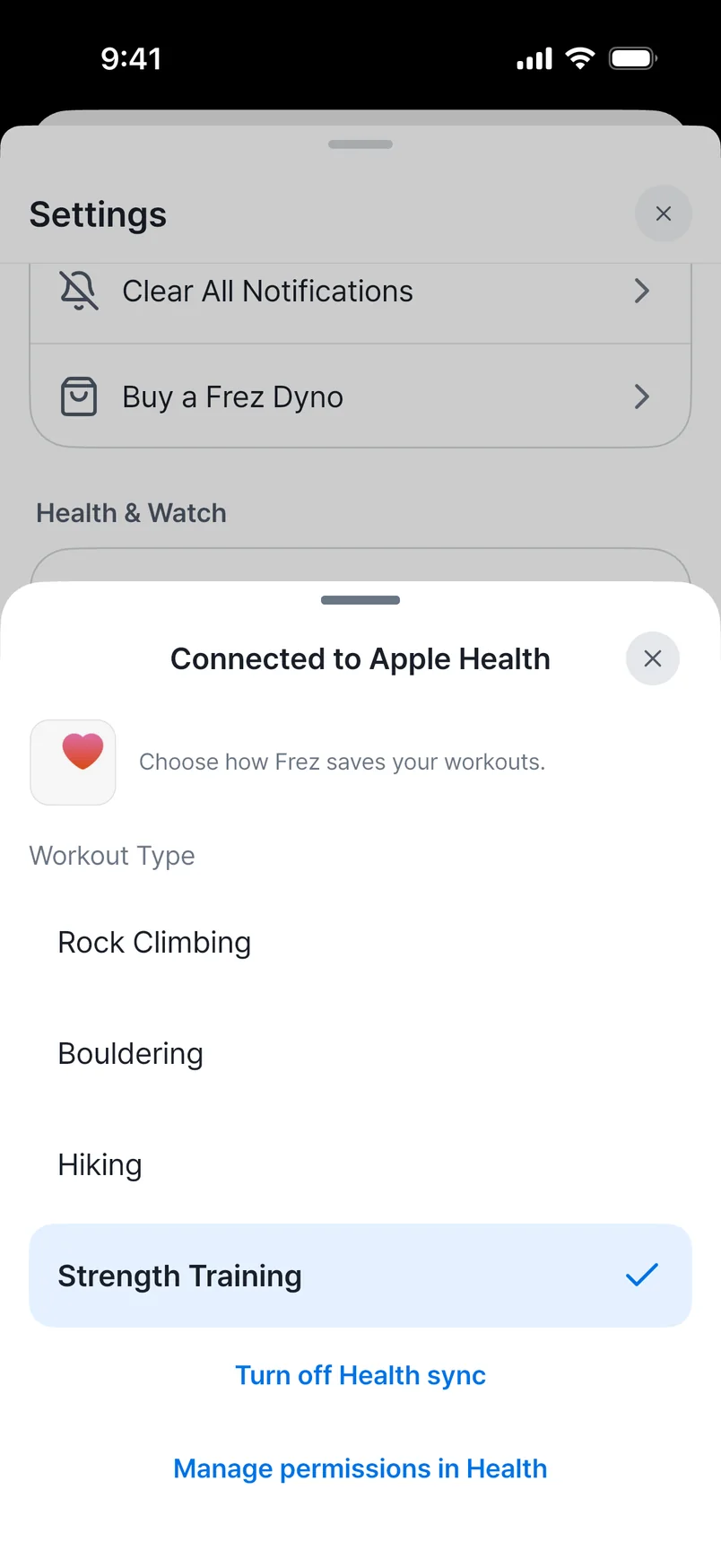
Save Frez workouts
Workouts you finish after connecting are saved. Tap Health sync again to choose the Workout Type. The default is Strength Training. Rock Climbing, Bouldering and Hiking are also available.
On iPhone, workouts with a logged distance such as running or cycling are saved as that activity with the distance. Calories are an estimate of 8 kcal per minute.
Climbing sessions logged on your phone and force measurements are not saved.
See workouts from other apps
On the History tab, tap a day in the calendar to see workouts from your health app too. Tap one for its time and distance, and heart rate if the workout recorded it. You cannot edit it.
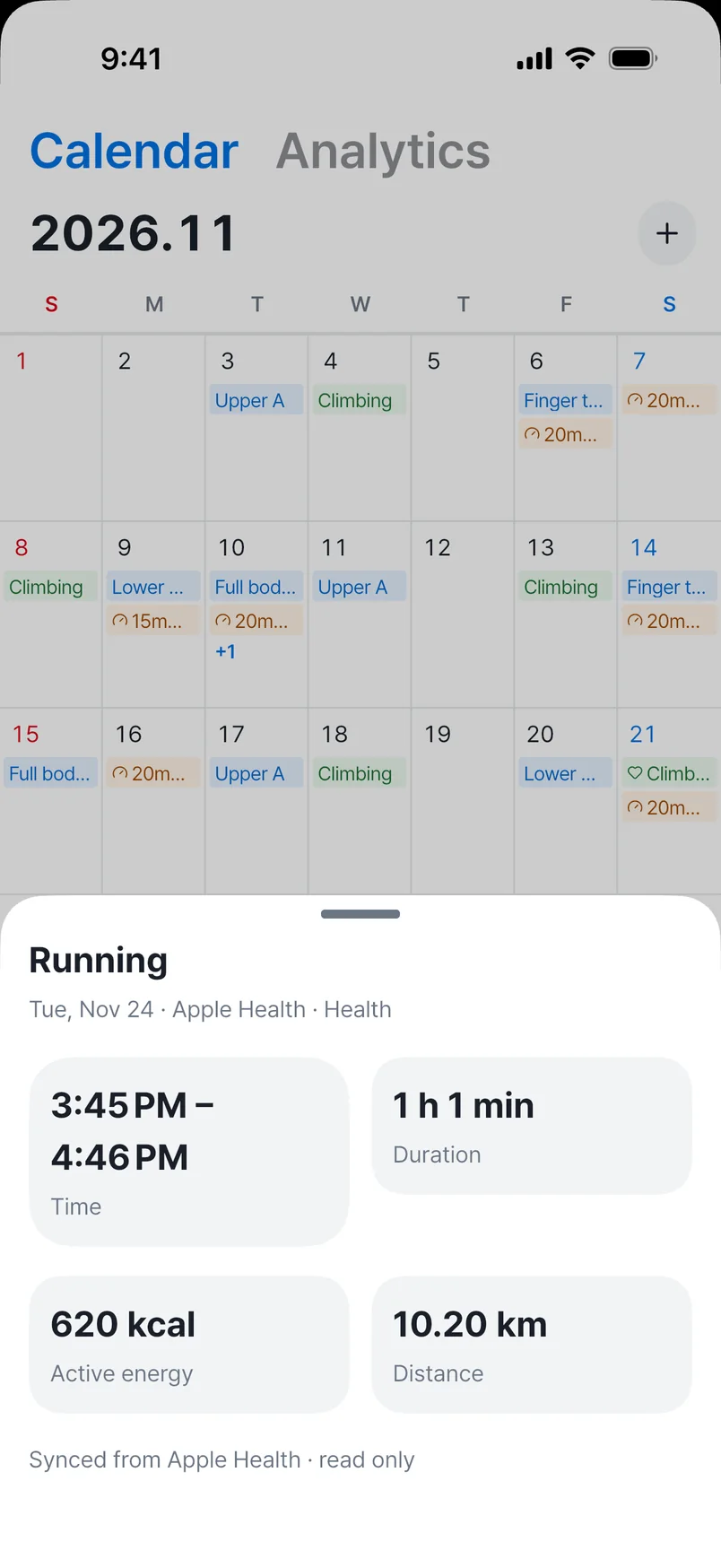
They also count in your Frez Score and training time. A workout that overlaps a Frez record by half or more is not counted twice.
Save one as a sport session
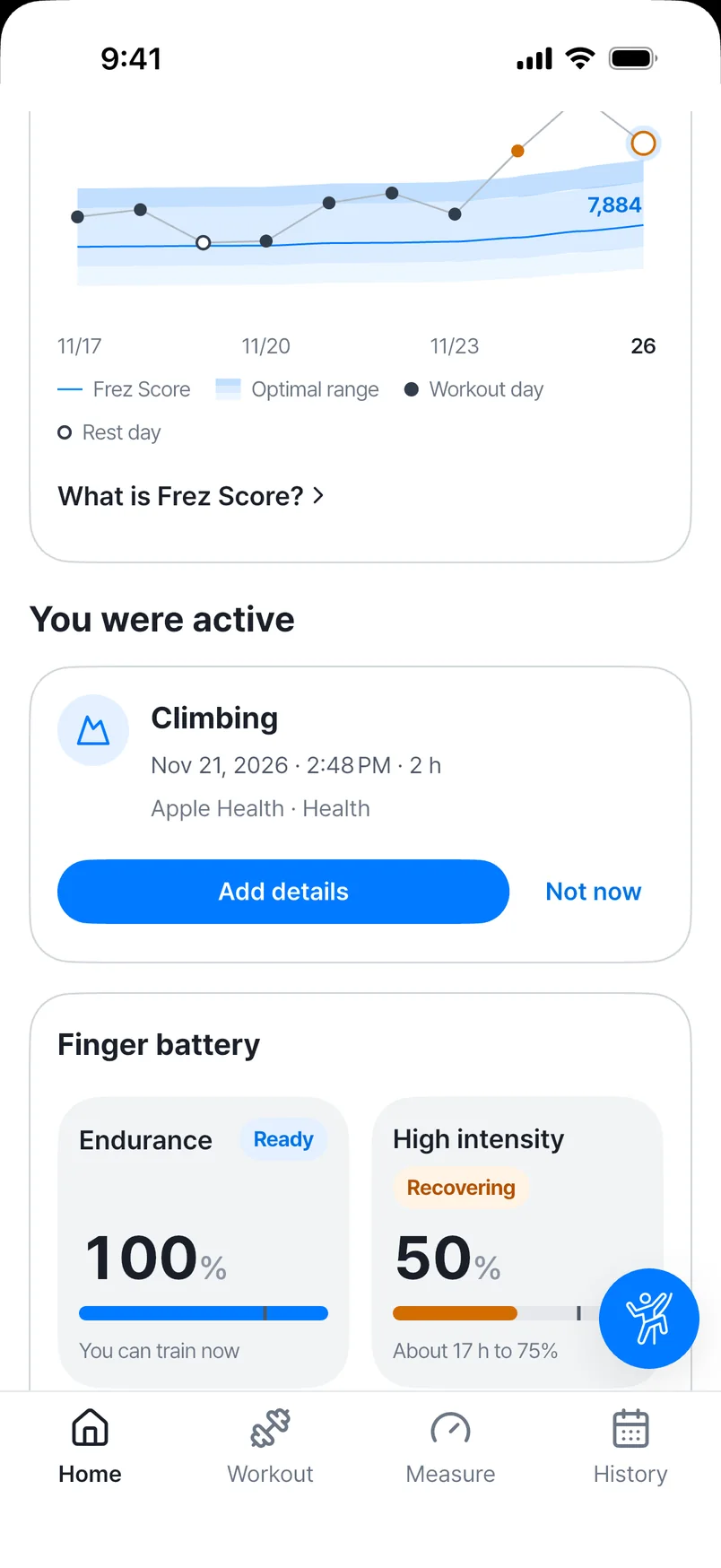
If a workout of one of your sports was recorded in the last 14 days, it appears on Home under You were active. Tap Add details, enter the effort and muscles, and save. Not now hides it.
See sleep and heart rate
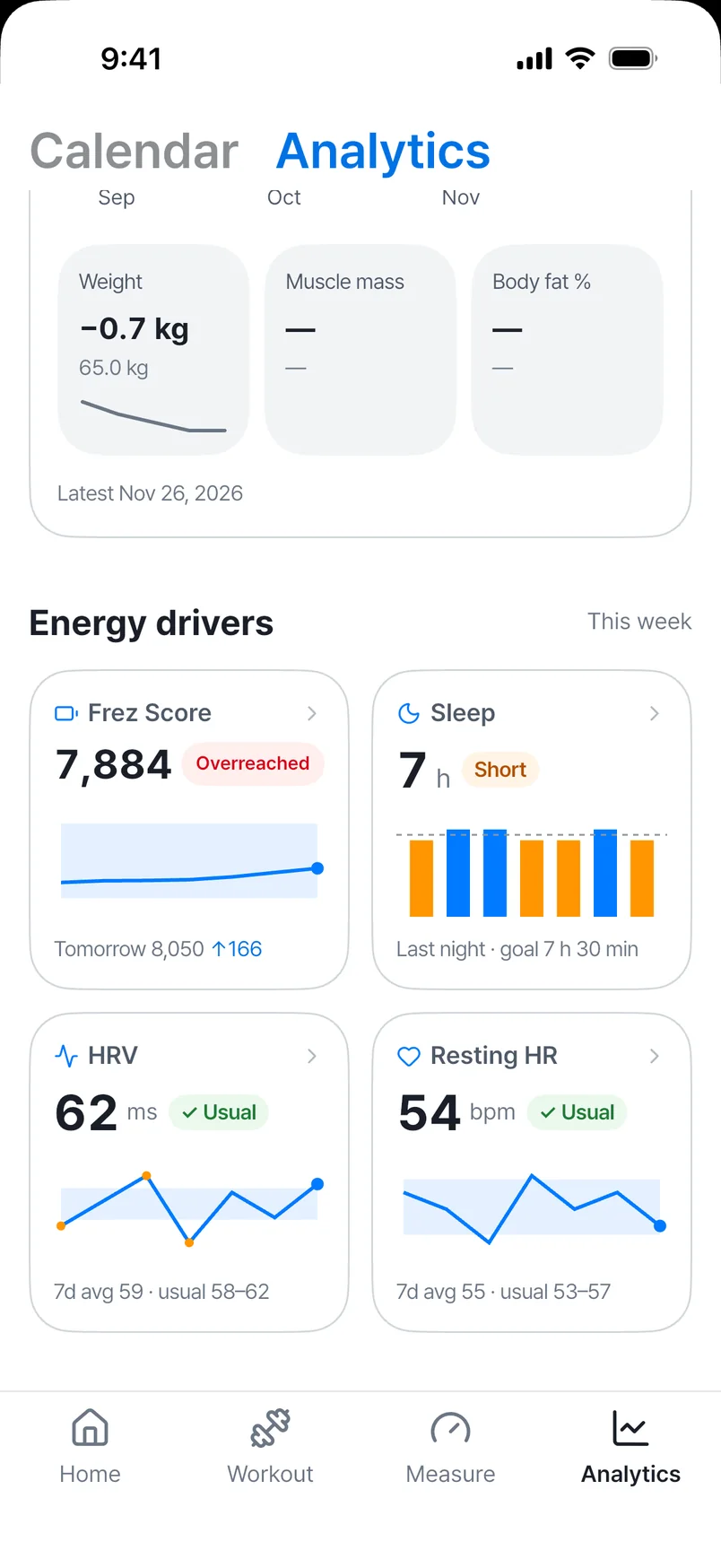
Energy drivers at the bottom of Analytics on the History tab shows last night's sleep, HRV and resting heart rate with your usual range. Wear your watch to bed to get values.
Disconnect
In Health sync, tap Turn off Health sync and then Confirm. Workouts already saved to your health app stay there.