Frez
Get the app
Features

Share Routines

Send a routine by link, QR or code, and add routines you receive to your own.

Get the app

Sending needs Pro. Receiving is free.

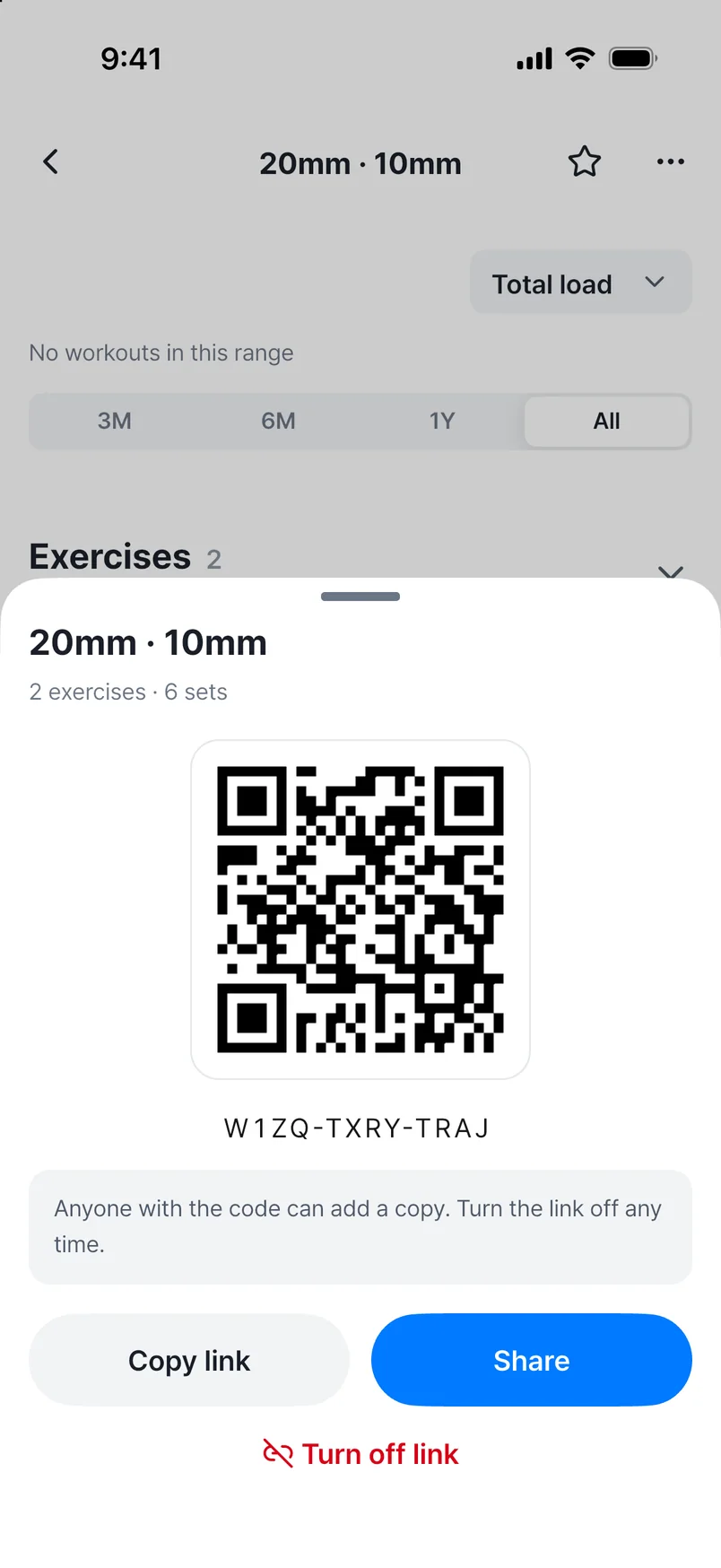
Routine name with a QR, a 12-character code and the Copy link and Share buttons

What is routine sharing?

It sends a copy of your routine as it is at that moment. Sets, rest, exercise notes and custom exercises are included. Your logs and measurements are not.

Send a routine

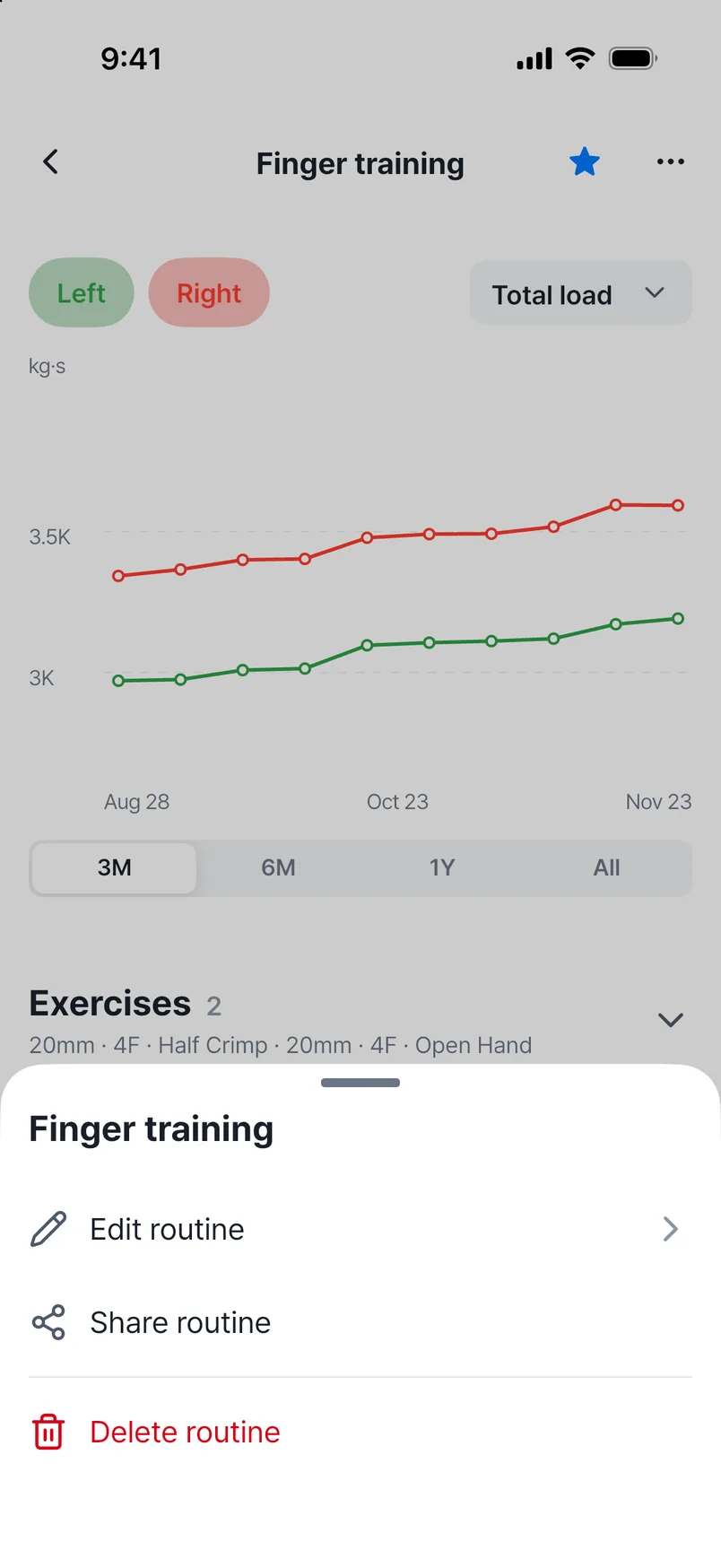
Open the routine and choose Share routine from โ‹ฏ.

Menu with Edit routine, Share routine and Delete routine

Show the QR, or use Copy link or Share. If the other person does not have the app, the link tells them how to install it.

Receive a routine

Tap the link or scan the QR with your phone camera. To use a code, tap โ‹ฏ next to Routines on the Workout tab, choose Receive routine by code and paste the 12-character code or the link.
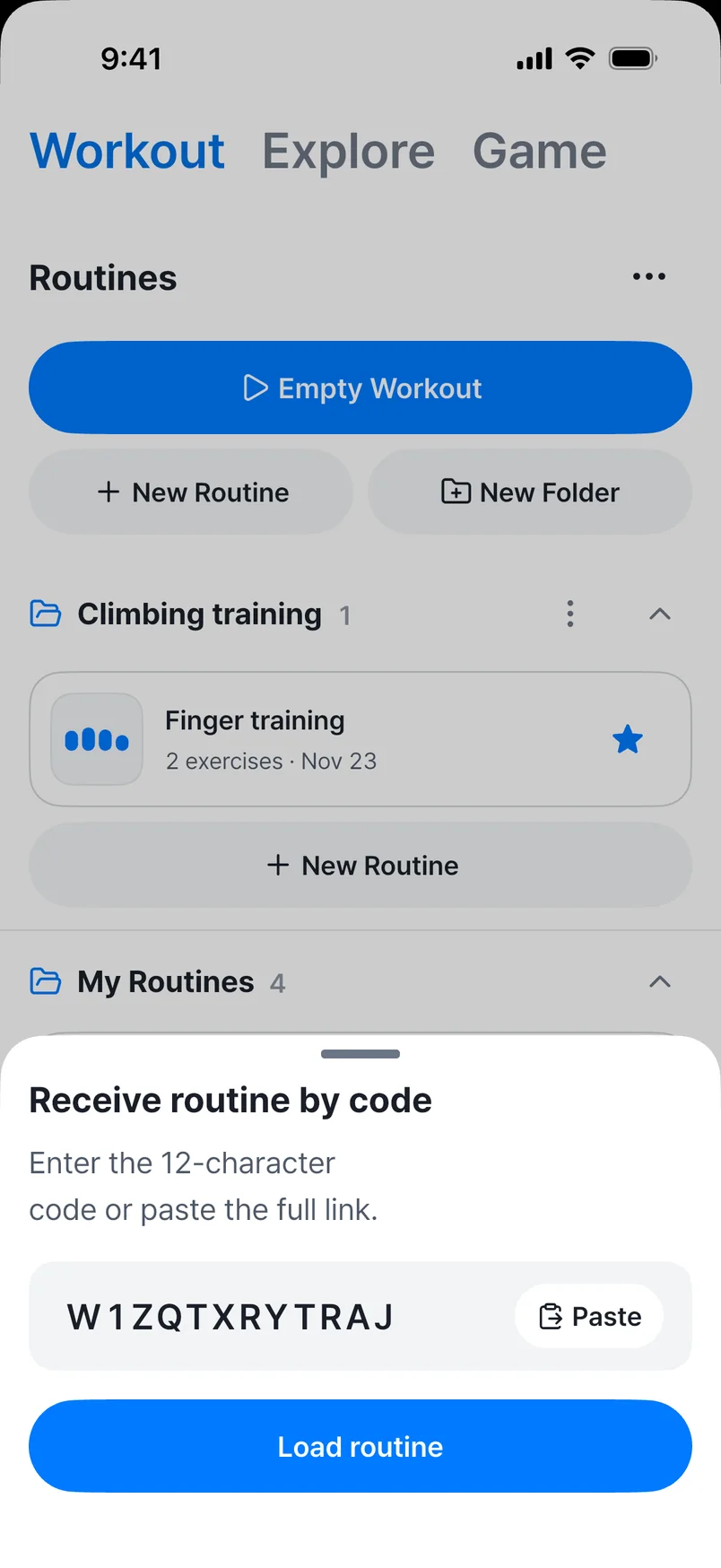
Receive routine by code with a 12-character code entered

Check the exercises and sets, then tap Add to my Workout to get your own copy.
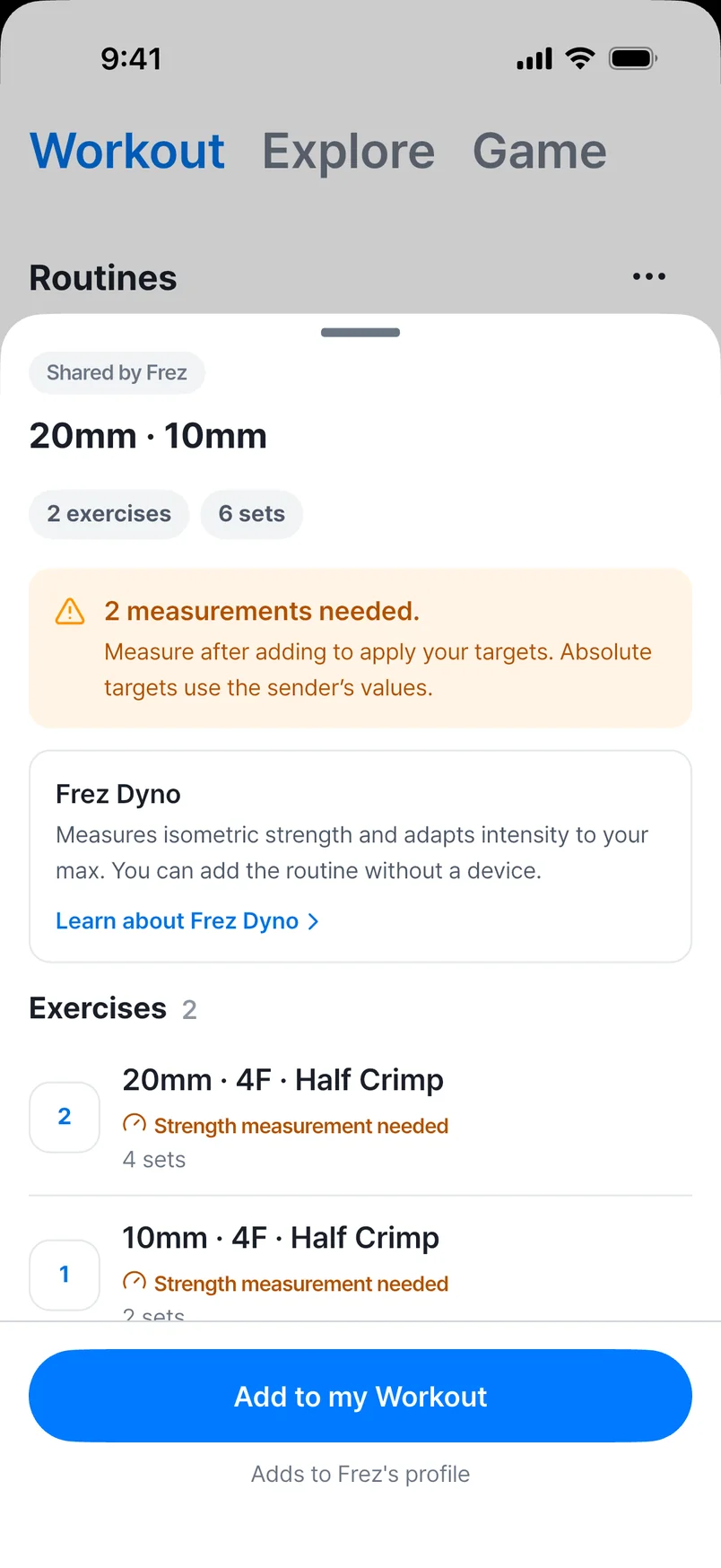
Exercises of a shared routine, a Strength measurement needed label and the Add to my Workout button

Force targets use the receiver's values

Targets set as a percentage of peak force or CF are recalculated from the receiver's measurements. Exercises with such a target show Strength measurement needed. Weights and targets in kg stay as sent.

Turn sharing off

In the same โ‹ฏ menu, Shared links shows how often each link was opened and added. Turn off stops the link, QR and code from working.
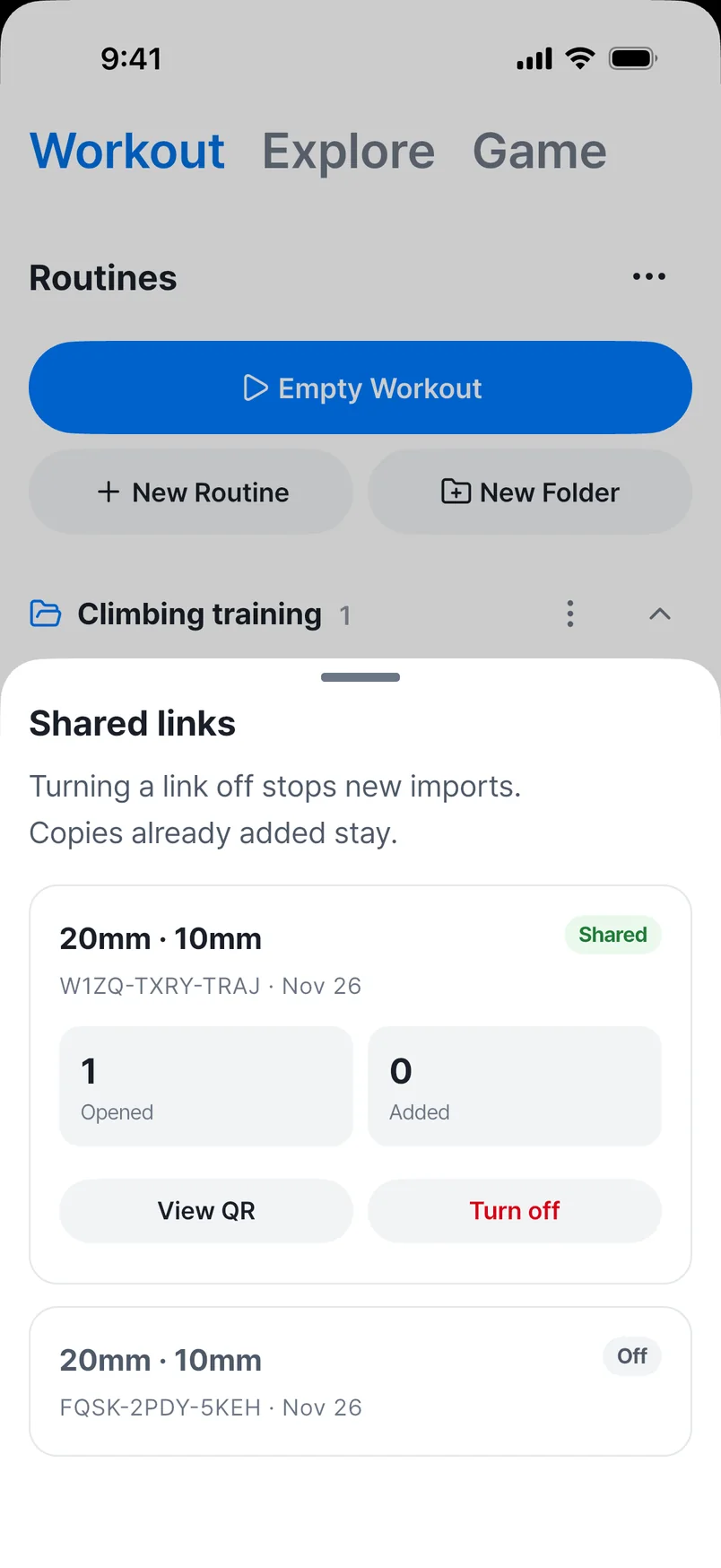
A shared routine and one turned off, with Opened and Added counts

Let a friend try it

If every exercise in a routine measures force, Try appears to the left of Start. Enter your friend's baselines and the targets use them. Nothing is saved to your history.
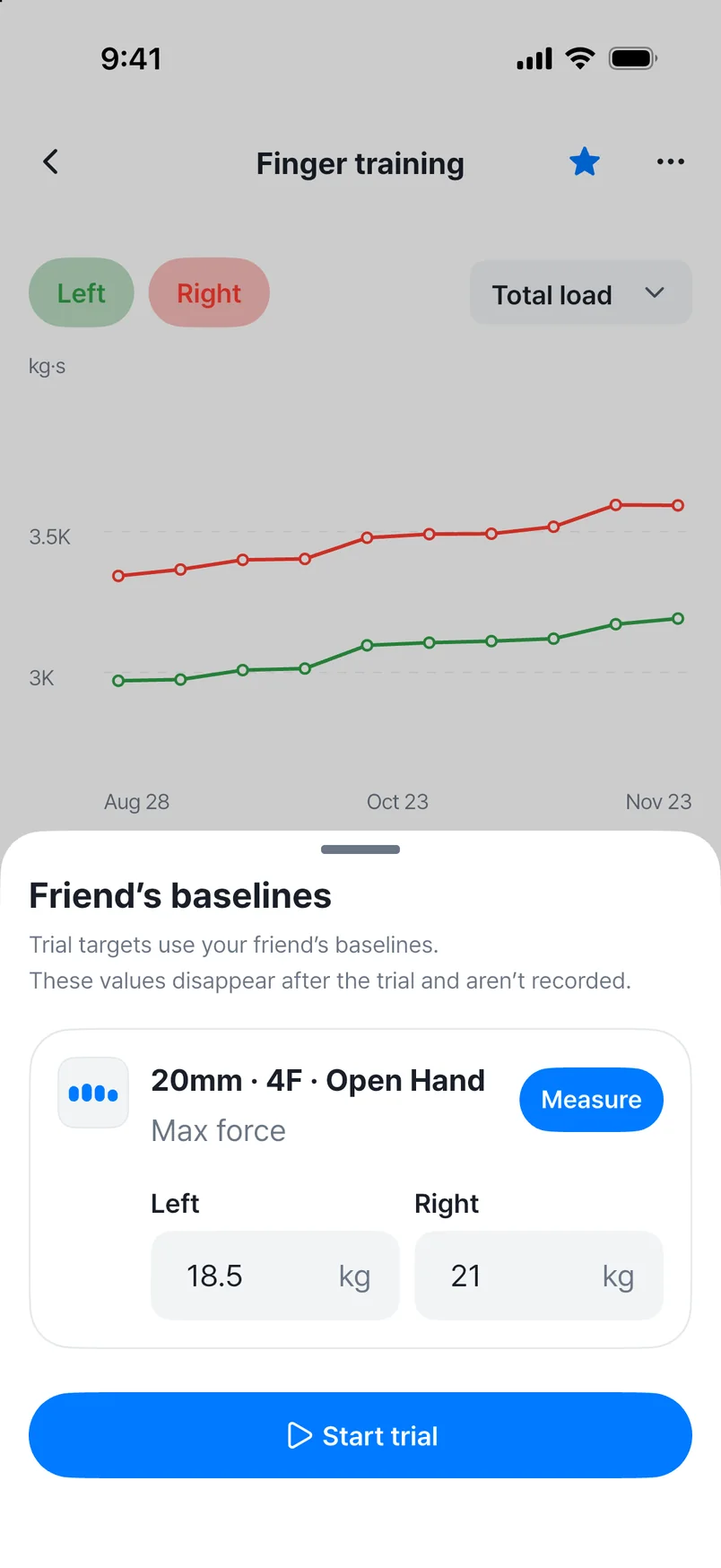
Friend's baselines with a max force entered and the Start trial button

Frequently asked questions

Does the receiver need Pro?

No. Receiving is free, but they need to sign in, and the routine counts toward the 4 on the free plan.

If I edit the routine, does theirs change?

No. Share it again to send the edited version. That makes a new link, and the old link keeps the old version.

What happens to copies after I turn a link off?

People who added the routine keep it. A link cannot be turned back on, so share the routine again.

What if I receive the same routine twice?

You see Open routine instead. Tap Add another copy to make a second one.

Can I receive one without a Frez Dyno?

Yes, you can add it without a device.

Does it work offline?

You need a connection to send or receive. Routines you have added work offline.

More features