Frez
Get the app
Features

Explore Routines

Find finger training, strength and stretching routines and add them to your own.

Get the app

Free to browse. Getting a routine needs Pro, except Emilโ€™s Daily Routine.

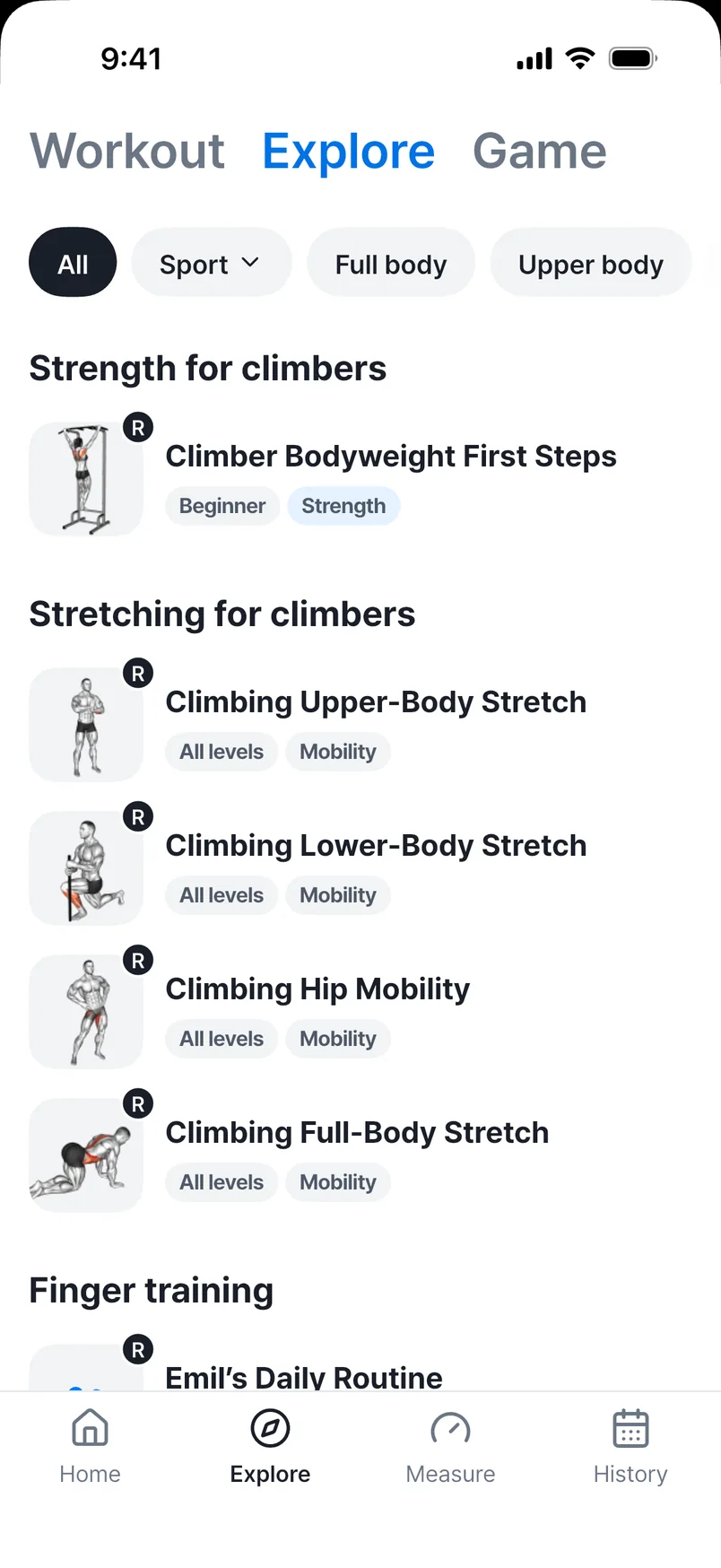
Explore with sport and body part filters above a list of routines

What is Explore?

Explore is a collection of routines from Frez. Once you get one, it is yours and you can edit its sets and weights.

Find a routine

On the Workout tab, tap Explore at the top. Choose a Sport or a body part to narrow the list. You can select several.
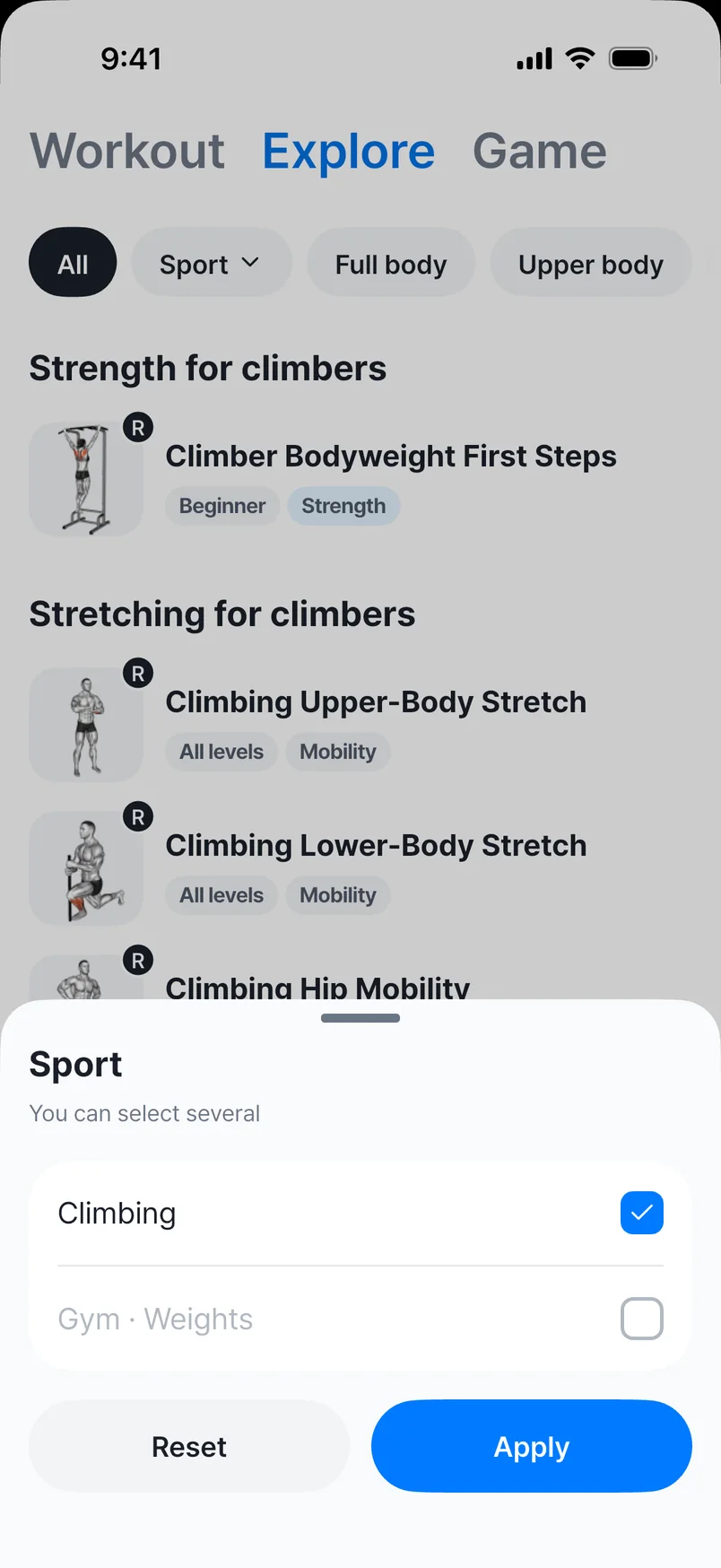
Sport filter with Climbing selected

Preview and get it

Open a routine to see its description, exercises and sets. Tap an exercise to see how it is done. Then tap Get routine.
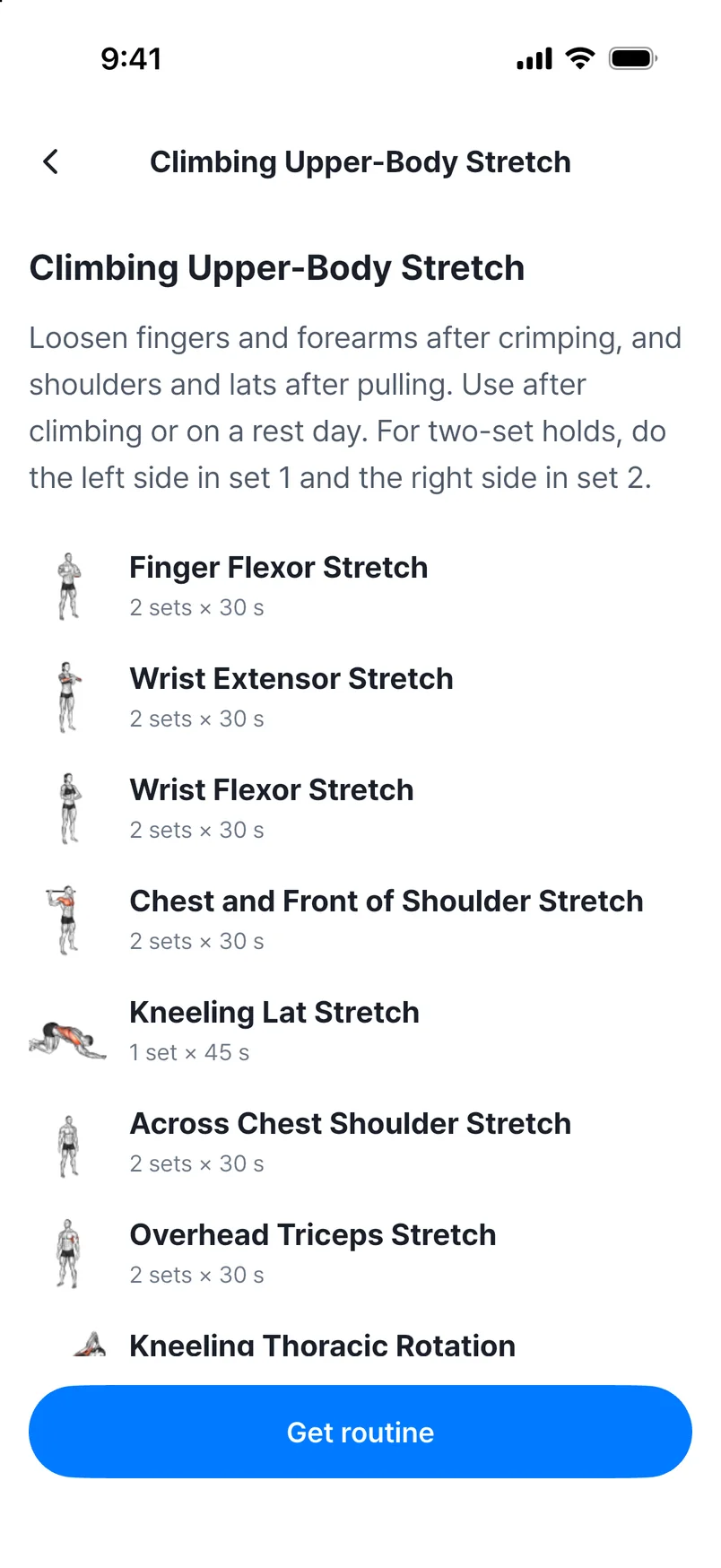
Routine description, exercise list and the Get routine button

Start your routine

The routine goes to My Routines and opens right away. Tap Start, or change it with Edit routine in the โ‹ฏ menu. To send it to someone, see Share routines.
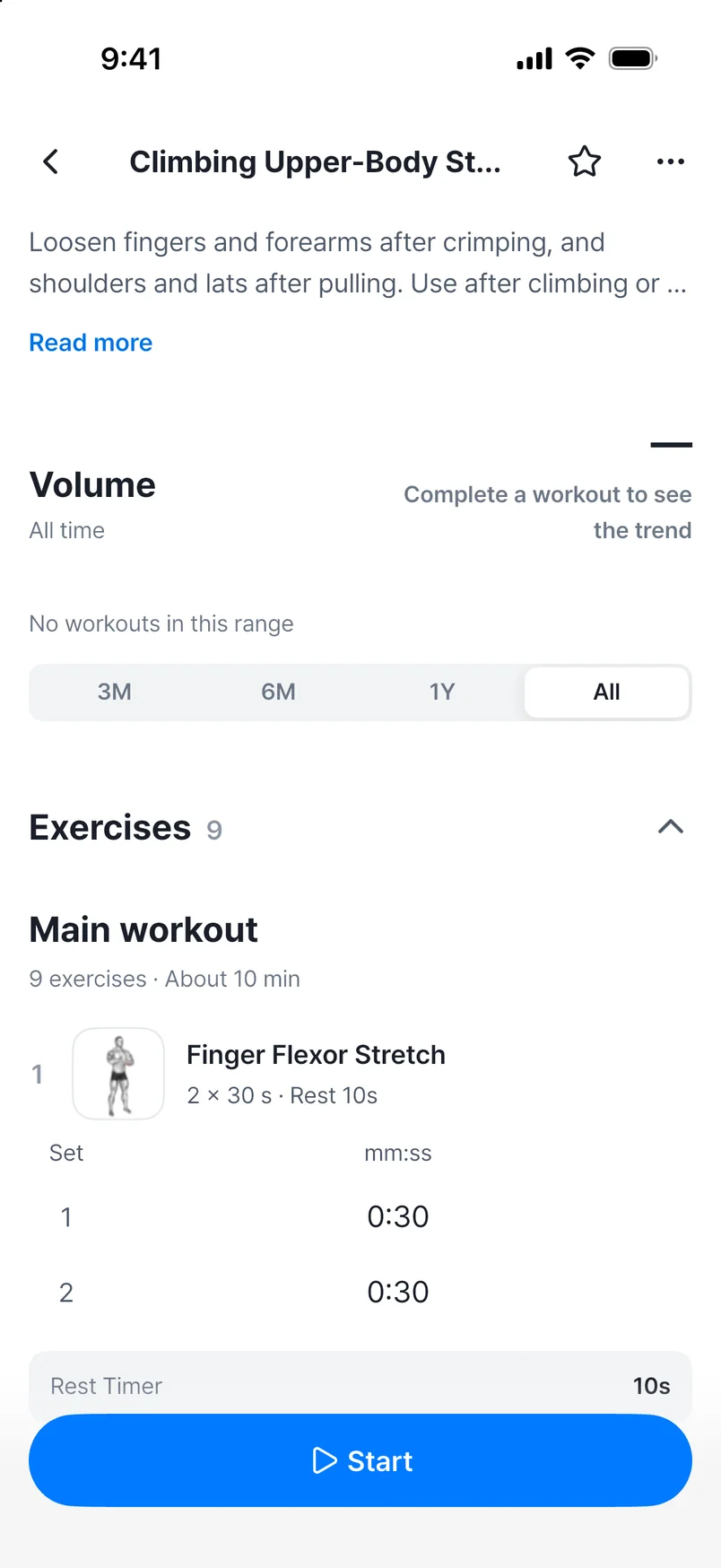
Detail screen of a routine from Explore, with the Start button

Most finger routines use a percentage of your peak force as the target. Measure your peak force first and the targets use your own value.

Frequently asked questions

Is it free?

Browsing and previews are free. Getting and starting a routine needs Pro, except Emilโ€™s Daily Routine.

Do these routines count toward the limit of 4?

Yes. The free plan includes 4 routines in total, counting your own.

What happens to them when Pro ends?

They stay in your list, but you need Pro to start them. Emilโ€™s Daily Routine is the exception.

How do I know I already have a routine?

The button says Open instead of Get routine.

Does it work offline?

You need a connection to browse and get routines. After that they work offline.

More features