What is the rest timer?
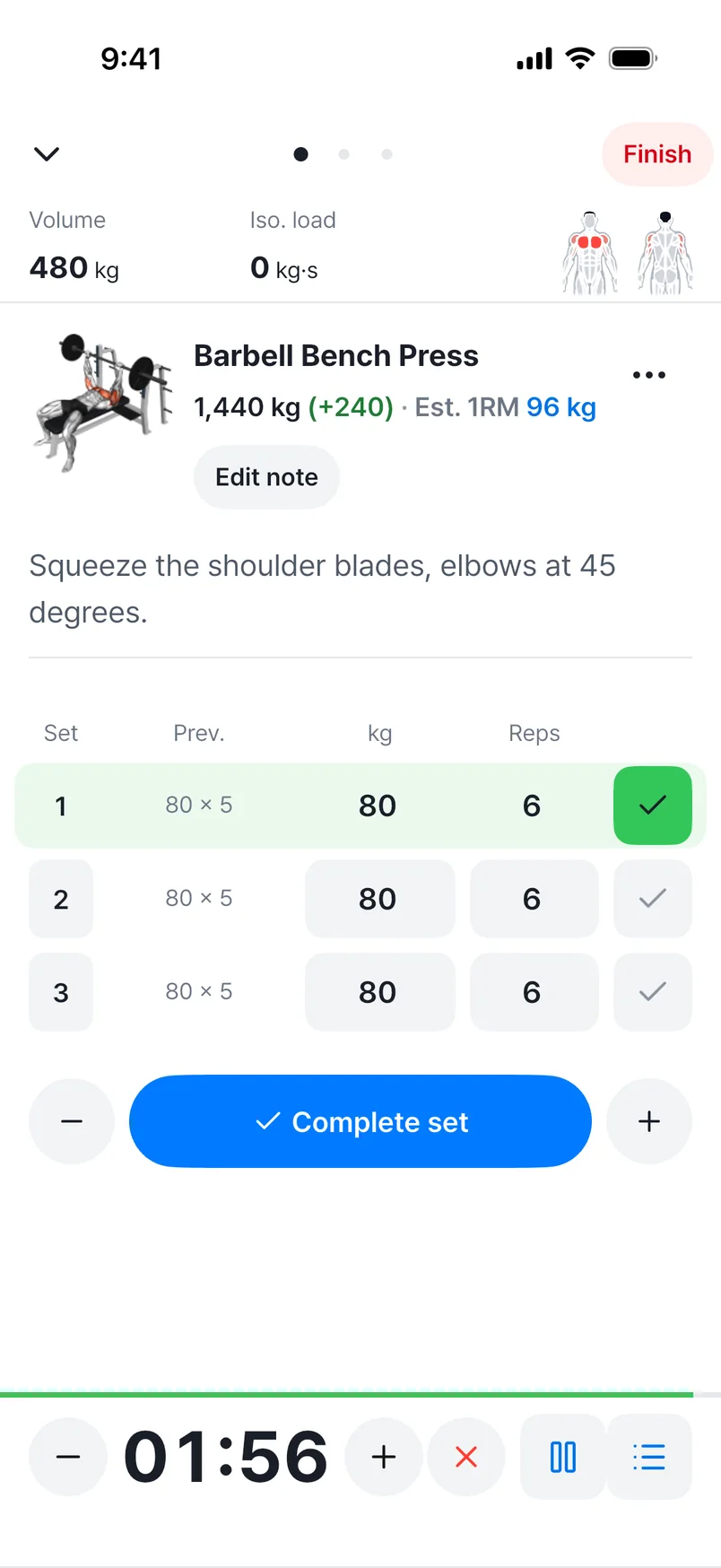
Check off a set and a rest starts at the bottom of the screen. Each exercise has its own rest time, 60 seconds by default. No rest starts once every set is done.
Set the rest time
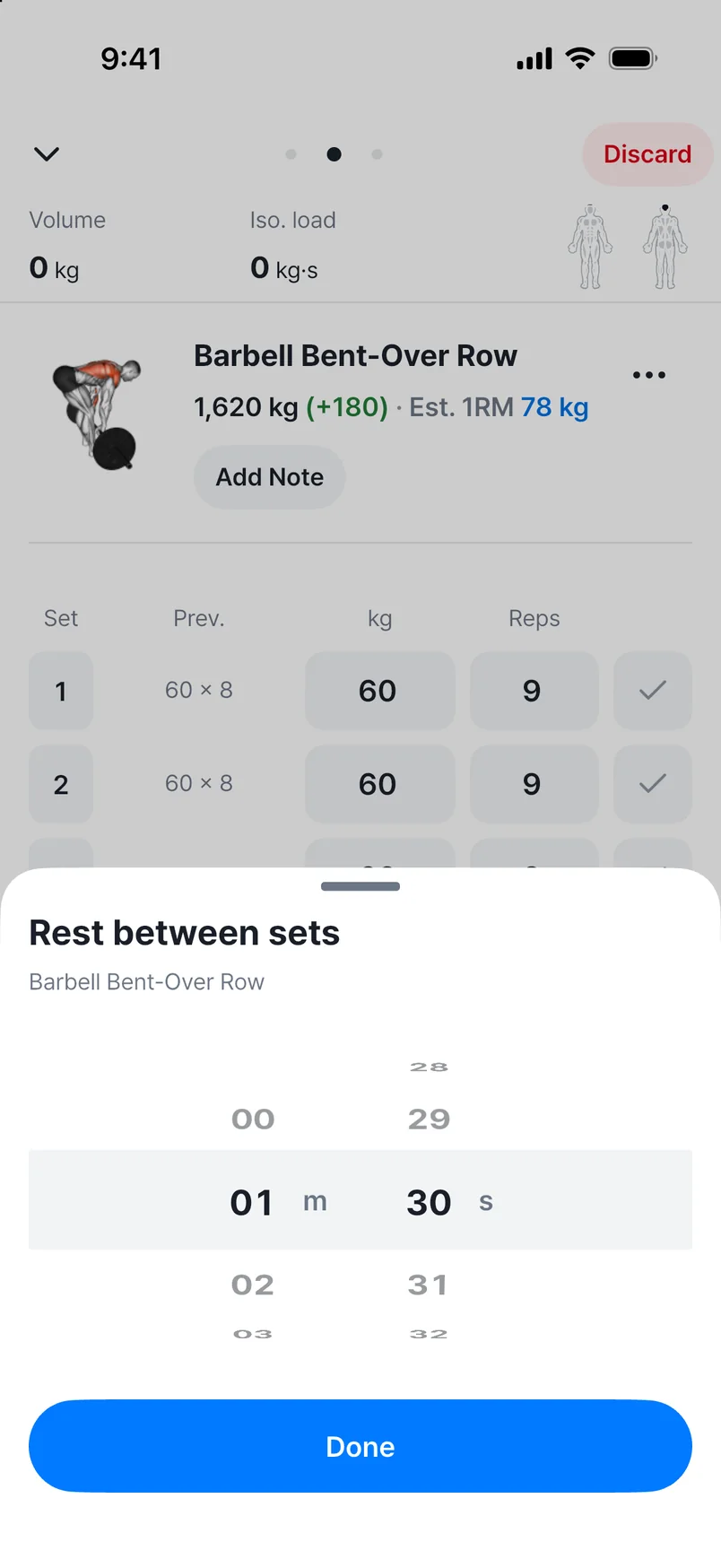
When you are not resting, tap the blue timer button at the bottom. Choose minutes and seconds in Rest between sets. The time applies to every set of that exercise. Set 0 minutes 0 seconds to turn it off.
To save rest times in a routine, set them when you edit the routine. If you change one during a workout, Frez asks whether to update the routine when you finish.
Change a rest while it runs
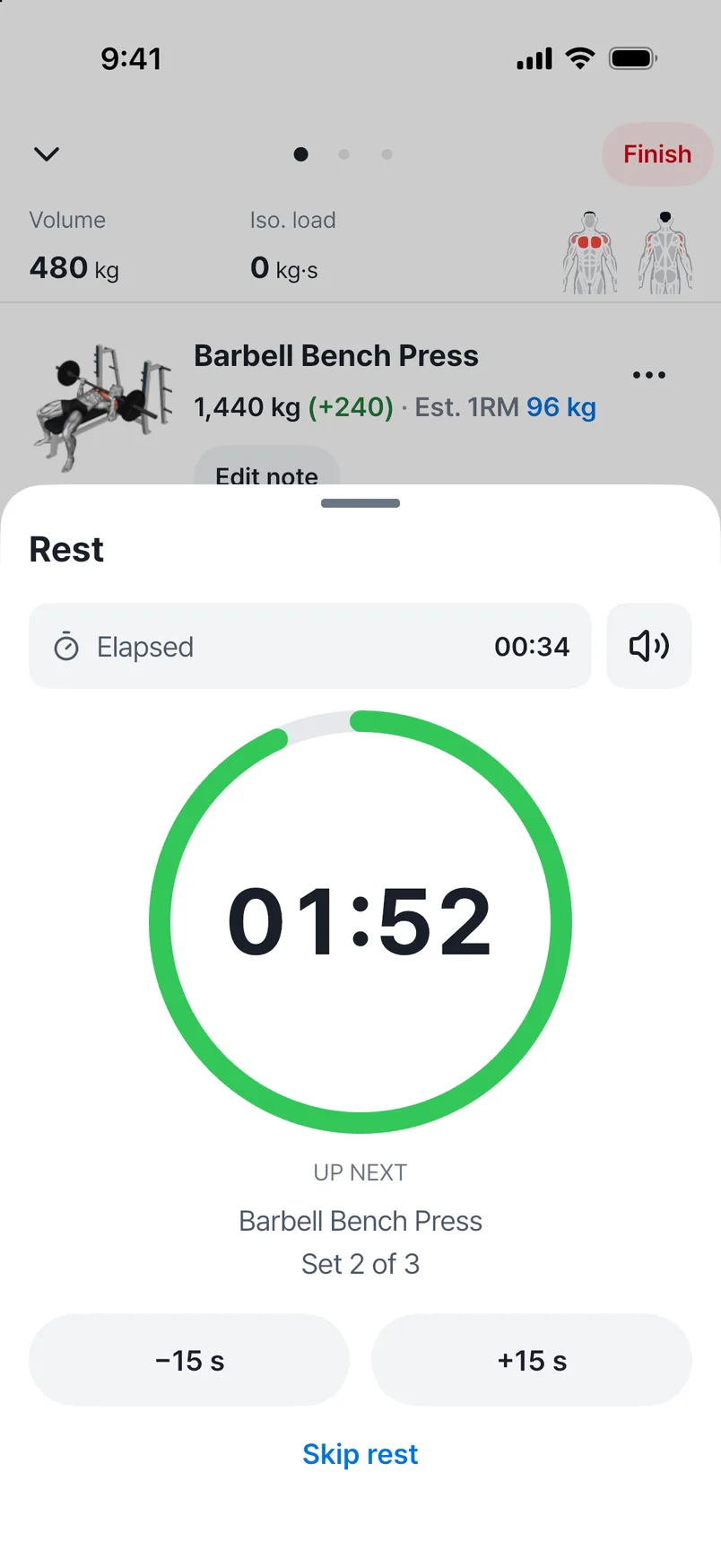
Use − and + to change it by 15 seconds, or the red × to skip it. Only this rest changes.
Tap the time to enlarge it. Your next set is shown there too.
Sounds and alerts
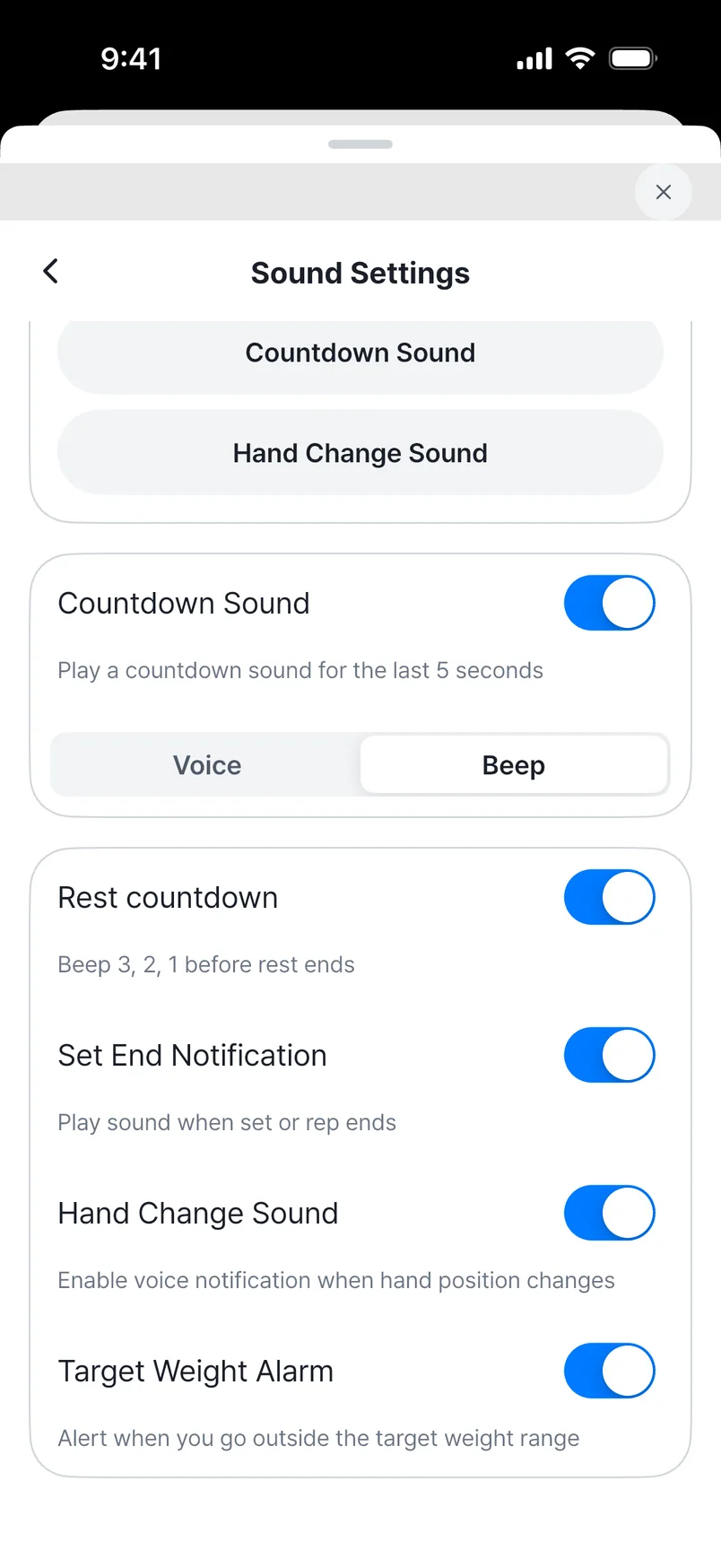
You hear beeps in the last 3 seconds, then a sound and a vibration at the end. If you are in another app or the screen is off, you get a Rest complete notification. The time is also on the lock screen.
In Settings, Sound Settings has separate switches for Rest countdown and Set End Notification. Turning off Set End Notification also turns off the Rest complete notification.