What is a superset?
You do one set of each grouped exercise in turn. Once through all of them is a round. Group bench press and row, for example, and you repeat bench press, row, rest.
Group exercises in a routine
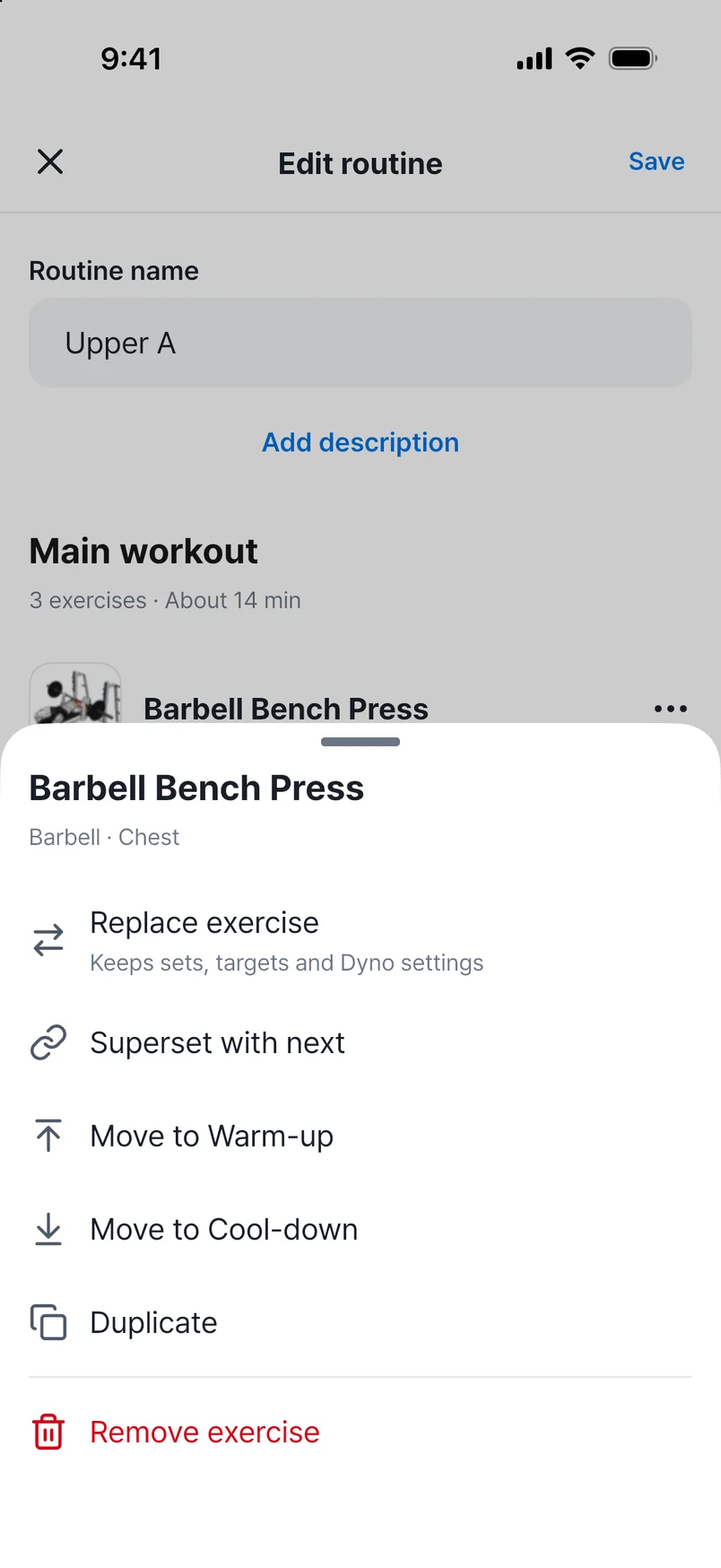
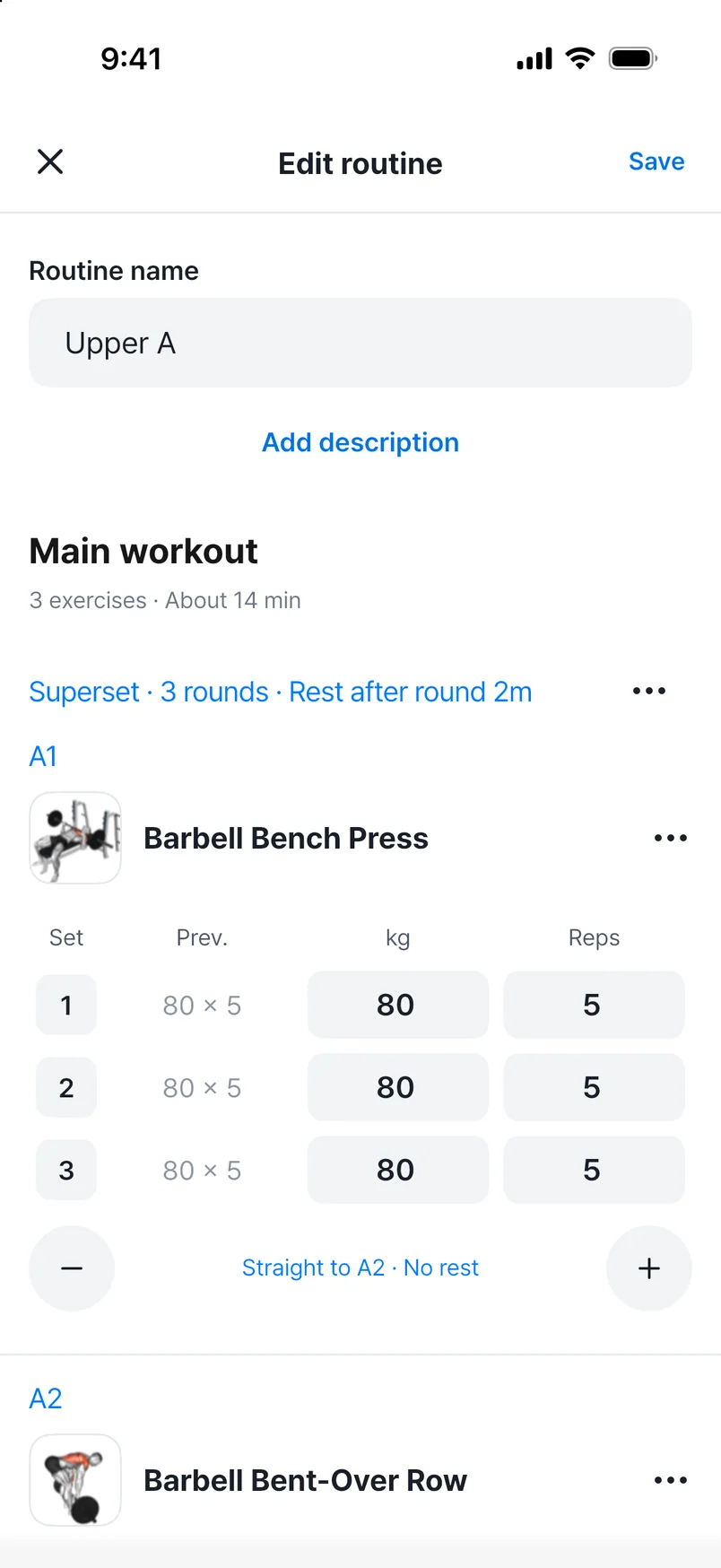
When you edit a routine, tap ⋯ on an exercise and choose Superset with next. It is grouped with the exercise below.
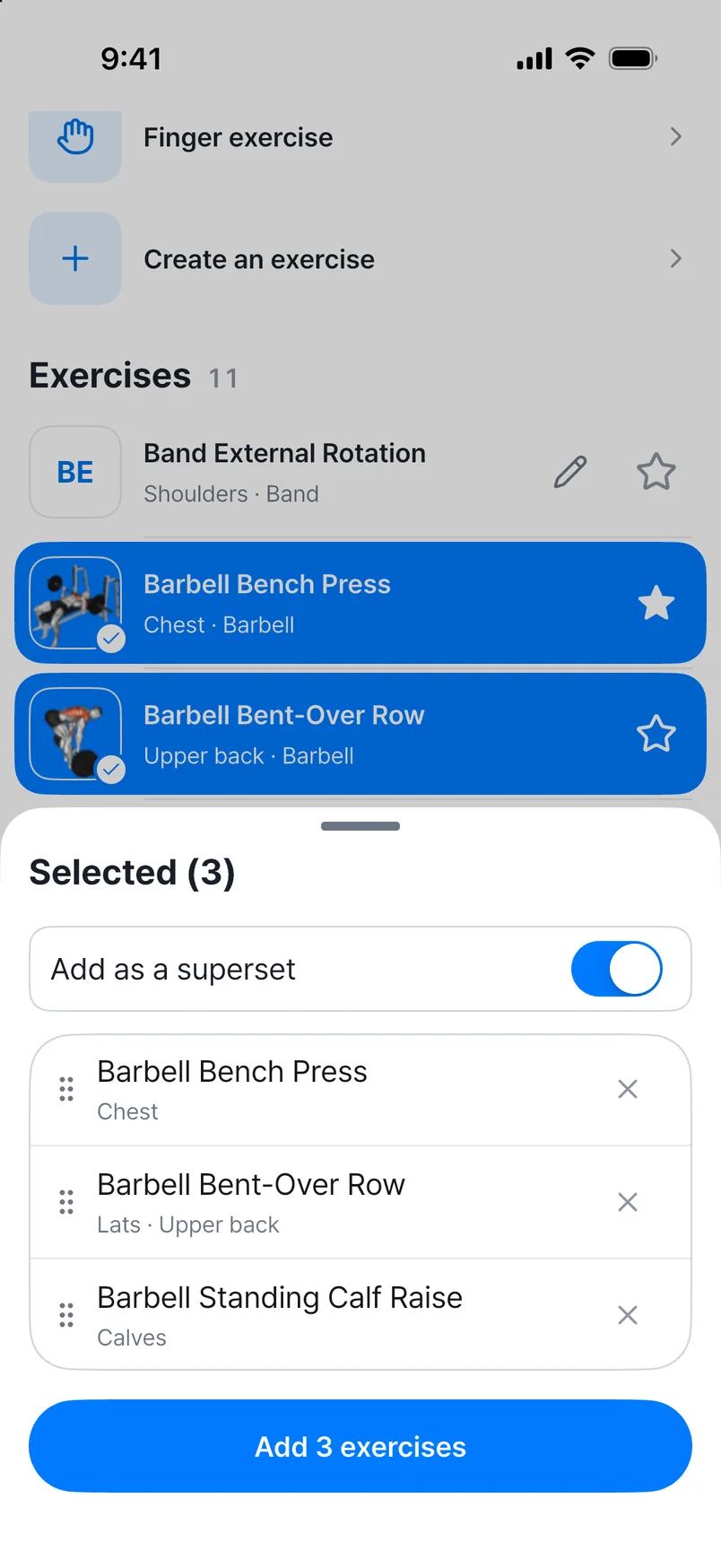
You can also group exercises as you add them. Select two or more, tap the list button next to the add button and turn on Add as a superset. Three or more work too.
Set rounds and rest
Tap ⋯ next to the superset heading.
- Rounds: Gives every exercise in the group the same number of sets.
- Rest after round: Starts from the first exercise's rest, or 1 minute 30 seconds if it has none. Changes in steps of 15 seconds.
- Rest between exercises: Off by default, or 20 seconds with a Dyno exercise in the group. Changes in steps of 5 seconds.
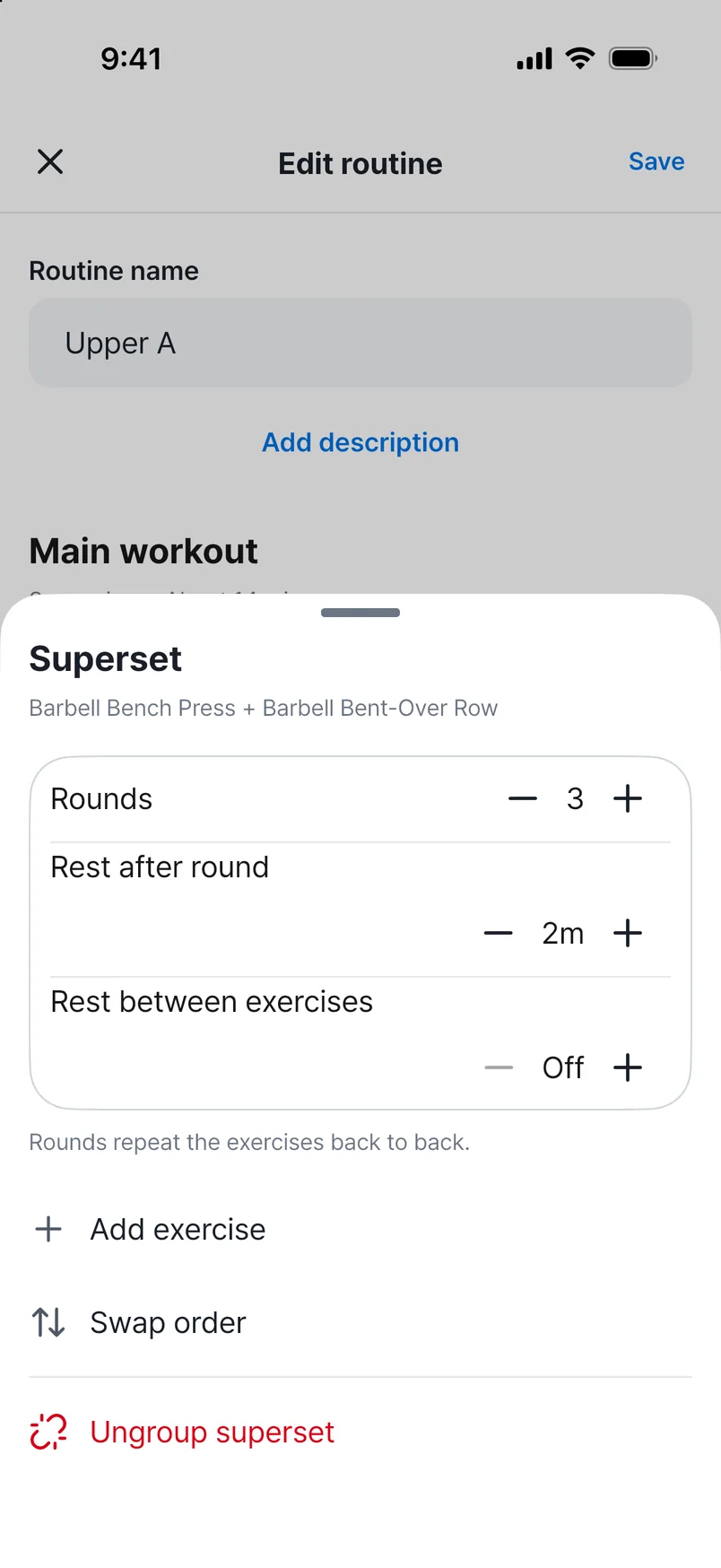
Add exercise adds one to the group, Swap order reverses it and Ungroup superset splits it. To take out one exercise, open its ⋯ and choose Remove from superset.
Train a superset
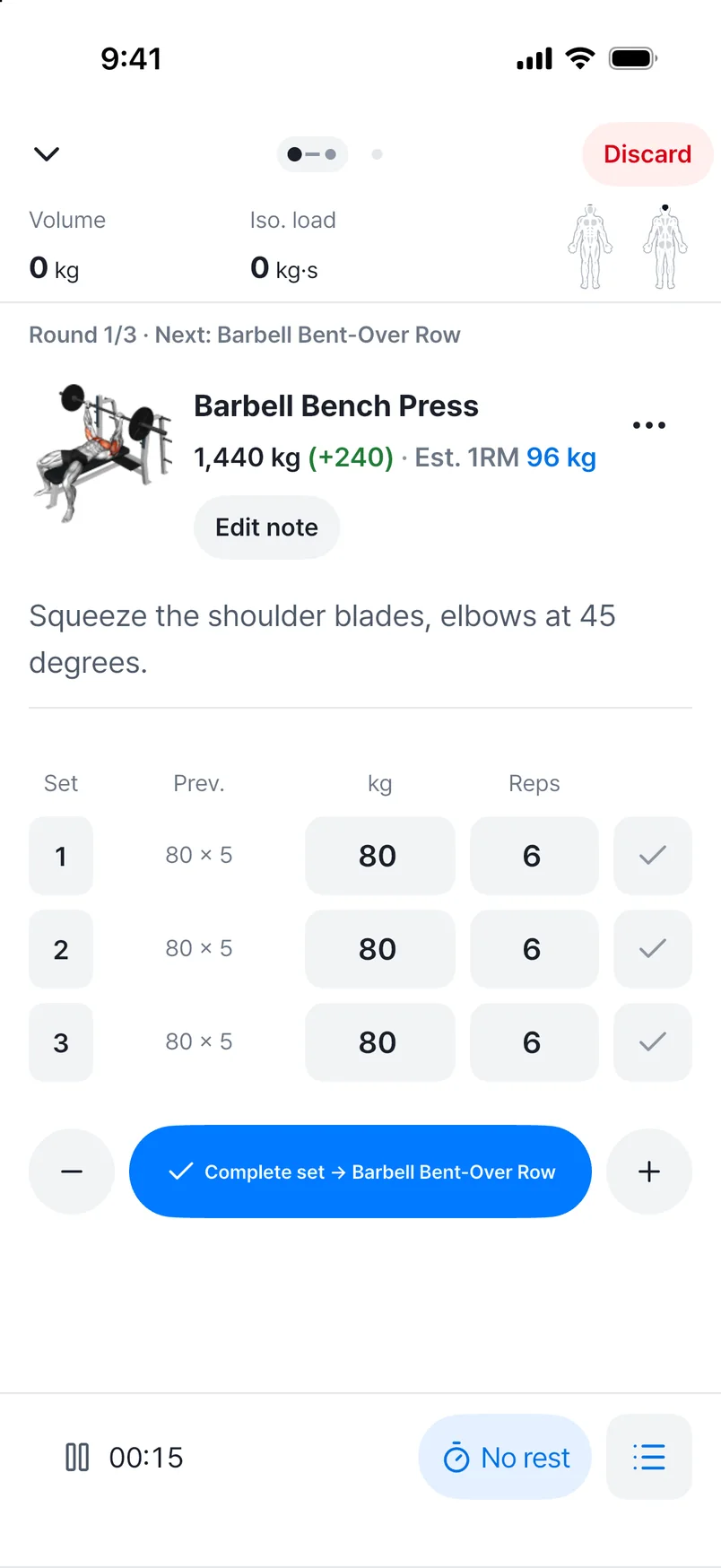
The button names what comes next. Tap Complete set → Barbell Row to move on. The last exercise of a round starts the rest. Linked dots at the top show which exercises are grouped.
Group exercises during a workout
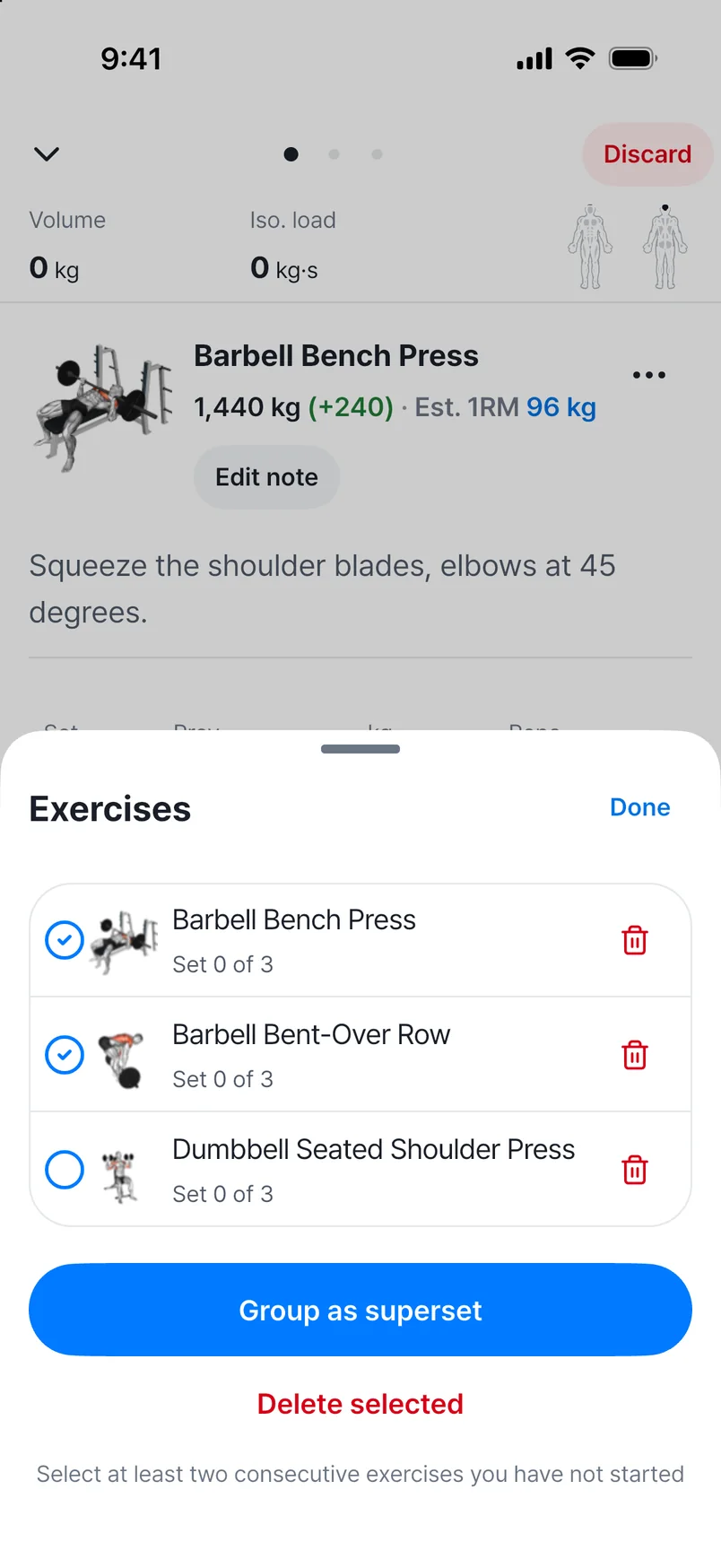
Open Exercises with the list button at the bottom right and tap Edit. Select two or more exercises in a row and tap Group as superset. Only exercises you have not started can be grouped.